One Customer, Six Systems: Defining a Single Customer View You Can Actually Build


Few questions annoy a customer more than one your business already knows the answer to: “Can I take your order number?” They messaged about a late delivery, emailed when nobody replied, then called, and each agent started from zero. Gartner found that 62% of customer service channel transitions are high-effort for the customer.
Most teams answer with a 360-degree profile that never ships. But a small or mid-size business needs much less: agents who recognize the same person on any channel and see, on one record, the recent orders and who owns the next step. That’s a quarter’s work, mostly with tools you already pay for.
This article walks you through that quarter: the master record, the match rules and a 12-week build plan with owners attached. Follow it, and no customer has to give their order number twice.
TL;DR (Quick Summary)
A single customer view is a record your team can act on. It holds only if you decide what the record contains, which system wins each field, and how identities match before any connector runs. After that, the software is the small part.
- What problem should the view solve? → Repeat questions and lost context when customers switch channels, and nothing wider
- What goes in the master record? → Identity, verified contact methods, consent, an owner and links to orders, with no copied transaction data
- Which system wins a disputed field? → One owning system per field and a written precedence rule, agreed before the first sync
- How do you match identities across channels? → Normalize first, auto-link only on exact verified identifiers, send the rest to review
- What can ship in one quarter? → Messaging, email, phone and order references on one record, switched over on the same day
- What should you test before go-live? → Shared phones, gift orders, guest checkouts and new emails, plus a no-match playbook for agents
- What reporting does it unlock? → Contacts per order and resolution time per customer, the numbers ticket-level reporting hides
Takeaway: A single customer view is a set of decisions about identity, ownership and precedence. Write them down before you connect anything and the integration work shrinks.
Start with the operational problem your single customer view must solve
Each tool in that story created its own contact, and each agent assumed someone else had it. A lot of this pain sits in the gap between ecommerce, support, and retail CRM software.
Here, a single customer view means one working record per customer, tied to a persistent internal ID, linked to the conversations and orders that matter, with one named owner. Some vendors call it a golden record. The scope matters more than the name.
Name the symptom you’ll measure
Most single customer view projects fail in the scoping meeting, long before anyone configures a sync. “Everything about the customer in one place” goes down as the requirement, and nobody asks what an agent needs on screen when a message lands. Pick the symptom first, so you can tell later whether the project worked:
- Agents asking for an order number the customer already gave
- Two agents replying to the same customer on different channels
- Duplicate contacts created for one person in the same week
- Promises made on one channel that the next agent can’t see
Then trace a sample of last month’s conversations by hand. As an illustrative size, 30 to 50 shows the pattern and costs a support lead about half a day. Count how many crossed channels or agents. That number is your baseline and most of your business case.
Frontline service owns this project. IT connects the systems; the service lead decides what an agent sees and what counts as a match. Hand the definition to IT and scope drifts toward whatever the integration tools make easy.
In the expensive version, a team buys a data platform and spends two quarters ingesting every source. All the data arrives, and agents still switch between four tabs, because nobody specified the screen they look at while a customer waits.
When you don’t need a single customer view
Skip this project in three situations:
- If almost all contacts arrive on one channel, fix that tool’s search and history instead
- If you sell B2B to a few dozen accounts with an account manager each, a company record with linked contacts already is the view
- If you want personalized marketing for anonymous website visitors, that’s a customer data platform’s job, built for audiences and behavioral data
I’d still build the service view with a customer data platform on the roadmap. The platform needs the same identity rules, and the service team is the one that knows where matching breaks.
Single Customer View Blueprint: Field Map, IDs, Ownership Rules
Enter your email address to get a comprehensive, step-by-step guide

Decide what the customer record must contain before choosing where it lives
The master record holds what an agent needs before replying, plus links to everything else. Every field needs a format rule as well as a name, because matching runs on consistent formats.
|
Field |
Format |
Rule |
|---|---|---|
|
Internal customer ID |
System-generated |
Never reused, never an email or phone (both change) |
|
Display name |
As the customer gives it |
Agent-editable; a messaging handle never overwrites it |
|
Phone numbers |
ITU-T E.164: plus sign, country code, national number |
Each with its source and a last-verified date |
|
Email addresses |
Stored as entered, compared trimmed and lowercase |
Several allowed, one marked primary |
|
Messaging IDs |
Channel plus the ID the platform issues |
Never treated as a name or phone number |
|
Consent |
Channel, purpose, date, source, wording shown |
Recorded as an event, with withdrawals kept |
|
Linked orders |
Order ID plus a link to the store |
References only, no line items or totals copied |
|
Owner |
One person or one named queue |
An empty owner triggers an alert |
|
Timestamps |
ISO 8601, stored in UTC |
Created, last updated, last contact |
Consent is the field teams get wrong most. Under GDPR, Article 7(1) requires you to be able to demonstrate that someone consented. A ticked box with no date or source can’t. Store the event and keep every withdrawal, because an opt-out has to survive every future import.
Link to source data instead of copying it
Copying order lines, email bodies and call transcripts into the customer record feels thorough. It breaks the first time the source changes. Orders, tickets, call logs and message threads stay in the systems built for them, and the customer record holds references plus a short recent summary.
Refunds are where it bites. The store issues a partial refund, the CRM still shows the original total, and an agent quotes the wrong figure to a customer holding the receipt. From that moment the customer trusts the receipt over your agent, and they’re right to.
Person or company
Selling to businesses forces a decision before the build: is the customer a person or a company? Identity and consent belong to people. Orders and account ownership often belong to the company. Keep the two records separate and linked, so a buyer who changes jobs takes their own history and leaves the account’s orders behind.
Where the master record lives
Put it in the CRM, or in a customer database connected to it. The inbox, phone system, store and messaging apps all produce records worth keeping, but each one is a channel or transaction tool, and none of them manages identity across the rest.
I’d keep it in the CRM even when the ecommerce platform has a decent customer table. The store only knows people who bought. People who asked a question and never ordered generate support work too, and only the CRM sees them.
In Bitrix24 CRM, conversations from connected messengers, live chat, email and telephony land in the CRM itself, next to the customer they belong to. The design assumes the CRM is where identity lives, so an external store’s order data comes in through an integration, on rules you set.

Assign a system of record for each data type and write conflict rules before syncing anything
Without a named owner for each field, every sync turns into a silent argument between applications. They settle it by timestamp, the worst referee available.
|
Data type |
System of record |
Sync direction |
Why |
|---|---|---|---|
|
Customer profile and account ownership |
CRM/customer database |
CRM out to channel tools, read-only there |
Central place for identity and responsibility |
|
Order status and totals |
Ecommerce platform |
Store into CRM only |
Transactional source with current commercial state |
|
Call logs |
Telephony/contact center |
Phone system into CRM only |
Native source for call events and timestamps |
|
Raw email and message content |
Email and messaging tools |
Shown in CRM, never rewritten there |
Channel systems retain thread integrity and metadata |
Write precedence per field
Last-write-wins breaks because a bulk import stamps every record it touches, and stale data starts to look like the newest data. Write precedence by source and verification instead:
- A number verified on a live call beats any imported number
- A name an agent corrected beats one pulled from a messaging profile
- The store’s order status beats any CRM note about that order
- An opt-out on any channel beats an older opt-in from any source
Some fields never get overwritten automatically. Name them before the first sync: internal notes, merge decisions, escalation flags, manually set owners and consent withdrawals.
Pro tip: Have precedence rules compare each contact method’s last-verified date. The record’s last-updated time says nothing about which number is right. A number a customer confirmed on a call in March beats one an import touched yesterday from a two-year-old list.
How you notice a sync fight
Sync conflicts rarely throw errors. They leave patterns:
- A field’s history flips between the same two values
- Hundreds of records share the same last-updated minute, every night
- Agents keep re-entering a correction they already made
The CRM admin checks field history on a sample of records every week. The pattern to dread is a nightly import from an old marketing list that quietly restores phone numbers agents had corrected. The field looks fine, so nobody notices for weeks. Meanwhile callbacks ring dead numbers and customers decide you never called back.
Whether the store connects through one of Bitrix24’s ready-made integrations or through the API, write these rules before you configure anything. Otherwise, the connector’s defaults write them for you.

Build identity matching across messaging, email, and phone with clear confidence rules
Linking a conversation to a record is cheap to undo. Merging two records isn’t, because notes, owners and orders get combined and someone has to pull them apart by hand. Every rule below follows from that asymmetry.
Normalize before you compare
Matching fails on formatting long before it fails on logic. Normalize every identifier the same way on the way in:
- Phone numbers to E.164; a number with no country code gets the store’s default country, flagged as assumed
- Emails lowercased for comparison only and stored as entered, since RFC 5321 lets the part before the @ be case-sensitive
- Plus-tags and dots in email addresses left alone
- Messaging IDs compared only within the same channel
- Order numbers stripped of the prefixes and spaces customers add when typing them
Google’s open-source libphonenumber library handles phone parsing. Messaging IDs need more care. Most platforms issue them per business account, and a social handle can change any day, so none of them works as a stable identity on its own.
Set confidence tiers
Each signal gets a tier and one action:
|
Signal |
Tier |
Action |
|---|---|---|
|
Logged-in customer ID |
High |
Link automatically |
|
Exact email or phone already verified on one record |
High |
Link automatically |
|
Phone number found on two or more records |
Medium |
Send to review |
|
Order number quoted in a message |
Medium |
Link to the order; confirm identity before linking to the customer |
|
Name plus ZIP code plus a recent order |
Medium |
Send to review |
|
Name only, or a messaging display name |
Low |
Create a provisional record |
The order number sits in the medium tier on purpose. Gift recipients quote orders they didn’t place every time a delivery runs late. Link the conversation to the order straight away, and link it to the buyer’s record only once the person confirms who they are.
I wouldn’t auto-merge on a phone number alone, ever. Families share numbers, and small businesses route every call through one line. Skip that rule and a mother’s and an adult son’s orders end up on one record (with an agent reading the son’s delivery address to his mother!). Under GDPR, an unauthorized disclosure like that can fall within the definition of a personal data breach in Article 4(12).
Staff the review queue
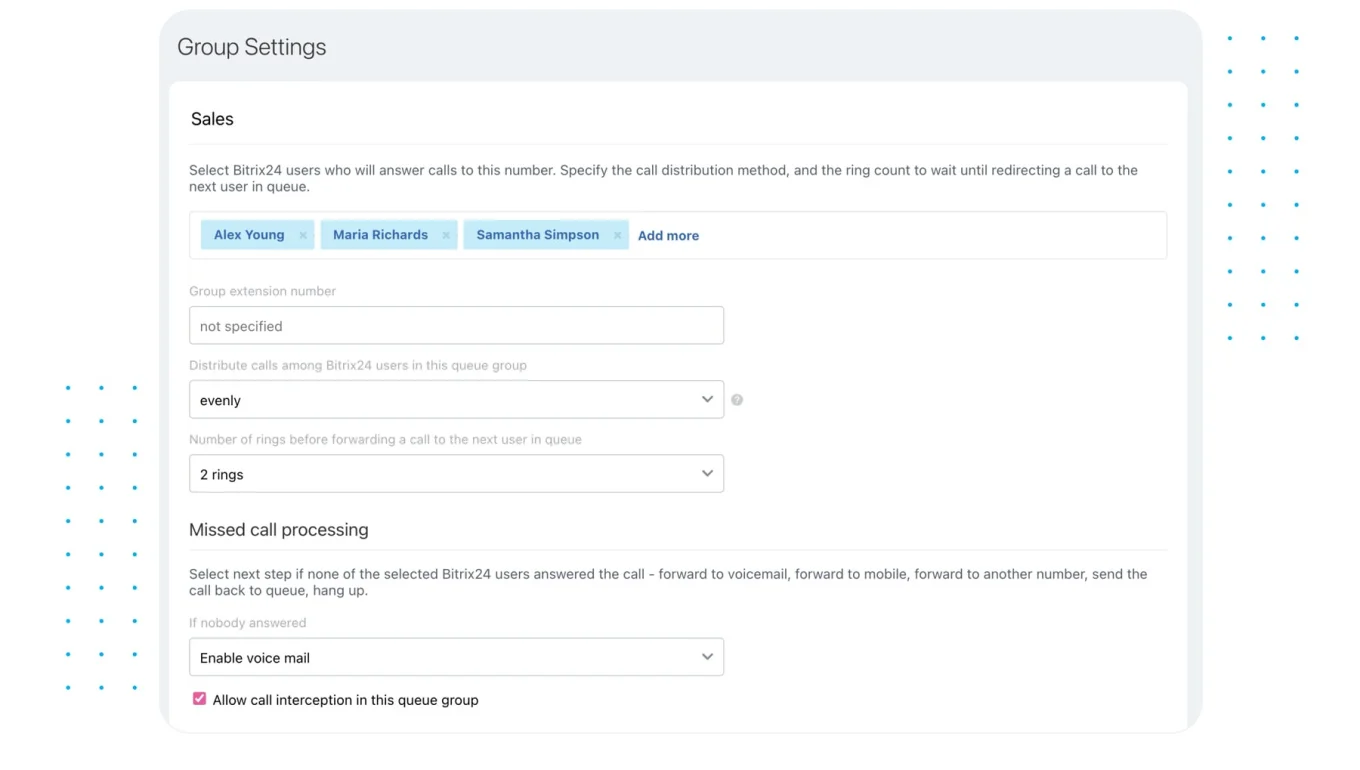
A support lead or senior agent works the queue daily, in a short fixed slot. Each medium-confidence match arrives as a task with both records linked, and Bitrix24’s task automation can create those tasks from a workflow rule, so the queue sits where the reviewer already works.
Size the queue from your own data, not a published duplicate rate. Run your match rules over a month of real records before switchover and count the medium-tier hits.
Pro tip: When you merge two records, keep the losing record’s ID as an alias that points to the survivor. Other systems, old emails and saved links still reference that ID, and the alias keeps them working instead of landing on a dead record.
Keep ownership when the channel changes
Channel switching is where the design works or falls apart. When a customer moves from messenger to email to phone, the agent sees prior threads and recent orders on the working record without hunting across apps.
Gartner estimates that smooth channel transitions save an average of 4 minutes of rep time per customer journey, because reps aren’t asking customers to repeat what they’ve already said.
Good contact center tools surface that history, and Bitrix24’s adds queueing and routing on top. The rules those queues follow still come from you:
- The existing owner keeps the customer when they switch channels
- Reassignment happens only on a defined handoff, such as escalation or a specialist queue
- Follow-ups route to the owner’s queue, whichever channel they arrive on
- If the owner is away, their queue covers and the owner stays on the record
Implement the minimum viable single customer view in one quarter
A quarter is enough if the scope holds. The plan below is illustrative, sized for a small team with three or four customer channels and one ecommerce platform.
|
Weeks |
Work |
Owner |
Done when |
|---|---|---|---|
|
1–2 |
Map current systems and fields |
Ops lead, CRM admin |
Every identity field in every tool is listed with what it means |
|
3–4 |
Master schema, precedence rules, protected fields |
Ops lead, signed off by support and sales leads |
A field register exists and both leads have approved it |
|
5–8 |
Connect messaging, email, phone and order references |
CRM admin, integrator |
Test contacts from each channel land on one record |
|
9–10 |
Match rules, review queue, agent playbook |
Support lead, CRM admin |
The failure cases in the next section pass |
|
11–12 |
Agent training and switchover |
Support lead |
Agents work from the unified record on every channel |
Weeks nine and ten are the ones that get squeezed. Connectors run late, the switchover date holds because training is booked, and match rules go live untested. The first bad merge lands in the first week of live use, and agents learn to distrust the record before they’ve learned to use it. Protect those two weeks above everything else in the plan.
Hold the boundary
The minimum viable version covers messaging, email, phone and ecommerce order references. These stay out:
- Loyalty systems
- Advertising and attribution platforms
- Returns tooling
- Warehouse and shipping events
Something on that list earns a place only when it changes what an agent says on a live contact. If late shipments drive your calls, carrier status qualifies.
Switch every channel over on the same day
A view that covers messenger but not phone teaches agents that the record is incomplete, and they never stop checking the old tools. Switch every in-scope channel on the same day and set the old tools to read-only for agents.
Test failure cases before rollout and define what agents should do when records do not match
Real customer data is messier than any architecture diagram. Test these cases with real records before switchover, and write down the expected result for each:
|
Case |
What should happen |
|---|---|
|
Two buyers sharing a family phone number |
Two records, phone flagged as shared, no automatic merge |
|
Known order, message from a new email address |
Conversation linked to the order; new email added only after verification |
|
Guest checkout with only a name and mobile number |
Provisional link, confirmed on the next contact |
|
Gift recipient asking about a delivery |
Linked to the order, kept off the buyer’s record |
|
Messaging handle that doesn’t match the legal name |
Name unchanged, handle stored as a messaging ID |
|
Customer changes phone number |
Old number kept as historical, never deleted |
Pro tip: Replay last month’s real conversations through your match rules instead of building test data. Invented records are always tidier than real ones. The real set shows you the shared numbers, typos and second email addresses you’d never think to invent.
The agent playbook
Agents need one clear call per match state:
- With no confident match, create a provisional record, link the conversation and ask for one verifying identifier
- With a possible match, send the merge to review and keep working on the provisional record
- With a confident match, work from the existing record and confirm one detail before sharing order or address information
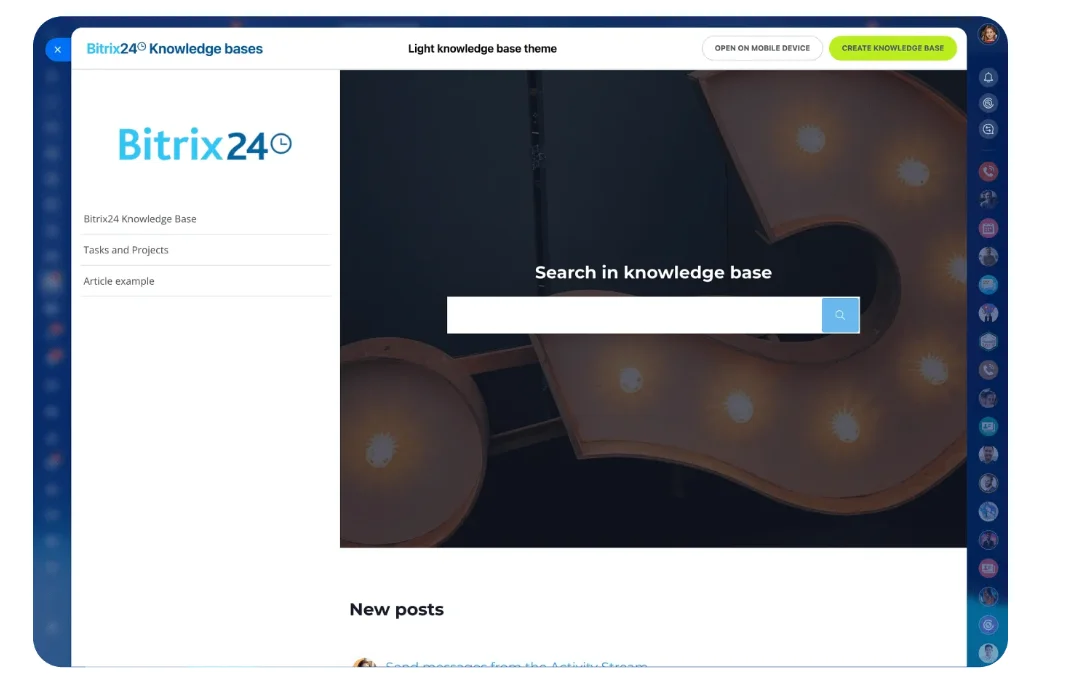
Bad merges are harder to unwind than temporary duplicates, so the playbook never asks agents to guess. Put it in your knowledge base, where agents already look things up mid-conversation, and make the support lead its owner.
Watch for agents creating new records because search didn’t find the existing one. From the agent’s side, a failed search looks exactly like a genuine no-match. Give it a week and someone starts a side spreadsheet, and the record has lost the team.
Readiness checklist
Hold switchover until every one of these passes:
- One search finds the customer from any channel’s identifier
- Owner transfer works when the customer switches channels
- Agents can retrieve order context without leaving the record
- Duplicate rate is measurable and merge rules are documented
- Someone is working the review queue daily
- An admin can reverse a merge within a working day
If those aren’t in place, you’ve built a data integration, and agents will treat it as one.
Use the unified view to produce reporting that was impossible in siloed systems
Tie records, orders and conversations together, and the unit of analysis shifts from tickets to customers and orders. Four reports become possible that siloed systems can’t produce:
|
Report |
How to calculate it |
What it tells you |
|---|---|---|
|
Cross-channel contact rate per order |
Orders with contacts on two or more channels ÷ orders with any contact |
Which orders and issues push customers to switch channel |
|
Resolution time per customer issue |
First contact to resolution, across all channels |
The real wait that ticket handoffs hide |
|
Repeat contact after a channel switch |
Contacts within a set window after a switch (72 hours, as an example) ÷ switches |
Weak ownership or lost context |
|
Duplicate creation rate |
New records later merged ÷ all new records, per week |
Whether matching is improving or getting worse |
Repeat contact is the one to watch closest.SQM Group, which benchmarks North American contact centers, reports that customer satisfaction drops by an average of 15% each time a customer has to get back in touch to resolve the same inquiry.
Read all four as trend lines. Published benchmarks come from contact centers far larger than yours, so the target is direction: duplicate creation and cross-channel contact rate falling month on month.
Warn leadership before the first month’s numbers arrive, because resolution time per customer will look worse than any ticket report did. You’re finally counting the whole wait. Leave that unexplained and someone asks for the old ticket metrics back, and the delay goes invisible again while customers keep sitting in it.
Who reads them and when
I’d start with a weekly 20-minute review with the support and ops leads:
- The five orders with the most contacts, and why
- Channel switches that produced a repeat contact
- The review queue’s size and age
- Any duplicate spike after an import or new integration
That review tells you whether a routing problem belongs to staffing, automation or ownership rules, a distinction siloed reporting blurs. Bitrix24’s CRM analytics and reporting tools, including BI Builder dashboards, report on all of this once conversations and orders sit on the same record.
Measure contacts per order and resolution time per customer. Ticket-level numbers improve every time a handoff hides a delay, so they’ll flatter a process that’s getting worse.
FAQ
Do we need to clean up existing duplicates before switchover?
Clean the records agents will actually hit: customers who’ve ordered or been in touch recently. Merge the high-confidence duplicates among those before switchover, and let the review queue pick up the older long tail as it surfaces.
Can we build this without a developer?
Mostly. If messaging, email and phone already run through a contact center that writes to the CRM, the channel side is configuration. The store connection is where you’ll need a ready-made connector or someone comfortable with an API.
What happens when a customer asks us to delete their data?
Your system-of-record map tells you where their data lives. Under GDPR’s right to erasure (Article 17), the request has to reach every system on that map, so keep the map current.
Build one customer view agents can trust
Bitrix24 unifies CRM, chats, email, telephony, tasks, and reports so teams resolve issues faster without lost context.
Get Started NowThe record is a set of decisions
Every rule in this article already runs in your team, informally. Agents decide daily who keeps a customer after a call, which number to trust and what to do when two records look alike. Writing those decisions down is most of the project. After that, the software is configuration.
Those decisions need named owners after go-live:
- Who works the review queue each day
- Who approves a new field on the master record
- Who signs off a new channel before it connects
- Who reads the weekly duplicate report and acts on it
Leave them unowned and the record drifts back toward six versions of the truth, one quiet import at a time. If your channels already run through Bitrix24’s contact center and CRM, most of the sync code this article warns about never needs writing. What’s left is the field register, and nobody can write that one for you.
Takeaway: The record is only as good as the person working the review queue. Name them before go-live, and no customer has to give their order number twice.


