Build a Knowledge Base People Use: Structure, Maintenance, and the Articles to Write First


TL;DR (Quick Summary)
Most help centers are built from what the company thinks customers ask, so they resolve very little. Build the first articles from repeat tickets, write each one so the customer can finish the task alone, and judge it by the contacts that never arrive.
- Where should topics come from? → Your ticket export, chat logs, and macros, never a planning meeting.
- Which articles go first? → The highest-volume issues a customer can finish without an agent (fifteen in our worked example).
- How should the help center be organized? → By customer task, with titles in the words customers actually search.
- What makes an article work? → Prerequisites up front, exact steps, and a failure path that hands off cleanly.
- Who keeps it accurate? → A named role per article, with a review triggered by every policy or interface change.
- How do you know it's working? → Link article sessions to tickets and track repeat contacts; a pageview only proves someone opened the page.
- What happens after launch? → Weekly reviews in the first month catch weak titles and missing steps while they're still cheap to fix.
Takeaway: Every article needs an owner and a way to connect reading to the next ticket, or you'll never know whether it's doing anything.
Your support queue has already written the outline for your knowledge base. Most teams ignore it and start from a list of topics someone thinks ought to exist.
The results show. In a Gartner survey of 5,728 customers, only 14% of service issues were fully resolved in self-service, and even issues customers described as "very simple" were resolved there only 36% of the time. Customers are trying; the content just isn't built around what they came to do.
The fix is unglamorous: publish what customers already ask, in their words, with steps they can finish alone, then check whether they still needed an agent.
Get that right and your agents stop typing the same answers every day, and you'll have the numbers to show it.
Start with support data before planning topics
A knowledge base is a support tool with one job: cut the tickets nobody needed to open. It doubles as a reference agents reuse on live cases. The first version covers the highest-volume, most repeatable issues and nothing else.
Pull evidence from the channels customers already use
Pull the last 60 to 90 days of support activity. That's long enough to smooth out one bad week and short enough to reflect your current product and policies. A support lead or operations owner pulls:
- Ticket reasons and tags
- Saved replies or macros
- Chat topics
- Email subject clusters
- Call dispositions
- Help-center search terms
If your team manages customer conversations through a Bitrix24 Contact Center or connected CRM, use those records to see where the same question shows up across channels.
Expect the channels to disagree with each other. The phone team codes calls from a dropdown nobody has touched since the last reorg, chat runs its own tag set, and email has no tags at all. The same "where's my order" question shows up as three different topics until someone reads them side by side.
Don't clean the taxonomy first. Group obvious tag variants by hand and move on.
One tag will be a problem. Most queues have a catch-all, "Other" or "General question," that quietly collects a big share of volume because agents pick it when they're busy. Read a few dozen of those tickets yourself. Expect to find one or two of your biggest topics in there, filed under a label that tells you nothing.
A small queue changes the math. In B2B software, where volume is low and issues are technical, 90 days rarely shows stable patterns. Widen the window to six months, or sit down with the agents who work the queue.
Separate recurring demand from temporary noise
You want questions that keep coming back and hold steady over time. Yesterday's outage spike doesn't earn a permanent article. Neither does a promotion that ended last week.
Strong first-wave topics share three traits:
- They come up frequently.
- The resolution follows a predictable path.
- A customer can complete that path without agent judgment.
Prioritize issues customers can actually solve
Park anything that depends on back-office investigation, unusual account history, approvals, or exceptions handled across several teams.
|
Choose first |
Delay for later |
|---|---|
|
High-volume repeat questions |
Rare exception scenarios |
|
Issues with a clear user action path |
Issues needing manual review |
|
Topics stable across recent weeks |
Temporary incident-driven questions |
|
Questions agents answer with similar saved replies |
Topics with no consistent resolution |
Pro tip: Look at the questions agents answer almost word for word every day. If the same response keeps turning up in saved replies or macros, the raw material for the article already exists.
Knowledge Base Launch Toolkit: Prioritization Matrix, Templates, Review Cadence
Enter your email address to get a comprehensive, step-by-step guide

Choose the first fifteen articles from real inquiry patterns
Turn the top contact themes into article candidates. A ticket category becomes one article, or it splits into two. The test is simple: is the customer completing the same task through the same resolution path?
Know when to merge and when to split
Merge when the fix is the same. Split when the customer's goal or next action changes. "Track my order" and "missed delivery" sound related, but they lead to different decisions, so they get separate articles. "Wrong item received" and "damaged item" split if replacement or return rules differ. "Change billing date" and "payment failed" stay apart, because one is an account change and the other is troubleshooting.
Over-merging is the failure you'll see most. A single "Order problems" article that tries to cover tracking, missed deliveries, and wrong items grows into a long scroll. Customers give up before they reach their case, and agents go back to pasting macros because it's quicker than finding the right paragraph to link.
Build around customer intent
Retail makes a good example because demand clusters around recognizable moments. A team running recurring deliveries hears the same handful of questions in endless phrasings:
- Where is my order?
- Can I move the date?
- Why did my payment fail?
- Can I skip this delivery?
- How do I return something?
Rank clusters by share of volume
Divide each cluster's ticket count by the total for the period. If a 90-day export shows 4,000 tickets and 1,000 are about order status, that's a quarter of your queue, and Track an order goes to the top. Work down the list, keeping a running total of the share you've covered. Stop where the next clusters add little volume or stop being self-serviceable.
For a retailer handling recurring deliveries, returns, and order-status contacts, that process produces a first set like this:
- Track an order
- Change delivery date
- Missed delivery
- Subscription pause or skip
- Recurring delivery billing date
- Cancel recurring order
- Start a return
- Return eligibility
- Refund timing
- Exchange steps
- Wrong item received
- Damaged item
- Update address
- Payment failed
- Contact support when self-service cannot complete the task
Treat fifteen as this example's number, and don't mistake it for a benchmark. It's enough for a useful help center and few enough to force real priorities. A smaller or more technical queue launches with fewer, and that's fine (a short set that works beats a long set nobody maintains!).
Design a structure people can scan and search without guessing your terminology
Customers show up with a task: check an order, move a delivery, return a product, fix billing, update account details. Build the structure around those moments. Internal labels like "fulfillment operations" or "post-purchase support" mean nothing to them.
Keep the top level simple
This top level works for most service teams:
- Orders
- Delivery
- Returns
- Billing
- Account changes
That's enough to pick a direction without learning how your company is organized.
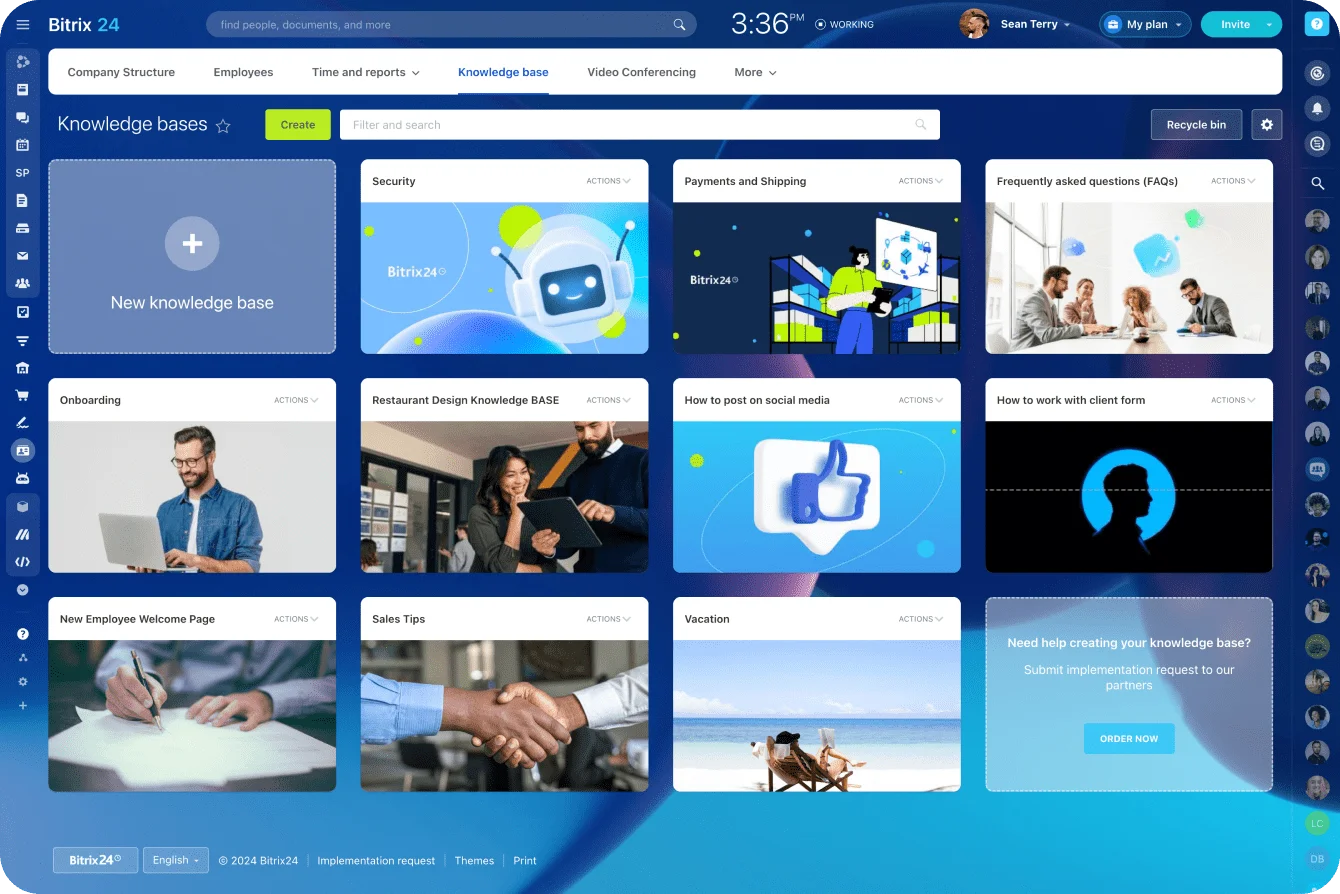
If you're building in a shared Bitrix24 Knowledge Base, keep the same naming across categories, article titles, and internal support references. An agent on a live case needs to recognize the customer-facing article instantly to share it.
Write titles using the words customers use
Titles do more work than teams expect. In the same Gartner survey, the most common reason self-service failed was that customers couldn't find content relevant to their issue, which happened in 43% of failed cases. Some of that is missing content. In our experience, a lot of it is content that exists under a name no customer would type.
Use the customer's language, one issue per article, with the task near the front:
- "Change delivery date," not "Managing future fulfillment windows"
- "Payment failed on my recurring order," not "Subscription billing exceptions"
Keep URLs clear, short, and stable. A slug like /delivery/change-delivery-date mirrors both the category and the title.
When a title changes, keep redirects in place so links in emails, macros, and search results still work. If "Pause recurring order" becomes "Skip or pause a delivery," redirect /delivery/pause-recurring-order to the new slug instead of letting the old one return an error.
Skip the redirect and the queue tells you: every macro still pointing at the old URL sends customers to an error page, and the first sign is a run of tickets that just say "your help link is broken."
Account for alternative wording
Customers won't use your terminology. Your article is called "Pause recurring order." They search:
- "skip next order"
- "pause subscription"
- "hold my delivery"
- "stop next box"
Add synonyms, misspellings, and alternative phrasings to search metadata wherever your platform allows it. Post-launch search logs will show you what you missed.
Give every article the same basic shape
Every article follows the same five parts:
- When this applies: the scenario the article covers
- What to check first: required account details or prerequisites
- Exact steps: the action path, in order
- Exceptions: situations where the standard process won't work
- When to contact support: the point where self-service ends
Customers reach the action without wading through paragraphs of policy first. Agents scan it in seconds on a live case.
The Bitrix24 Knowledge Base is built on a block-based page editor, which gives writers real layout freedom for richer guides. The trade-off of that design is that consistency comes from your template, since the tool won't enforce one. Build one page with the five-part shape and have writers start every new article from a copy of it.
Pro tip: Hand a new agent a draft article and ask them to resolve the issue using only what's on the page. If they have to ask a colleague what a step means, so will the customer.

Write each article to resolve the inquiry
Customers arrive to do something. Most help content explains the rules and stops there. Your experienced agents carry the actual process in their heads, and the article's job is to get it onto the page as steps someone can follow alone.
Put prerequisites before the steps
Tell people what they need before they start:
- They must be signed in.
- They need an order number.
- Their order must still be in a particular status.
- The request must happen before a cutoff.
- A particular account role is required.
Then use the exact labels they'll see on screen. If the button says Manage Delivery, call it Manage Delivery.
Screenshots help when the interface isn't obvious. They also age fast. One navigation redesign breaks the screenshots in every article that touches the account menu, all at once, and customers notice before your team does. Use screenshots where they make the action clearer, and keep a list of which articles show which screens.
Explain what happens next
State timing when it matches your real process. If a refund status only changes after the returned item arrives and passes inspection, say so, in that order. If an address can only be changed before an order reaches a particular fulfillment stage, put that boundary up front, before the customer goes hunting for an option that's already gone.
Customers who know the next step don't call to ask whether anything's happening.
Every article needs a failure path
"Contact support if needed" isn't a failure path. Without a real one, a customer whose order has already shipped spends a lunch break hunting for an Edit button that vanished at dispatch, then calls in angrier than if there'd been no article at all. Tell people what failure looks like and what to do about it:
If the order is already in transit, the delivery date can't be changed online. Open the support form, choose Delivery issue, and include the order number.
The customer gets a clean handoff. The support team gets what it needs to pick up the case.
Route that handoff through Bitrix24 customer service tools and the article, customer record, and follow-up process stay connected.
Keep customer and internal instructions separate
The customer article sticks to the action. Edge cases, approval rules, internal system notes, escalation criteria, known workarounds, and ownership details go in the internal version.
An internal note can be a single line. Here's one, attached to Change delivery date: "If the order shows Picking in the warehouse system, logistics can still move the date manually before the dispatch cutoff. Post the order number in the delivery-exceptions channel; no approval needed for a first change." Without that line, a new agent walks over to ask a team lead, and those walks are where most onboarding time goes. With it, they see the clean customer answer and the operational detail side by side.
Keep both in one place. Two separate documents on the same topic drift apart. Attach internal notes to the customer article (a restricted section, or a linked internal page with the same owner) so one update covers both.
Make the documentation usable by AI tools too
AI assistants work from the same documentation your customers read. Explicit terminology, current policies, clear boundaries, and structured answers give them good source material. Ambiguous internal docs give them room to be wrong.
Cursor, the AI code editor, found out what that looks like in April 2025. Users were being logged out whenever they switched devices, and the support bot, signing its emails "Sam," told them it was expected behavior under a new login policy. There was no such policy. Co-founder Michael Truell had to go on Reddit to call it an incorrect response from a front-line AI support bot. The bot didn't say it didn't know. It wrote a policy.
A wrong answer costs more than it looks. A 2026 Gartner survey found that only 27% of customers would try a chatbot again after a negative experience. An assistant pointed at a small set of accurate, owned content beats one that answers everything badly, for the same reason the first fifteen articles do.
Task completion leads every article. Policy context goes in only where it explains a decision.
Set ownership and review cycles before publishing
An article with no owner drifts. Screenshots go stale, policies change, interface labels move, and agents quietly stop sharing it because it no longer matches what customers see. Assign the owner before the article goes live.
Make ownership specific
The owner sits in whichever team controls the process: support, operations, billing, logistics, product, or legal and compliance. Owning an article means answering for its accuracy. The owner still hands the actual edit to a writer, agent, or subject-matter expert when that's faster.
Assign the role along with the name. When a named owner changes jobs, their articles become orphans overnight. Articles owned by "Billing lead" pass to whoever holds the role next.
Owners outside support need edit access to do the job. Bitrix24 plans cover a set number of users at one flat price, so giving billing, logistics, and legal reviewers their own accounts adds nothing to the bill until you hit that number.
Match approval rules to the topic
Change-heavy or regulated topics get a second reviewer: finance for billing changes, operations for delivery workflows, legal for returns policy. A simple matrix covers it. Here's an example for the retail set above:
|
Article group |
Owner |
Second reviewer, only when needed |
|---|---|---|
|
Orders, Delivery |
Logistics or operations lead |
Operations, for cutoff or process changes |
|
Returns, Exchanges |
Support lead |
Legal, for eligibility or policy changes |
|
Billing, Payment failed |
Billing lead |
Finance, for changes to amounts, dates, or refund rules |
|
Account changes |
Support lead |
Product, when the interface changes |
Wording fixes, broken links, and updated screenshots skip the second reviewer entirely.
Keep the chain as short as the business allows. A six-person approval process makes minor corrections so slow that people stop making them.
Use both scheduled and event-driven reviews
As a starting rule, review high-volume articles monthly, because small errors on popular pages create repeat work at scale. Review lower-volume articles quarterly.
Then add event triggers. Review an article immediately after:
- A policy change
- A product release
- A major UI update
- A workflow change
- Repeated agent workarounds
- A spike in contacts for a supposedly documented issue
The trigger that gets missed is the quiet one. Finance changes refund timing, the change ships, and the article still promises the old window because its owner was never on the release thread. Agents then spend a couple of weeks apologizing for a page the company published.
Watch for freshness problems between reviews
Warning signs to track:
- Article age without recent verification
- Policy mismatch reported by agents or users
- Rising contacts on a covered topic
- Outdated screenshots or field labels
- Search queries that don't match existing terminology
An agent who keeps rewriting the same clarification is filing a documentation bug. Give them a proper way to file it: a "flag this article" option for agents and a feedback prompt for customers, both routed to the article owner.
Pro tip: Put content review on the operational change checklist. When a billing rule, delivery process, or interface changes, updating the related help article is part of the release work instead of a cleanup job weeks later.
Measure whether the knowledge base actually resolves inquiries
Pageviews are easy to collect and easy to misread. A view tells you someone opened an article. It says nothing about whether they solved the problem, gave up, or contacted support five minutes later.
Most teams learn this in a quarterly review: the help-center slide shows traffic climbing, the queue slide two pages later shows nothing moved, and nobody in the room can explain the gap.
Gartner's own recommendations for improving self-service include assessing content performance continuously and letting both customers and agents flag content that didn't work. In practice, that means reading engagement, search activity, and downstream support behavior together.
Connect article use with the next customer action
Look at what happens after someone reads:
- Did the customer submit a ticket on the same topic?
- Was an existing case reopened?
- Did they escalate from self-service to an agent?
- Did they perform the intended action successfully?
- Did they search again using different wording?
If someone reads Track an order and immediately opens an order-status ticket, the article is attracting traffic without resolving anything. If Start a return gets heavy use while agents keep answering the same return questions, check it for missing prerequisites, action steps, or exceptions.
Link article sessions to tickets
None of this works until you can tie a ticket to the article that came before it. The simplest method is to carry the article ID through the handoff:
- When a customer clicks "Contact support" from an article, prefill a hidden field in the contact form with that article's ID.
- When chat opens from a help page, include the last article viewed in the conversation details the agent sees.
Once that link exists, the core rates are straightforward. Self-service success rate is the share of article sessions on a topic that aren't followed by a ticket or chat on the same topic within your chosen window (seven days works). Escalation rate is the share of article sessions that end in a handoff to an agent. Repeat contact rate is the share of resolved tickets on a topic that come back within the same window.
The link misses some journeys. A customer who reads an article on their phone and calls a few days later from their desk won't be connected, so your success rate will read somewhat high. Say so when you report it.
The other way it breaks is silent. Someone redesigns the contact form, the hidden field doesn't make it into the new version, and your success rate jumps overnight because every ticket now looks unconnected to any article. If the number moves sharply in a week when nothing in the content changed, check the form before you celebrate.
Bitrix24 analytics and reporting tools help teams compare CRM and support activity with other workflow data, so pageviews stop being the headline number.

Keep the KPI set small
Six metrics are enough to get you started:
- Contacts per topic before and after publication
- Self-service success rate
- Repeat contact rate within 7 days
- Escalation rate from article to agent
- Search-without-click rate
- Time to resolution for agents using the internal version
Read the metrics together
Each number alone misleads. Fewer contacts per topic looks good until repeat contacts rise. High traffic means little if readers keep escalating. Search-without-click rate exposes naming problems before they show up in ticket volume.
Be careful with the word deflection. If you can't connect article use to downstream behavior, report that the content is heavily used and stop there. Claims about reduced support demand need evidence behind them.
Deflection targets also reward the wrong behavior. The fastest way to hit one is to bury the contact option, which cuts tickets and raises frustration at the same time. Keep "When to contact support" visible in every article and measure honestly around it.
Use the first month after launch to close gaps and expand from proven demand
The first month shows how the knowledge base holds up under real customer pressure. Vague titles, missing prerequisites, unclear wording, and hidden exception paths all surface here.
Review search behavior every week
Keep it light. Hold a 30-minute review once a week for the first four weeks, with the knowledge-base owner and one agent who works the queue, then monthly after that. Each session covers:
- Zero-result searches
- Searches followed immediately by a ticket
- Articles with repeated negative feedback
- Failed or abandoned article journeys
- One-off explanations agents still type manually
- Alternative wording customers use for existing topics
End each session with no more than three changes, each with an owner. A long fix list out of a 30-minute meeting means none of it gets done.
If customers keep searching "skip next box" while your article is called "pause recurring delivery," the content exists and the discovery path is broken. Before writing another article, check whether the existing one needs a better title, more search keywords, or stronger internal links.
Treat post-article contact as diagnostic evidence
A contact after self-service points to the exact sentence, screen, or exception that failed. Match the pattern to the fix:
- People start the wrong workflow: tighten the prerequisites.
- People reach a blocked path: clarify the exceptions.
- People understand the rule but can't finish: add the missing action step.
- People search again immediately: revisit the article title and terminology.
Merge and split based on behavior
The article set isn't fixed at launch. If two articles keep leading customers down the same action path, combine them. If one article covers two goals and customers keep taking the wrong route, split it.
Expand only after the core articles work
Second-tier topics earn their place the same way the first fifteen did, from real demand measured against the queue. A backlog of ideas doesn't qualify. Adding topics while the core set still leaks just multiplies the leaks.
Put the articles where customers already are:
- Account pages
- Order notifications
- Chat prompts
- Support responses
- Agent workflows
Customers shouldn't have to start at the help-center homepage every time.
Feed what you learn back into the internal docs. When a public article gets clearer, the internal version picks up the same terminology and updated edge cases.
FAQ
How many articles should a knowledge base launch with?
As many as your high-volume, self-serviceable topics justify, and no more. The retail example in this guide lands on fifteen. A small or technical queue launches with fewer. Stop where the next cluster adds little volume.
How often should knowledge base articles be reviewed?
Monthly for high-volume articles, quarterly for the rest, and immediately after any policy change, product release, interface update, or spike in contacts on a topic the article already covers.
Who should own a knowledge base article?
The team that controls the process it describes. Assign it to a role, such as "Billing lead," rather than a person, so ownership survives job changes.
How do you measure whether a knowledge base works?
Carry the article ID into the contact form or chat so you can see whether readers still contacted support. Then track self-service success, repeat contacts, and escalations. Pageviews only tell you the page was opened.
Turn Repeat Questions Into Self-Service Help
Bitrix24 connects CRM, Contact Center, canned replies, and Knowledge Base so teams publish answers, track handoffs, and cut repeat tickets.
Get Started NowJudge it by the tickets that don't arrive
A knowledge base answers to one question: did customers stop contacting you about the topics it covers? Article counts don't answer it. Traffic doesn't. Neither does a new help-center design.
Skip the measurement and the failure is quiet. Agents keep typing the same replies, the help center keeps collecting pageviews, and nobody can say whether any of it worked.
So start where your customers already are: in the queue. Bitrix24 files Open Channel conversations to the customer's CRM record and keeps your team's canned responses in one list, in the same account as the Knowledge Base you'll turn them into.
Pull that list this week. It's your first draft.
Takeaway: Launch with the small set of articles your ticket queue already asks for, give each one an owner, and judge them by whether customers stop contacting you about that topic.