Where AI Agents Actually Pay Off First in a Small Company


The best ‘first AI project’ in a small company is actually the dullest one on the list.
Somebody on your team spends a chunk of every week reading inquiries, sorting tickets, chasing task updates, or retyping dates out of contracts, and somebody else already checks that work before it matters.
That's where an agent earns its keep.
The exciting candidates (quoting, contract answers, hands-off troubleshooting) are where pilots go to die.
Read this before you buy anything, and you'll know which queue to hand over, exactly where the AI has to stop, and how to spot an agent that's quietly creating work instead of removing it.
TL;DR (Quick Summary)
Most small companies choose an AI tool before they choose the work, then point it at pricing or contracts where one wrong answer costs real money. The first agent that pays off reads and drafts inside a queue people already check, and it never makes a call that commits the company.
- Which workflow goes first? → The one with the most repetitive reading, a team that tolerates drafts, and a human check already in place
- Where do the four starting points rank? → Lead qualification, support triage, status reporting, document processing, in rising order of hidden risk
- What does the AI do in triage? → It reads and proposes; CRM fields and fixed rules route
- How do status reports and document intake work? → As drafts with source references, checked before anything moves downstream
- Which workflows stay off the list? → Anything where a wrong answer becomes a price, a promise, a production change, or a hiring decision
- What has to exist before launch? → Defined inputs, calibrated thresholds, a standard output, and a fallback that never loses an item
- How do you know it's working? → Rework falls, reviewers stop rewriting, and nobody keeps a private spreadsheet of fixes
Takeaway: An AI agent earns its place in a small company by doing the reading, and every decision that commits the company stays with a person or a fixed rule.
Rank candidate processes before you choose any AI agent tool
Buying the software first is the classic mistake. A demo goes well, someone signs the annual plan, and a few months in the tool is handling the easy inquiries while the coordinator still reads every hard one, plus the AI's notes on top.
Nobody calls it a failure. The workload just quietly gets bigger.
And it's a big part of why so many agent projects stall. In June 2025, Gartner forecast that over 40% of agentic AI projects will be canceled by the end of 2027, citing escalating costs, unclear business value, and inadequate risk controls. The same release noted that many use cases marketed as agentic don't need an agentic implementation at all.
That's good news for a small company. Most of the first wins in this guide need nothing more than a model reading text inside an ordinary workflow. So score the work first.
Ask three questions
For each candidate process, ask:
- How much repetitive reading or summarizing does it involve?
- Can the team tolerate an imperfect first draft?
- Does a human already check the output before anything important happens?
The strongest early candidates score well on all three.
Turn the questions into a score
A rubric stops the decision going to whoever argues loudest. Score each question from 1 (barely) to 5 (heavily), and count repetitive reading twice, because that's where the recoverable time sits. Top score is 20.
Here's the rubric applied to two candidates. The example is illustrative: the scores show the method, not results from a real company.
|
Candidate workflow |
Repetitive reading (×2) |
Tolerates a draft |
Human already checks |
Total |
|---|---|---|---|---|
|
Triage of the shared sales inquiry inbox |
5 × 2 = 10 |
4 |
5 |
19 |
|
Drafting and sending customer quotes |
2 × 2 = 4 |
1 |
3 |
8 |
Quoting looks like the bigger prize because it touches revenue directly. It fails on tolerance. A wrong number in a sent quote becomes a commercial problem the moment it lands. Inbox triage is less glamorous and a far safer first project.
A high score means nothing if the queue is tiny. If one person clears the inquiry inbox in a few minutes a day, setup and review overhead will eat the savings. Pick a queue someone already complains about.
Look where the retyping happens
The best candidates hide in inboxes, forms, tickets, notes, and documents: anywhere someone reads, interprets, categorizes, and retypes the same kinds of information over and over.
A shared sales inbox is the textbook case. A coordinator opens each message, works out what the prospect wants, checks whether the account looks relevant, writes a handoff note, and forwards it to the right salesperson. AI handles that first pass without ever owning the sale.
Before you hand it over, write down what that coordinator knows and never documented: which reseller's leads skip the queue, which old customer always gets a call back from the founder, which "partnership inquiry" is really a vendor pitch. Skip that step and you find out the week they're on vacation, when the agent drops a key account into the general pile and nobody notices until the account does…
Separate preparation from decisions
Risk stays low when the agent:
- Reads incoming information.
- Produces a label, summary, or extraction.
- Sends the result to an existing review step.
Risk climbs when its output turns straight into a price, an approval, a legal commitment, a customer promise, or any other business decision. Drafting triage notes for sales prepares information for a person. Deciding what a customer pays commits the company.
Pro Tip: Pull a sample of recent work from the process and mark each step as either judgment or repetitive reading, copying, classification, or summarizing. The second pile is your automation shortlist.
AI Agent ROI Calculator + First 30 Days Rollout Plan
Enter your email address to get a comprehensive, step-by-step guide

Map the four starting points by workflow risk and expected payoff
For a small IT or software services company, this order works:
- Inquiry or lead qualification
- Support triage
- Routine status reporting
- Document processing
All four already have structured handoffs. Leads enter a CRM, support requests land in queues, project activity lives in tasks, and documents pass between sales, finance, operations, and delivery. That structure hands the AI clear inputs, owners, and review points.
|
Starting point |
Manual step today |
Main input |
Agent output |
Why it ranks here |
|---|---|---|---|---|
|
1. Lead qualification |
Coordinator reads each inquiry and writes a handoff note |
Web forms, shared inbox, chat transcripts |
Qualification summary, suggested priority, missing information, routing category |
High volume of short texts, and a salesperson already reviews before acting |
|
2. Support triage |
First-line staff read and categorize each ticket |
Incoming ticket plus plan and product data |
Problem summary, suggested category, urgency flag |
Same pattern as leads, but urgency mistakes cost more |
|
3. Status reporting |
Project manager gathers updates from tasks, tickets, and notes |
Task and ticket history for one project |
Draft report split into completed, open, blockers, and risks |
Real time savings, but quality depends on how well the team keeps records |
|
4. Document processing |
Staff retype fields from contracts, SOWs, and invoices |
PDFs and scanned forms |
Extracted fields with source references |
Large data-entry savings, but plausible errors are the hardest to spot |
1. Lead qualification
Lead qualification tops the list because the manual work is repetitive and time-sensitive, and a salesperson already reviews every lead before acting.
The first week of a lead-triage pilot exposes the web form more than the AI. Most fields are optional, prospects skip them, and the agent's missing-information note turns into the same sentence on every lead until sales stops reading it. Fix the form and the note starts carrying signal again.
2. Support triage
Support triage runs the same play. The agent summarizes the problem, suggests a category, flags possible urgency, notes missing information, and preps the case for routing, which takes most of the first-pass reading off support staff.
The evidence for the draft-plus-human pattern in support is solid. In a study of 5,172 customer support agents published in the Quarterly Journal of Economics, Brynjolfsson, Li, and Raymond found that an AI assistant suggesting responses raised issues resolved per hour by 15% on average. Less experienced agents got faster and better. The most experienced got slightly faster, and the quality of their work dipped a little. The staff were free to ignore the suggestions and stayed responsible for each conversation.
Two lessons carry over. The gains came with people still owning the outcome. And if your support desk is three senior engineers, expect a smaller speedup than a team of new hires would get, and keep an eye on their answers, because that's where the study's best agents slipped. For a senior team, look for the payoff in cleaner handoffs and less inbox reading.
3. Status reporting
Status reporting ranks third on reliability, not payoff. The draft can only be as accurate as the task records behind it, and most small teams keep worse records than they think.
4. Document processing
Document processing removes the most retyping and hides its errors best.
The documents that hurt are the ones that left the template behind: a scanned SOW with a handwritten change in the margin, initialed by both sides, that the extraction reads straight past. The clean digital copy in the shared drive says one thing. The signed copy says another, and only the signed copy counts.

Use AI only for the parts of lead qualification and support triage that involve reading and summarizing
The split is simple: AI interprets, and fixed rules execute.
Let the agent interpret the text
In inquiry triage, any of these starts the workflow:
- A website form is submitted
- An email reaches a shared inbox
- A chat conversation closes
- A new CRM inquiry is created
The agent reads the content and classifies intent, apparent urgency, company type, probable fit, and missing details. A typical note:
Implementation request. Software company. Request appears relevant to managed support. Timeline and budget are missing. Review for solutions-team routing.
Sales staff start from that summary instead of rereading every message.
Keep predictable decisions rule-based
If a normal workflow rule handles a criterion reliably, keep AI out of it. For example:
- Region determines ownership
- Account tier determines queue
- Product line determines specialist team
- Support plan determines SLA treatment
- Known spam patterns trigger filtering
- Existing customers follow predefined account-routing rules
Standard workflow automation or integrations run these steps once the text has been interpreted.
Here's the handoff in practice (an illustrative setup; adapt it to your own rules):
- If the country field is in the EU and the service line is managed support, assign the lead to the EU solutions queue.
- If the account's support plan is Priority, place the case in the priority queue and start the response timer defined in that customer's contract.
The agent never sets the country, the plan, or the timer. It reads the free text and proposes a service line and intent, and CRM fields and rules handle everything after that. Support works the same way: AI proposes a category, and account data decides where the case goes.
Which means the rules are only as honest as the fields behind them. The familiar failure: finance processes a customer's upgrade to the Priority plan, nobody updates the CRM record, and the rule routes their outage to the standard queue. The routing is correct according to the data and wrong according to the contract, and the customer is the one who finds the gap. So before launch, check who owns each field the rules read and when it last changed.
Send the awkward cases to a person
Rules break on edge cases, and that's where human review pays for itself.
Take a message from an unfamiliar email domain that turns out to belong to a subsidiary of an existing customer, asking about a service you only partly offer. The account-routing rule doesn't fire because nobody recognizes the domain, and the fit assessment is mixed. A person picks it up, links it to the parent account, and decides whether it's a new sales conversation or an account-management one.
Watch for urgency errors
"Urgent," "outage," and "critical" are useful signals and weak evidence. Customers describe a local configuration problem as an outage all the time. Let the agent flag the wording, then have a support lead check whether the incident is service-wide, account-specific, or limited to one user.
Make review points visible
Borderline cases go to a review queue. Sales confirms unusual fit assessments before an opportunity enters a high-value path, and support verifies severity wherever response commitments are on the line.
Make corrections fast, too. If fixing a bad label takes longer than doing the task by hand, the workflow saves nothing.
Some CRM-native AI is built for this kind of review. CoPilot in CRM in Bitrix24 fills only empty form fields from an email, call, or chat and marks the ones it filled, so a manager sees exactly what the AI wrote and checks it against the summary instead of discovering values that were silently overwritten.
The opposite failure shows up a few weeks in. After a run of mostly correct labels, reviewers stop opening the source and start clicking accept. Spot-check a small sample of accepted items every week so the review stays real.
Pro Tip: Keep the source message beside the AI summary. Reviewers need to compare the two without hunting through another system.

Run status reporting and document intake as draft generators
Both remove a lot of admin. Both depend on context the system doesn't have.
Turn project activity into a draft
Every project leaves a trail of tasks, tickets, comments, notes, and internal messages. A chunk of each reporting cycle goes into finding those fragments, working out what changed, and translating it for a client or manager.
An agent drafts the first version by picking out:
- Work that moved forward
- Deadlines that shifted
- Open blockers
- Items with no recent update
- Conflicting task statuses
If the team runs delivery through task automation, the draft sits alongside the records people already update.
A draft might look like this (illustrative):
Completed: Billing module integration moved to QA. Client approved the revised onboarding screens.
Open: Data migration script, waiting on the client's export file.
Blockers: Staging access for the client's IT team still not granted.
Risks: Migration date likely slips if the export file doesn't arrive this week.
Missing updates: No activity on the reporting dashboard task since the last report.
The last line earns its place. Only the project manager knows whether "no activity" means stalled or parked.
On teams where the real updates happen in chat or on calls, the first drafts come back thin. That's a task-records problem, and no prompt tweak will reach it.
Don't confuse system activity with business context
The record says a task is late, and the real story is that the client approved a scope change. A ticket is closed and still needs a follow-up. A week looks quiet because the team is waiting on someone else.
The agent assembles the record. The project manager explains why things changed, and that review matters most right before an update reaches a customer or senior manager.
The version everyone remembers is the report that went out unreviewed because the PM was out sick and someone set it to send automatically. It told the client a task was on track because nobody had moved the card, and the client had already heard otherwise from their own team. Rebuilding that trust took longer than writing every report by hand ever did. Never let a client-facing draft send without a named person clicking approve.
Extract document data into a review queue
Document intake runs the same way. The agent reads a contract, statement of work, invoice, or onboarding document and prepares structured fields. A reviewer checks them before they move into document management, CRM records, finance workflows, or project setup.
For a statement of work, the extraction might look like this. The values are illustrative placeholders for a fictional SOW:
|
Field |
Extracted value |
Source reference |
Exception flag |
|---|---|---|---|
|
Scope |
Managed support for two production environments |
Section 2.1 |
None |
|
Start date |
1 March |
Section 4.1, "Services commence" |
Signature date on the last page differs; confirm which applies |
|
Term |
12 months |
Section 4.2 |
Auto-renewal clause in 4.3 |
|
Billing terms |
Monthly in advance, net 30 |
Schedule B |
None |
|
Out-of-scope items |
Not captured |
Appendix C |
Exceptions listed in appendix; review manually |
Watch for plausible extraction errors
Extraction errors look right, which is the whole problem. Typical ones:
- Capturing a signature date instead of a service start date
- Confusing a renewal term with the initial term
- Pulling an old address from a footer
- Missing an exception in an appendix
- Extracting the correct number from the wrong section
None of these surface at extraction. The wrong start date shows up weeks later, when finance invoices for a month the client says the service hadn't begun, and the account manager spends a week digging out the signed copy to prove who's right. Every important field needs source-level verification.
Avoid the tempting workflows where a bad answer becomes a business decision
Some of the most expensive, frustrating processes make terrible first projects.
Autonomous pricing
An agent that calculates, proposes, or sends a price without review turns every wrong answer into a commercial problem. Let it prepare pricing context or summarize deal requirements, and keep final pricing on controlled rules and approvals.
Legal or contractual commitments
Clause extraction and review summaries are fine. Telling a customer what the company is contractually obliged to do is off-limits for the agent, especially on liability, renewals, service levels, or changes to agreed terms.
Cursor, the AI code editor, found this out in April 2025. As Ars Technica reported, a developer who kept getting logged out when switching machines emailed support and got a reply from "Sam" explaining that one device per subscription was a new security policy. No such policy existed, and Sam was a bot. Cancellation posts spread across Reddit before the company replied, three hours later, that it was a bad answer from a front-line AI support bot. A draft queue with one human reader would have caught it.
Unsupervised technical troubleshooting
Summarizing a support ticket is contained. Telling a customer to change a production configuration is a different order of risk. The fix that's harmless on a test environment is the same one that takes down a client's live system late on a Friday, and the on-call engineer learns about it from the client. AI collects symptoms, surfaces relevant history, and drafts diagnostic steps for a technician, and a qualified person reviews anything disruptive before it reaches the customer.
Hiring and other high-impact people decisions
Candidate summaries, scheduling, and admin prep save time. Decisions on hiring, performance, discipline, or other consequential employment actions need human accountability and stronger controls. When a rejected candidate asks why, "the summary ranked you low" is an answer nobody in the company wants to give, and nobody can defend.
Redesign the risky version instead of dropping it
Outbound prospecting is risky as an autonomous agent and useful as a drafting one. Left alone, the agent picks recipients, writes claims about your services, and sends. One wrong claim or badly chosen recipient lands in a real inbox under your company's name.
Split the work:
- The agent drafts a short research note on each account from the CRM record and any material the team supplies, plus a first-draft email that refers to that note.
- A salesperson approves which accounts go on the list, checks every claim in the email, and sends it.
- A rule blocks anything from leaving the outbox without a named approver.
The agent still takes most of the reading and first-draft writing off the team. It never chooses who gets contacted, and it never presses send.

Design the control points: inputs, routing rules, review queues, and fallback paths
Picking the use case takes an afternoon. Making the agent safe to leave running takes the rest of the pilot.
Define allowed inputs
Spell out exactly what the agent reads. For lead triage, that's the form submission, selected CRM fields, and previous inquiry history. For support, it's the incoming message and the relevant case history.
Don't hand over a broad pile of material because it happens to exist. Extra context brings in noise as readily as signal. Point an agent at the whole shared drive and sooner or later it quotes a proposal that was drafted, argued over, and never sent, and the salesperson repeats it to a prospect because it sounded official.
Supply operating context directly
Never make the model infer what your systems already know. Pass territory, account source, and service line straight into a lead workflow. Give a support workflow the contract status, account priority, and product area. Point a reporting workflow at the right project and task set before it starts summarizing.
Set explicit review and exception rules
High-confidence routine cases enter the review queue with a suggested classification. Lower-confidence cases go straight to manual review. Sensitive categories (legal, financial, security, employment) skip the agent entirely.
This approach also matches NIST's Generative AI Profile, which says organizations' use of generative AI may warrant additional human review, tracking and documentation, and greater management oversight.
Calibrate confidence thresholds before you rely on them
Plenty of teams route by a confidence score. Here's an illustrative starting configuration; it isn't an industry standard:
- 0.8 or above: pre-label and send to the review queue
- 0.5 to 0.79: manual review, with the suggestion shown
- Below 0.5: request clarification or route to manual review without a suggestion
Don't trust those cut-offs out of the box. Research on confidence elicitation found that large language models tend to be overconfident when they state their own confidence. A model reporting 0.9 isn't necessarily right nine times in ten.
Run the agent alongside the existing manual process for a couple of weeks. It labels, people work as usual, and you compare the two.
The shadow period is also when you discover the categories nobody ever agreed on. Two senior people label the same ticket differently, each sure they're right, and the agent can't hit a target the humans can't define. Settle those arguments first. Then set thresholds per category where reviewer agreement holds up. If calibration isn't practical, use a blunter rule: let the agent answer "unsure," and send anything missing a required field to manual review.
Standardize the output
Reviewers move faster when every result has the same shape, and mistakes stand out.
For triage, that means a classification, a short rationale, missing information, a recommended owner, and a confidence or exception flag. Status drafts and document extractions keep the shapes shown above.
Build fallback paths before launch
Decide in advance what happens when the agent can't produce a useful answer. Missing essential information goes back for clarification. A failed AI call returns the item to the manual queue. A sensitive category bypasses automation.
Make sure nothing disappears because an agent timed out, returned malformed output, or choked on an unusual case. The common version of this failure is quiet: a malformed response gets logged, nobody gets alerted, and the customer's inquiry sits untouched until they chase it.
The nastier version involves someone who's gone. The contractor who wired the workflow together set it up under their own account, and months after they've moved on, a key or a login expires. Inquiries stop flowing, no error reaches anyone still at the company, and the first sign is a prospect asking why nobody replied. Put every connection under a company account with a named owner, and write down how the thing works while the person who built it is still around to ask.
That fallback path decides whether staff keep trusting the workflow after its first few failures.
Measure whether the agent is reducing work without hiding errors
The test is whether staff spend less time reading, sorting, copying, and rewriting without creating new problems further down the line.
Track metrics that expose rework
For triage:
- Time to first classification
- Percentage of cases prepared for review
- Reviewer acceptance rate
- Escalation rate
- Rework rate
For status reporting, track how much of the draft survives review and what reviewers keep correcting. For document intake, watch extraction acceptance, exceptions, and changes to important fields.
A high acceptance rate proves little on its own. Once reviewers slip into approving without reading, acceptance climbs while quality drops. Pair it with the weekly spot-checks.
Look for hidden manual work
It's common for an automation to look successful while people quietly compensate for it. Watch for:
- Staff rewriting summaries before using them
- Incorrect classifications being fixed in chat instead of the system
- Exceptions piling up in personal inboxes
- Reviewers ignoring AI recommendations altogether
- Manual duplicate checks appearing later in the process
The classic tell is a spreadsheet. Someone in sales keeps a private tab of leads the agent misrouted, because correcting them in the CRM takes several clicks and the tab takes one. The dashboard shows a clean pilot. The tab shows the real one.
If those habits are common, the workflow removed less work than the headline metrics claim.
Keep corrections attached to the record
Context and audit history belong where the work happens. A CRM stores the customer history the agent needs and keeps its classification, reviewer corrections, and final disposition on the record. For project or sales workflows, analytics and reporting tools let teams compare volumes, outcomes, and exceptions over time.
Reviewer corrections are the most useful data you'll collect. When the same mistake keeps showing up, change the prompt, the input data, the rules, or the workflow. Treating each bad result as a one-off wastes the signal. The worst waste is the reviewer who fixes the same mislabel dozens of times and never mentions it, because each fix only takes a second. Make logging the correction part of making it.
Know what proof looks like
A workflow has proven itself when it shows:
- Stable reviewer agreement
- Predictable exception handling
- Low rework
- Visible reductions in manual effort
Put numbers on those conditions before the pilot starts. These are example targets for your team to agree on internally, and they don't come from any benchmark: reviewer acceptance holding at roughly 70 to 80% or higher, material rework at or below roughly 10%, and an exception rate that stays stable over four consecutive weeks.
Define "material" in advance (a correction that changes routing, a customer-facing statement, or a record field), or the rework number will drift with whoever happens to be reviewing.
A design that works for lead triage won't automatically carry over to pricing, hiring, support resolution, or contract review.
Let AI handle the reading, not the risk
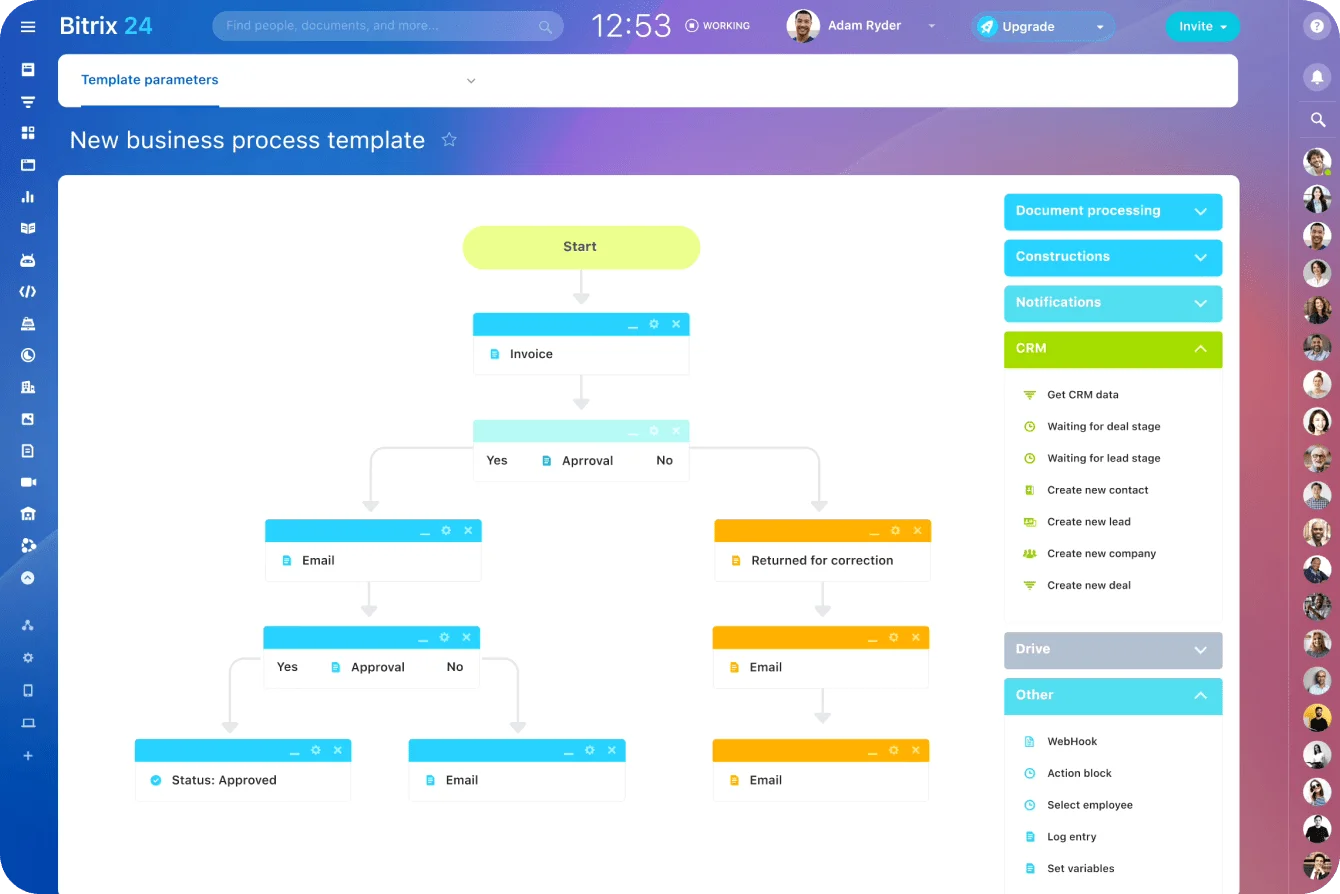
Bitrix24 brings CRM, tasks, automation, and CoPilot together so teams can triage queues, review drafts, and keep decisions controlled.
Register freeThe agent drafts, people decide
The first agent's most useful output is a list nobody asked for: everything your process never wrote down. The coordinator's unofficial routing rules, the ticket categories two senior people label differently, the CRM field nobody owns. Fix those and the second agent has far less to trip over.
That cleanup sticks when the source message, the AI's draft, the reviewer's correction, and the routing rule sit on one record. In Bitrix24, the CRM timeline keeps CoPilot's summary next to the original conversation, and automation rules handle the deterministic routing around it. The free plan covers one to two users and stays free, which is enough to set up the CRM and test a queue before anyone else joins. Paid plans charge a flat rate for the whole team rather than per seat, and CoPilot and deeper automation are tiered by plan, so you pay for AI processing once there's a queue ready for it.
Keep the line between drafting and deciding, and the team gets back the time it spends reading. Blur it and you've hired a fast, confident colleague nobody is allowed to supervise.
Takeaway: Pick a queue where people already read, sort, and check the work, let AI write the first draft while fixed rules do the routing, and scale only once reviewers stop rewriting what the agent produces.