Per-User Pricing and the Colleague You Quietly Decided Not to Add


TL;DR (Quick Summary)
Per-seat pricing shrinks the invoice by quietly leaving people off the system. The work they'd have done moves into email, spreadsheets, and manual updates nobody's counting, and that hidden work usually costs more than the seats you saved.
- Who gets cut first? → the light and occasional users, whose single action still gates billing, approvals, or the close
- Why does a modest seat price distort access? → every added login becomes a visible cost someone has to defend
- Where does the saving actually go? → into email, side spreadsheets, and proxy data entry that no dashboard counts
- When is per-seat pricing fair? → when use is daily and individual, and the user list matches the workflow
- How do you model it honestly? → price coverage next to seats, then stress-test against the roster you'll have
- What do you check before signing? → budget fit, participation fit, and what every unlicensed person will do instead
Takeaway: Every seat you cut relocates its work into email and spreadsheets, where it costs more and shows up less.
Per-user pricing has a side effect nobody prints on the quote: it turns your own colleagues into line items. Pay per seat and every login becomes a small yes-or-no, and the people who lose those votes are the ones who'd have used the system least and mattered to it most.
Skip a seat and the work moves instead of disappearing: into email, into spreadsheets, into an afternoon someone spends keying in updates for a person who never got an account. Get the call wrong and you find out in adoption, once the workarounds have set hard and prying them loose is its own project.
This article shows you how to put a dollar figure on everyone you'd leave off the license, weigh it against the seat saving, and pick the quote that's actually cheaper before you sign.
The hidden decision inside per-user pricing: who gets left out when every login has a cost
What gets cut follows a distinct pattern.
Light users lose access first
The most exposed people are the ones who need the system now and then rather than all day:
- Part-time employees
- Field workers submitting periodic updates
- Finance staff involved mainly in approvals or reconciliation
- Department heads who approve requests
- Seasonal employees
- Contractors and external collaborators
Their time in the product is small. The action they perform isn't.
Take a field service team. A technician updates a job after finishing the work. On a license report that's featherweight usage. Operationally, that update decides whether the job can be invoiced, whether inventory is right, and whether customer service knows the work is done. Cut the seat and the invoice waits on a manager to collect the update secondhand and enter it later.
Or take a month-end close. A regional manager approves a handful of expense reconciliations each period, a few minutes of real system time. Drop the seat to save a license and the approvals move to email. Finance waits on forwarded messages, transcribes each decision back into the system, and keeps the thread as evidence. The close slips a day or two, every month, for want of one occasional login.
Exclusion happens gradually
Few companies decide, in so many words, to keep important people out. Access shrinks through small choices. A manager trims the first seat request to hit budget. Finance keeps approving in email because it works well enough. Temps never get accounts because they're only around a few weeks. A supervisor gathers field updates and enters them later. Contractors get exported files instead of a login.
Add the choices up and the software ends up covering part of the process, not the whole thing.
The invoice falls, the work moves
The upside is easy to see: fewer licenses. The cost hides. Updates arrive through side channels, people enter information on someone else's behalf, and managers burn hours reconciling work that happened off-platform.
Pro tip: When reviewing Bitrix24 pricing plans, list every role that touches the process before you count licenses. Include everyone who approves, updates, reviews, or signs off, even the ones who show up once a month.
Per-Seat Pricing Break-Even Calculator and Hiring Planner
Enter your email address to get a comprehensive, step-by-step guide

Why per-seat pricing changes behavior even when the price looks fair
A modest seat price still bends access decisions, because every new participant carries a visible marginal cost. One occasional user looks trivial. Twenty of them (spread across managers, contractors, field crews, and regional staff) is a number someone starts defending, and the defending is where people get left out.
Occasional users control critical steps
Someone can spend almost no time in a system and still own the one action that decides whether work moves forward.
It gets worse when the step crosses departments. If only reps hold CRM access while finance, delivery, and customer success work elsewhere, the deal record stops reflecting reality the moment another department gets involved.
Workarounds become part of the process
Restrict access and teams adapt. The usual moves:
- Approving work in email or chat
- Keeping side spreadsheets
- Asking licensed users to enter updates for colleagues
- Exporting reports for people without access
- Passing information up through supervisors
- Sharing accounts
Any one of these looks minor. Stacked together, they're a second process running alongside the software, which makes the headline seat price a poor measure of what you're actually spending.
The better question: does trimming seats push people to rebuild the workflow somewhere else?
The real cost is the visibility gap created by partial participation
Unused seats show up on the bill, and an entire discipline exists to hunt them. Zylo's SaaS Management Index, built on tens of millions of licenses under management, finds that companies use only about half of the licenses they provision, and vendors sell dashboards, benchmarks, and renewal reviews built around clawing the rest back.
The opposite error has no metric. A person who should have a seat and doesn't leaves no trace, because a login that was never created can't surface on a utilization report. That's the waste no dashboard catches, and it's the one this article is about. When part of a workflow happens elsewhere, records go stale and reporting gets soft.
What partial participation looks like in practice
Partial participation rarely announces itself. It shows up as admin work: someone updating records long after the fact, a spreadsheet quietly shadowing the platform, two teams reconciling two versions of the same status before a meeting. None of it lands as a software line item (which is exactly why it survives budget review while the workaround keeps growing).
Manual handoffs create hidden admin work
Picture a sales team tracking deals in a CRM. The pipeline reporting holds up right until fulfillment starts.
If operations lives outside that workflow, sales has to ping them for delivery status before touching the customer record. The CRM stays current only because a human keeps carrying information from one team to the other.
That carrying cost is measurable. In a Harvard Business Review study of 137 workers across three Fortune 500 companies, people toggled between applications about 1,200 times a day and lost close to 9% of their working time just reorienting after each switch. Every off-system handoff feeds that tax: check email for the delivery update, open the tracker, switch back to the CRM.
The researchers' advice to managers is blunt: adding people to cover for a bad process won't fix it, so look for where the design of the work creates the most friction. Rationing seats runs the other way and manufactures handoffs a single login would have erased.
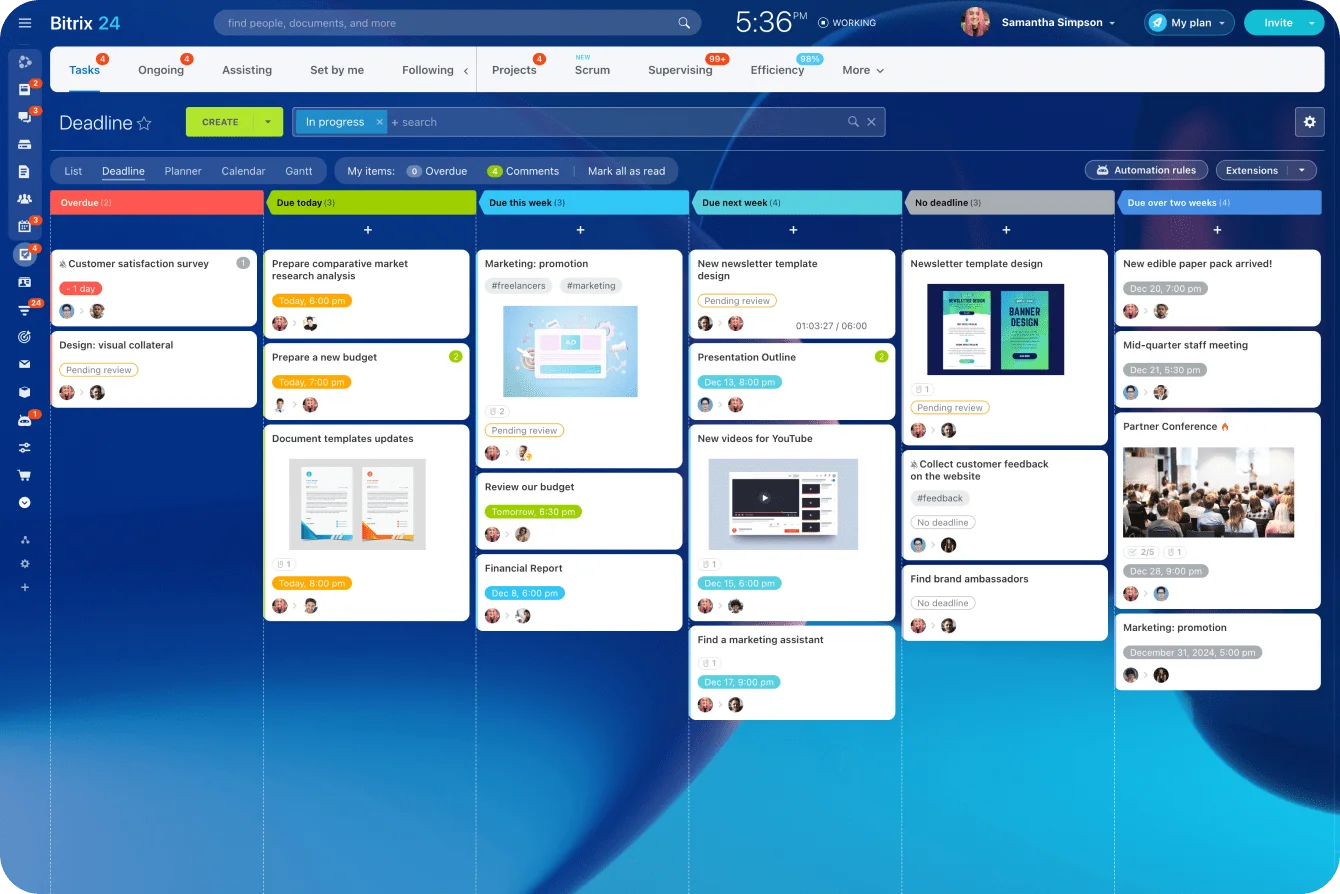
Wiring task management into the customer-facing workflow closes the gap. The person doing the work records progress where it counts instead of relaying it through a go-between.
Partial data breeds false confidence
The nastier problem is the report that looks complete while part of the underlying work never made it in. The gap stays invisible until the numbers are in front of the board: the pipeline looked clean because the CRM was clean, and the CRM was clean because operations kept its updates in a spreadsheet nobody upstream ever opened. The forecast ran on the half of the process that had logins, and it read as authoritative right up to the moment it didn't.
It shows up in forecasts, staffing calls, customer service numbers, approval controls, compliance checks, and delivery reviews.
One diagnostic question does most of the work: what does the team add by hand before leadership sees this report?
If people routinely merge spreadsheet figures, chase updates, or patch records the morning of a meeting, the source system isn't capturing enough of the workflow.
Pro tip: In your next quarterly reporting review, trace where each key number comes from. If teams keep propping up CRM analytics and reports with hand-maintained files, find out which roles or workflow stages are missing from the main system.

When per-user pricing is genuinely fair, and when it's a poor fit for the operating model
Per-seat pricing earns its keep when usage is frequent, individual, and packed into a defined group.
Where named-user pricing fits well
It works cleanly when:
- Users spend real time in the product every day
- Each person gets direct daily value from access
- The user population holds steady
- Individual permissions matter
- Personal workflows or configurations matter
- Each person's actions need their own history
- Active users roughly match workflow participants
A specialist sales tool used daily by a fixed team is the clean case. Every rep needs an account, lives in it, and generates enough activity to justify the license.
Where the fit weakens
It gets harder when participation is intermittent, seasonal, approval-based, spread across departments, dependent on contractors or partners, or bunched around a few checkpoints.
Picture a shop running several projects with outside specialists. A contractor might only need to see assigned work, drop in a document, and confirm completion. Light usage. Exclude them anyway and the project manager turns into a relay station.
The stock answer, "just buy fewer seats," assumes the vendor sells seats the way you'd want to buy them. Usually not. Seat minimums, no viewer or approver tier, annual-only commitments: all common. So the minute a workflow leans on occasional or seasonal people, the per-seat model stops bending to your process and starts bending your process to it. That's the moment to judge workgroups and collaboration features partly on whether everyone who contributes can join without an awkward licensing bill.
The test: is access mainly intensive and individual, or occasional and workflow-dependent? Workflows carrying a lot of occasional participants deserve a hard look under per-user pricing.
A better way to model software cost: compare license spend with coverage across a realistic staffing plan
A total-cost model has to track coverage next to license spend. Coverage is the share of the real process that can happen inside the system with the access you're about to buy.
Start with roles, not headcount
Break the workforce into groups:
- Full-time employees
- Part-time staff
- Managers who mainly approve
- Field employees
- Finance reviewers
- Seasonal workers
- Contractors
- Partners or external collaborators
For each group, record:
- How often they use it
- What kind of action they perform
- Whether individual identity matters
- Whether several people need access at once
- When they enter or leave the staffing plan
- Whether they sit on a control point
- What breaks if they don't get access
This catches the budgeting mistake almost everyone makes. A price looks cheap for the core team and turns impractical once the occasional participants show up.
The core team is also the easy part to model, which is exactly why teams get it wrong: they price the 60 who log in daily and wave off the 60 who log in occasionally as a rounding error, when those are the people who decide whether the data's complete.
|
Scenario lens |
What to model |
Why it matters |
|---|---|---|
|
Employment type |
Full-time, part-time, seasonal, contractor, partner |
Different groups create different access requirements |
|
Usage frequency |
Daily, weekly, occasional, checkpoint-only |
Identifies seats that may see limited activity |
|
Concurrency |
How many people need access at the same time |
Distinguishes simultaneous from staggered demand |
|
Hiring timeline |
Planned additions by quarter, region, or project |
Shows how costs change as staffing changes |
|
Workflow criticality |
Whether the role affects data completeness or controls |
Separates optional access from process-critical participation |
Define the metrics precisely
Compare scenarios on a small set of metrics, each with a formula you can drop into a spreadsheet. Set the thresholds yourself, then apply them the same way across every scenario.
- Total annual license cost is the sum across groups of (seats × price per seat per month × months licensed). Watch that last term. A seasonal group working one quarter costs a third of an annual seat only if the vendor sells partial-year seats. If it doesn't, the term becomes 12 and the number jumps.
- Cost per active user is total license spend divided by the number of users with more than N logins a month. Pick N to match what "regular use" means for the tool, say 8, roughly twice a week. Set N too low and the metric flatters you, so keep it honest.
- Cost per workflow participant is total license spend divided by everyone whose action the process depends on, licensed or not. When it runs well above cost per active user, you're paying a lot per person who actually moves the work, which means the seat count sits below the workflow.
- Percentage of process covered in-system is workflow steps completable inside the system divided by total steps. Get it by walking the process end to end and marking each step in-system or worked-around.
- Expected workaround burden is the sum across excluded participants of (actions per year × minutes per proxy handling), divided by 60 for annual hours. Multiply by a loaded hourly rate for a dollar figure to set against the license saving.
A worked example
These numbers are placeholders that show the calculation, not benchmarks. Swap in your own quote and staffing plan.
Say a seat runs $30 a month, $360 a year, and you're covering three groups: 60 full-time daily users, 20 part-time weekly approvers, and 40 seasonal workers who show up for one quarter.
License everyone (Scenario A). If the vendor bills annual seats no matter how many months you use them:
- 60 × $360 = $21,600
- 20 × $360 = $7,200
- 40 × $360 = $14,400
- Total ≈ $43,200 a year, coverage ≈ 100%
If that vendor sold true one-quarter seats at $30 a month, the seasonal line drops to 40 × $90 = $3,600 instead of $14,400. The gap between those two numbers is a negotiation worth having.
License only the 60 daily users (Scenario B) and work around the rest:
- License cost = 60 × $360 = $21,600 a year, which "saves" $21,600 against Scenario A
- Coverage falls to whatever the excluded 60 don't touch, call it 70% if the approvers and seasonal staff own about a third of the process's action points
- Workaround burden: the 20 approvers route sign-offs through email (15 approvals each a month × 10 minutes of proxy handling ≈ 2.5 hours per approver a month, about 600 hours a year), and the 40 seasonal workers have a licensed proxy enter their updates through the quarter (40 × ~1.5 hours a week × 13 weeks ≈ 780 hours). Call it 1,380 hours a year, or roughly $55,000 at a $40 loaded hourly rate.
Put the two side by side and the saving flips. Scenario B holds $21,600 in licenses and burns about $55,000 in admin time to do it, before you count the thinner data and the slower close. The cheap quote is the expensive system.
Your numbers will land differently. The shape won't.
Stress-test the pricing model
Don't run the math against today's workforce alone. Push it through the changes you can see coming:
- Opening a new region
- Adding temporary staff for a busy season
- Bringing contractors in for a temporary build
- Growing the number of managers who need approval access
- Standing up another customer service or operations team
Run each against the vendor's current pricing and user limits. A quote that only works on this quarter's org chart is priced for a company you'll have outgrown by renewal.
How to surface the tradeoff before purchase instead of finding it in adoption
Test the participation math before you sign, not after. Once email approvals, side spreadsheets, and proxy updates are in place, they're load-bearing, and pulling them out becomes its own project.
Map the full workflow before requesting seats
Get procurement, IT, and the business owner in a room and answer:
- Who needs full access?
- Who contributes only occasionally?
- Who approves work?
- Who enters updates?
- Who reviews or reconciles?
- Who needs to see without editing?
- Which temporary or external people appear during the year?
- What happens when each group doesn't get access?
Then walk the process start to finish. The org chart won't tell you enough. The person doing one small thing at the tail of a workflow decides whether the next stage starts at all.
Ask about pricing built for occasional users
Named-user pricing isn't the only structure on offer, and the alternatives surface when you ask. Before you accept a per-seat quote for a workflow full of light participants, put a few on the table:
- Concurrent, or floating, licenses that charge for simultaneous sessions rather than named people, which fit when plenty of people use the system now and then but rarely at once.
- Approver-only, viewer, or guest tiers priced below a full seat, for people who only sign off, comment, or read.
- Monthly-active or day-pass pricing for seasonal and contractor spikes, so a Q4 hire doesn't cost a full year's seat.
- External or guest collaboration that lets partners and contractors act on assigned items without a paid internal seat.
Then ask what keeps coverage high without a seat for everyone.
Can occasional people act through the API or an embedded form, so their input lands in the system without a login? Does every action, guest and API included, leave an audit trail? What does a mid-contract seat actually cost, and a mid-season one?
Some platforms settle this in the pricing model itself. Bitrix24 charges a flat rate per organization, with each plan including a set number of users, rather than billing per seat. Adding an occasional approver or a seasonal contributor inside that limit costs nothing extra, so you size one plan to everyone who touches the process instead of ruling on which colleague is worth a login.
The trade you're accepting is breadth over specialization, a wide all-in-one suite rather than a single-purpose tool, which is a design choice to weigh rather than a hidden catch.
Separate budget fit from participation fit
Score the software on two axes and treat them as separate. Budget fit is whether you can afford the seats you're planning to buy. Participation fit is whether everyone the workflow needs can take part without spinning up a side process to compensate. A product wins one and loses the other all the time.
Pro tip: Before you approve a contract, write down what every unlicensed participant will do instead. If the answer keeps coming back as forwarded emails, spreadsheets, proxy data entry, or manual exports, put that work in the TCO number.
FAQs
Should part-time employees count the same as full-time employees in TCO models if their access is infrequent but operationally important?
Separate two things: how often they use it and how much the process leans on them. If a part-timer's access drives timely updates, approvals, or customer records, price both the seat and the cost of leaving them out. Someone who logs in twice a month still keeps three colleagues from chasing information by hand.
How should companies model contractors, seasonal workers, or third-party partners whose access needs fluctuate during the year?
Treat them as their own groups with defined windows. For each, map when they need access, whether those windows overlap, what they actually do in the system, whether individual identity matters, and what breaks if they can't get in directly. Don't flatten them into an annual average that hides the peak. Seasonal staffing makes a sharp stress test precisely because it exposes how fast costs climb when the participant count spikes for a few months.
What are the compliance and audit risks when approvals and updates happen off-system or through shared logins?
Two things go wrong in an audit. Shared credentials break attribution: three people working under one login show up as one name in the history, which guts segregation-of-duties controls and turns access reviews into theater.
In healthcare the question is already settled:HHS guidance says the HIPAA Security Rule doesn't let a covered entity give several employees the same login, because every user needs a unique ID so their activity can be tracked. And approvals that live in email or chat carry no tamper-evident trail, so a forwarded "looks good to me" isn't a logged, timestamped sign-off tied to a named user with the right permissions.
For anything regulated, SOX, SOC 2, ISO 27001, HIPAA, those gaps land as audit exceptions, failed access reviews, and findings you have to remediate. Price it into the TCO model: remediation hours, the cost of a qualified finding, wider audit scope, the quarterly scramble to reconstruct who approved what. A seat you saved that spawns one annual audit exception rarely comes out cheaper than the seat.
What signals show that a team is under-licensing and pushing work into email, spreadsheets, or shared accounts?
Signs you're under-licensing and pushing work off-system:
- Proxy data entry
- Approvals living in inboxes
- Records updated late
- Routine reconciliation work
- Shared credentials
- Spreadsheet trackers that shadow the main system
- Reports that need manual patching before anyone trusts them
- Managers forever collecting updates from people without access
These patterns say the access model doesn't match how the process runs. The money you saved on licenses is reappearing as admin work, incomplete data, and weaker control.
Cover the whole workflow with one plan
Bitrix24 brings CRM, tasks, approvals, and collaboration together in flat-rate plans, keeping occasional users in the process.
Get Started NowThe bottom line
Per-user pricing rewards you for keeping people out. The bill counts seats, so the seat you don't buy reads as free, and the work it would have carried moves somewhere the bill can't see: an inbox, a spreadsheet, a manager's afternoon.
The colleague you quietly decided not to add never appears on the invoice. They appear at month-end, forwarding an approval to someone who has a login. They appear again at the board meeting, as a number somebody patched by hand that morning. That's the cost worth pricing before you sign, because after you sign nobody will ever put it on a report.
Where a workflow runs on occasional people, a per-organization model like Bitrix24's, one flat price for every user up to the plan's limit, takes that decision off the table.
You size one plan to the whole process, and nobody has to argue their way onto it.
Takeaway: Before you count the seats you'd buy, price the colleagues you'd leave out. They're usually the bigger line.