8 Ways to Design Revenue-Driven Whiteboards That Move Campaigns Forward

Most marketing teams treat whiteboards like digital art projects. Colorful sticky notes cluster around abstract funnels, brainstorm sessions produce gorgeous mind maps, and everyone leaves the meeting feeling productive. Then nothing happens. The board sits there, pretty and useless, while actual campaign work gets done in spreadsheets and chat threads. Revenue-driven whiteboards flip this script entirely - they become the place where ideas transform into shipped campaigns, not where good intentions go to die.
The gap between planning and doing kills more campaigns than bad creative ever will. Your team spends hours mapping customer journeys and sketching funnel stages, but the translation from "cool idea on the board" to "task assigned to Sarah, due Friday" happens manually, if it happens at all. That disconnect is where revenue leaks out of your marketing operation. Most visual collaboration tools optimize for brainstorming, not building - they give you infinite canvas space and endless shape libraries but zero connection to the systems where work actually gets done.
What teams actually need is a direct pipeline from whiteboard element to completed task to measurable outcome. The following eight approaches turn your boards from planning artifacts into execution engines that move campaigns from concept to market.
1. Design Boards Around Campaign-to-Task Conversion From Day One
The moment you create a whiteboard for campaign planning, structure it to drive conversions. This means every element you place on the board should have a clear path to becoming an assignable task with an owner and deadline.
Start by creating zones on your board that map directly to your team's actual responsibilities. One section for content creation, another for design assets, a third for paid media setup, a fourth for development work if your campaigns involve landing pages or technical implementation. As soon as someone adds a sticky note about "write email sequence for abandoned cart," that note should live in the content zone where writers can claim it.
Campaign-to-task conversion works best when whiteboard tools are directly connected to your task management system. The ideal flow lets you click a sticky note and convert it into a real task, removing manual handoffs between applications. Your brainstorm becomes your backlog in one motion.
Plan the fields in advance. Every task needs an owner, a due date, and sufficient context for the assignee to begin work immediately. With these fields built into the board template, conversion stays consistent and friction-free.
Whiteboards That Ship Revenue, Not Pretty Diagrams
Enter your email address to get a comprehensive, step-by-step guide

2. Establish Sprint Cadence Directly on the Board
Revenue-driven whiteboards need rhythm. Without clear time boundaries, boards become graveyards of half-finished ideas. Building sprint cadence into your visual planning keeps momentum alive and creates accountability for delivery.
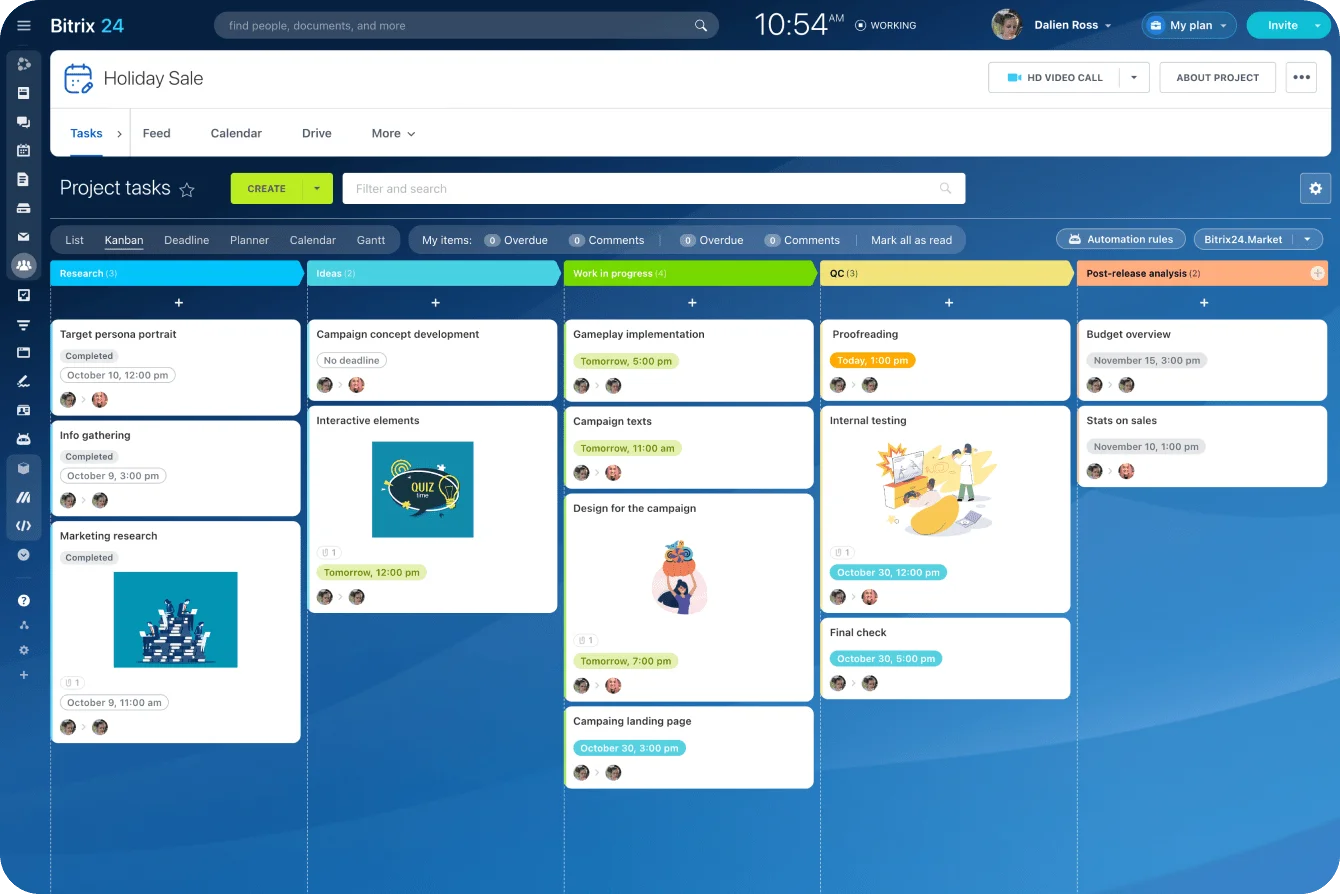
Create columns or sections that represent your sprint timeline: this week, next week, the week after. As ideas emerge during planning, drag them into the appropriate time slot. The board becomes a living roadmap that shows not just what you're doing, but how it’s scheduled.
This visual sprint structure helps marketing and sales teams stay aligned on timing. If sales sees that the new product email goes out on Tuesday of week two, they can prepare follow-up talking points. If marketing sees that the sales team has a big demo day on Thursday, they can time social pushes to build momentum.
Sprint boundaries also force prioritization decisions. As the "this week" column fills up, the team must decide what actually matters most. That constraint produces better work than infinite timelines that let everything drag on indefinitely.
3. Connect Every Board Element to Pipeline Attribution
Pretty diagrams earn applause in meetings. Revenue-driven whiteboards earn budget increases. The difference comes down to whether you can trace board activity back to pipeline impact.
Build attribution thinking into your whiteboard practice from the start. During campaign planning, include spaces for tracking metrics alongside the creative elements. Next to the "LinkedIn ad creative" sticky, place a field for expected click-through rate and actual results.
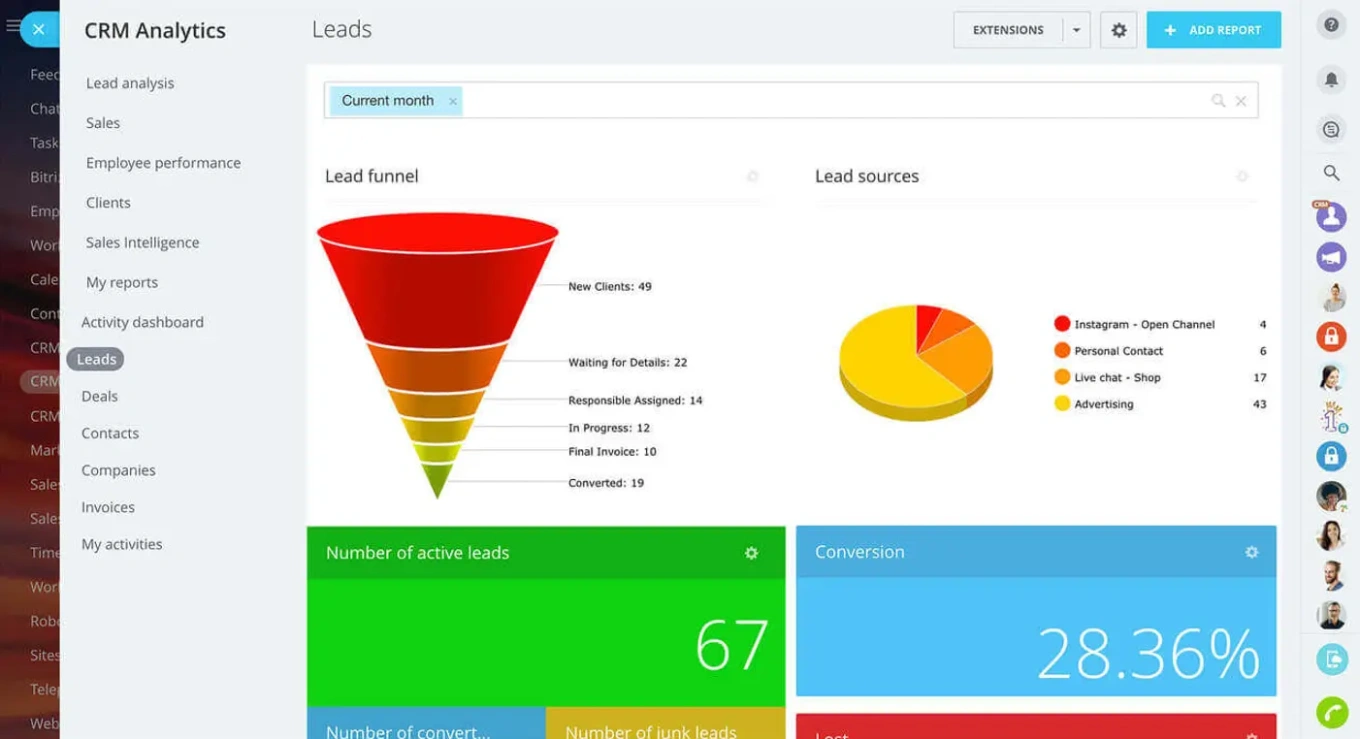
Pipeline attribution gets real once your whiteboard connects to your CRM and analytics tools. The campaign structure you design on the board should flow through to your reporting dashboards. That way, when leadership asks which campaign drove that $200K deal, you can trace it back to a specific board element and the planning decisions that shaped it.
This connection between planning and measurement changes how teams approach whiteboard sessions. Knowing that board elements will face accountability later makes everyone more thoughtful about what goes on the board in the first place.
4. Build Creative Testing Templates Into Your Workflow
Speed matters in marketing. Teams that test more ideas faster win more often. Revenue-driven whiteboards accelerate this testing loop by standardizing how you structure experiments.
Create template boards for common campaign types - product launches, seasonal promotions, nurture sequences, webinar programs, and content series. Each template includes standard sections for hypothesis, audience segments, creative variants, and success metrics. For each new campaign, duplicate the template and fill in the specifics.
Creative testing templates eliminate the blank-canvas problem. Nobody wastes time wondering how to organize their board because the structure already exists. Teams jump straight into the strategic work of defining what they're testing and why.
Templates also encode your team's learning over time. After validating that certain campaign structures work better than others, update your templates. New team members inherit institutional knowledge through the templates they start with.
CTR improvement often comes from running more tests, not from agonizing over a single perfect creative. Templates make testing the default mode of operation rather than a special initiative that requires extra effort.
5. Enable Cross-Team Approvals Without Email Chains
Campaign work involves too many stakeholders for email-based approvals. Legal needs to review claims. Brand needs to check visual consistency. Leadership needs to sign off on messaging. Finance might need to approve promotional pricing. If these approvals happen outside your whiteboard, you lose visibility and create bottlenecks.
Cross-team approvals work better when stakeholders comment on and approve board elements directly. Tag the legal team on a specific claim, get their thumbs up or revision request, and move forward - all without leaving the board.
This approach keeps everyone working from the same source of truth. Nobody wonders which version got approved because the approved version lives right there on the board with the approval attached. The approval history stays visible, which matters in case questions arise later about who signed off on what.
Build approval checkpoints into your board structure. Before creative moves from "in progress" to "ready to launch," it must pass through an approval zone. The visualization makes bottlenecks obvious - if work continues piling up in the approval zone, you know exactly where to focus process improvement.

6. Set Board Permissions That Match Your Team Structure
Not everyone needs access to everything. Revenue-driven whiteboards require thoughtful board permissions that balance collaboration, focus, and security.
Marketing team members might have full edit access to campaign boards while sales colleagues have view and comment permissions. External agency partners might see only the sections relevant to their deliverables. Executive stakeholders might have access to summary views that keep the board in a read-only state.
Getting board permissions right prevents both security issues and chaos. Nobody worries about confidential pricing leaking to the wrong people, and nobody accidentally deletes a week's worth of campaign planning because they clicked the wrong button.
Think about permission levels in terms of what actions different people need to take. Some people need to create and edit. Others need to comment and approve. Others just need to observe. Match permissions to actual needs rather than defaulting to full access for everyone.
7. Make Marketing-Sales Alignment Visible on Shared Boards
Campaign boards reach their full potential when marketing and sales collaborate directly on them. Revenue-driven whiteboards become the shared space where both teams can see what's coming, contribute ideas, and coordinate timing.
Marketing-sales alignment often fails because it depends on meetings and status updates. Someone needs to remind sales about the upcoming product announcement. Someone needs to invite marketing to the sales kickoff. These human-dependent handoffs break constantly.
Visual boards make alignment automatic. Sales can see the campaign calendar directly from the board. Marketing can see the target account list through the same shared view. Both teams work from the same picture, reducing the miscommunication that kills revenue.
The boards become particularly powerful for account-based marketing programs. Create a board for each target account showing campaign touches, sales conversations, and next steps. Both teams contribute to the same view, building a comprehensive picture of the account relationship.
Shared visibility also helps with execution focus. If everyone can see what's actually in flight, there's less temptation to add "one more quick thing" to an already-full sprint. The visual constraint creates healthy discipline.
8. Measure Idea-to-Launch Speed as a Team KPI
The ultimate test of revenue-driven whiteboards is how fast they move ideas from concept to market. Tracking idea-to-launch speed creates accountability for execution velocity and reveals process problems that slow your team down.
Start measuring the gap between when an idea first appears on a board and when the resulting campaign goes live. Look at the bottlenecks - does work stall waiting for approvals? Does it get stuck in the design phase? Does the handoff from planning to execution cause delays?
Teams that measure idea-to-launch speed tend to improve it. Seeing the data creates pressure to eliminate unnecessary steps and speed up slow phases. Marketing organizations that move fast can capitalize on timely opportunities that slower competitors miss entirely.
Set benchmarks for different campaign types. A simple social post should move from board to published within days. A complex product launch campaign might reasonably take weeks. Know what good looks like for your situation and hold the team accountable.
Execution focus means pruning your boards regularly, too. Archive completed campaigns. Remove elements that never turned into real work. Keep the board lean and current rather than comprehensive and overwhelming. Place longer-term ideas in a separate backlog until they're ready to move into active planning.
Ship Revenue With Bitrix24's Integrated Tools
Making whiteboards drive revenue requires tools that connect visual planning to actual execution. Bitrix24 brings together boards, marketing tools, and sales team collaboration in a single platform where boards translate directly into work.
With Bitrix24's Boards functionality, sticky notes can be converted into tasks with a single click. Sales and marketing teams collaborate on the same boards with appropriate permissions. Campaign planning can flow into your CRM, helping you track pipeline attribution from the initial brainstorm to the closed deal. The analytics capabilities show how the tasks and campaigns created from the board translate into real revenue outcomes through the CRM.
The marketing tools within Bitrix24 handle email campaigns, landing pages, and audience segmentation - all connected to the boards where you plan them. Sales team collaboration features keep both departments in sync without requiring endless status meetings.
Stop treating whiteboards as digital decoration. Start using them as revenue engines. Sign up for Bitrix24 today and see how much faster campaigns move when planning and delivery live in the same place.
Revive Your Campaigns Today!
Make your plans reality with Bitrix24. Translate ideas into tasks, maintain momentum, and maximize revenue seamlessly.
Try it freeFAQs
How do boards convert into tasks in revenue-driven whiteboards?
Boards convert into tasks in revenue-driven whiteboards through direct integration between the visual planning layer and your task management system. When you create an element on the board - a sticky note describing work that needs doing - you can convert it to an assignable task directly from the board interface. The task inherits context from its position on the board, including which campaign it belongs to and which phase of work it represents. This campaign-to-task conversion eliminates manual relabeling and prevents information loss that typically occurs between the planning and execution phases.
Which KPIs tie revenue-driven whiteboards to pipeline growth?
The KPIs that tie revenue-driven whiteboards to pipeline growth include idea-to-launch speed, which measures how quickly concepts on boards become live campaigns. Pipeline attribution metrics track which board-planned campaigns generate qualified opportunities and closed revenue. CTR improvement and conversion rates for campaigns linked to specific boards help quantify the impact of your visual planning. Team velocity metrics show how many board elements convert to completed tasks per sprint, indicating execution efficiency.
Can stakeholders approve assets directly inside revenue-driven whiteboards?
Stakeholders can approve assets directly inside revenue-driven whiteboards when using platforms that support inline commenting and approval workflows. Team members tag relevant stakeholders on specific board elements - a headline that needs legal review, a visual that needs brand approval, a promotion that needs executive sign-off. Stakeholders review the element in context, seeing how it fits into the broader campaign, and provide approval or feedback without switching to email or a separate approval tool. This cross-team approvals approach keeps the board as the single source of truth for campaign status.
What templates help accelerate creative testing through boards?
Templates that help accelerate creative testing through boards include A/B test frameworks with sections for hypothesis, control version, variants, audience segments, and success metrics. Product launch templates structure the phases from pre-launch tease through availability announcement to ongoing nurture. Seasonal campaign templates standardize how teams plan promotions around predictable events. These creative testing templates give teams a starting structure so they can focus energy on strategic decisions rather than board organization.
How does permissioning work across marketing and sales on these boards?
Permissioning across marketing and sales on revenue-driven whiteboards follows a tiered access model based on team responsibilities. Marketing team members typically have full edit access to create and modify campaign elements. Sales colleagues often have view and comment permissions, letting them see upcoming campaigns and provide feedback without accidentally disrupting planning work. External partners receive access only to relevant board sections. Executives might have view-only access to dashboards summarizing board activity. This board permissions structure protects work while maintaining the visibility that enables strong marketing-sales alignment.