Remote and hybrid work are now standard operating models for SMBs, but the security risks have changed and even somewhat escalated.
Here, in this guide for SMB owners, IT managers, operations leads, and team leaders who are responsible for protecting company data while enabling flexible work, we talk about the most common remote work risks in 2026:
-
Compromised endpoints (laptops, mobile devices)
-
Identity and access abuse
-
File leakage through uncontrolled sharing
-
Phishing and business email compromise
-
Shadow IT and unmanaged collaboration tools
What you'll get in this article:
-
A practical remote work threat model
-
A minimum security baseline for SMBs
-
A Risk → Control → Implementation table you can use internally
-
Download-ready policy templates and checklists
-
Clear guidance aligned with NIST Cybersecurity Framework (CSF 2.0), CISA guidance for SMBs, and Zero Trust principles
The 2026 Remote Work Security Baseline
If you implement only the essentials, start here:
-
Enforce MFA + role-based access control (RBAC) for all systems
-
Centralize work inside a controlled digital workspace (e.g., Bitrix24)
-
Prohibit unmanaged file sharing and personal cloud storage
-
Maintain a documented BYOD or company-device policy
-
Run a monthly access and permissions audit
-
Train employees quarterly on phishing and social engineering
-
Apply Zero Trust: verify identity, device, and access continuously
Below, we go into deeper detail and explain how to operationalize this.
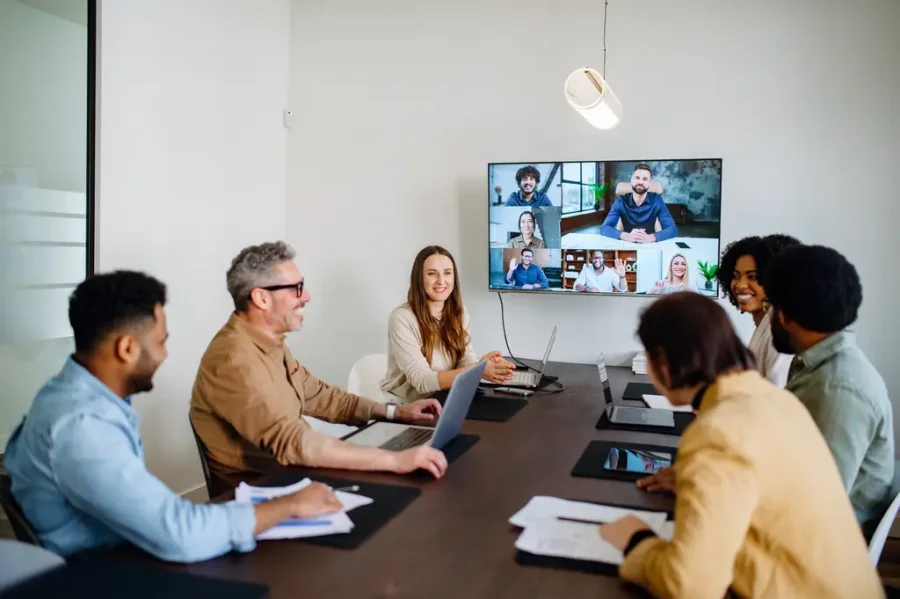
1. Remote Work Threat Model (2026)
Before implementing tools, define your threat surface. According to NIST and CISA guidance for small and medium businesses, risk management starts with identifying assets, threats, and controls.
For remote teams, threats cluster into five areas:
A. Devices & Endpoints
Risk: unpatched laptops, personal devices, malware infections, lost/stolen hardware.
Typical failure point: employees using personal laptops without endpoint protection or OS updates.
Controls:
Implementation tip: maintain a simple device register: device owner, OS version, encryption status, last update date, etc.
B. Identity & Access Management (IAM)
Risk: credential theft, reused passwords, excessive permissions, ex-employees retaining access.
Controls:
-
Multi-factor authentication (MFA)
-
Role-based access control (RBAC)
-
Least privilege principle
-
Automated deprovisioning
For example, Bitrix24 allows administrators to:
-
Assign access by role
-
Restrict file/document access per department in Bitrix24 Drive
-
Revoke access centrally when employment ends (Bitrix24 Company Structure)
-
Enforce secure login policies (Single Sign-On and 2FA)
This moves security from “policy on paper” to enforceable technical control.
C. File Sharing & Data Leakage
Risk: sensitive files shared via personal Google Drive, Dropbox, email attachments, or messaging apps.
Controls:
-
Centralized file storage & knowledge base
-
Controlled external sharing
-
Access expiration for shared links
-
Activity logs and audit trails
For example, use Bitrix24 as the primary document hub:
This reduces shadow IT and uncontrolled distribution.
D. Communication Channels
Risk: business email compromise (BEC), phishing, impersonation via messaging platforms.
Controls:
-
MFA on email
-
Domain protection (SPF/DKIM/DMARC)
-
Internal communication within a secured platform
-
Verification process for financial requests
Operational rule: no payment instruction or bank detail change is processed without secondary verification.
E. Human Factor/Phishing
Risk: employees clicking malicious links, sharing credentials, or falling for social engineering.
Controls:
-
Quarterly phishing awareness training
-
Simulated phishing campaigns
-
Clear escalation path (report phishing to IT)
-
Documented incident response steps
Security awareness is not a one-time onboarding event. It is ongoing risk management.

2. Minimum Security Baseline for SMBs (2026)
If you manage a team under 250 employees, this is your non-negotiable baseline:
Identity
Devices
Data
-
All business documents stored inside a controlled workspace (e.g., Bitrix24)
-
No personal cloud storage for business files
-
Defined data retention policy
Access Governance
Incident Response
This aligns with NIST CSF functions: Identify, Protect, Detect, Respond, Recover.
3. Risk → Control → Implementation Table
Use this internally with your leadership team.
|
Risk
|
Control
|
How to implement
|
Responsible role
|
|
Stolen credentials
|
MFA
|
Enforce MFA across email, Bitrix24, VPN
|
IT Manager
|
|
Excessive permissions
|
RBAC + least privilege
|
Map roles in Bitrix24; remove legacy access
|
Operations Lead
|
|
Data leakage via file sharing
|
Centralized storage
|
Disable public links; restrict external shares
|
IT Admin
|
|
Lost laptop
|
Disk encryption + remote wipe
|
Enable BitLocker/FileVault; maintain device inventory
|
IT
|
|
Phishing attack
|
Awareness training
|
Quarterly training + simulations
|
HR + IT
|
|
Ex-employee access
|
Offboarding checklist
|
Immediate deactivation in Bitrix24 and email
|
HR
|
4. Practical Templates & Artifacts
Below are working templates you can adapt immediately.
A. Remote Work Security Checklist (Operational)
Daily
-
Use only company-approved systems
-
Do not download company data locally unless required
-
Lock device when unattended
Weekly
Monthly (IT)
B. BYOD (Bring Your Own Devices) Policy Template
1. Scope
Applies to all employees accessing company systems from personal devices.
2. Requirements
-
Device must have OS auto-update enabled
-
Disk encryption must be active
-
Approved antivirus installed
-
Screen lock enabled (max 1 minute idle)
3. Access Limitations
4. Data Handling

C. Access & Permissions Policy Template
Principles
Process
-
Manager submits access request
-
IT assigns role inside Bitrix24
-
Access logged and reviewed monthly
-
Immediate revocation upon termination
D. Monthly Security Audit Checklist
5. Implementing Zero Trust in a Remote Team
Zero Trust is not a product. It is a model that stands by the “Never trust. Always verify” pricinple. For SMBs, this translates to:
-
Every login requires MFA
-
Every file access is permission-based
-
Every device must meet baseline security
-
Every access change is documented
Platforms like Bitrix24 support this by allowing structured role management, centralized document control, and monitored internal communication – reducing reliance on fragmented, uncontrolled tools.
6. Ongoing Governance: What Mature Teams Do Differently
Teams that successfully secure remote work:
-
Treat security as an operational process, not a one-time setup
-
Integrate access reviews into monthly management meetings
-
Keep documentation current
-
Use a central digital workspace instead of scattered tools
-
Assign clear ownership (security is everyone's responsibility, but accountability is defined)
Build a Secure Remote Workspace
Centralize work, control access, and protect company data with Bitrix24 — designed for modern remote and hybrid teams.
START FREE
Final Thoughts
Remote work security in 2026 is not about installing a VPN and hoping for the best.
It is about:
For SMBs, the goal is not enterprise-grade complexity. It is consistent execution of a strong baseline.
If your team works remotely or in hybrid mode, use this guide as your starting framework – and operationalize it inside your workspace platform, not just in policy documents.


.png?1770020613385)


.png?1770020613385)