Hiring for Software Skills: Build a Skills Matrix Instead of Reading Resumes


TL;DR (Quick Summary)
Resume keywords are a weak way to judge software ability, and the research agrees: years of experience predict job performance at about .16 and years of education at about .10. Build a skills matrix that ties tasks to tools and observable proficiency, then hire against that grid instead of the keyword list.
- Start from what the role must deliver, not the tools on old resumes → define the weekly work first; the software names matter far less than they look
- Turn the role into a matrix of tasks, tools, and proficiency → one grid the whole panel scores against
- Which software skills can you teach, and which must arrive on day one? → sort the fast ramp from the gap that breaks things
- Build a short assessment that mirrors the real work → test execution and judgment, not where-do-I-click trivia
- Screen and interview against the matrix → weigh evidence of the work, not keyword matches
- Point the same matrix at your own team → surface the tasks only one person can do
- Check the matrix against how the hire actually ramped → keep what predicted performance, cut what didn't
Takeaway: If you can't personally judge every software term on a resume, shift the process to tasks, observable proficiency, and realistic assessments.
A resume tells you which software someone can name. Whether they can do the work is a different question, and the resume barely answers it.
Decades of selection research put numbers on the gap: how long someone has worked and how far they went in school predict job performance weakly, with years of experience landing around .16 and years of education around .10 on a scale where 1.0 would be perfect prediction.
Experience does matter more in someone's first five years on a job (the same research puts it around .33 there), but past that it flattens fast. Those are the resume's headline signals, and for most hires they're close to noise.
A task-based skills matrix gives you something better to hire on. It's one way to compare candidates, a blueprint for a practical assessment, and a clear read on which gaps you can train and which you can't. Build it once and you stop guessing which candidate can do the job and start watching them do a piece of it.
Start with the work the role must handle, not the software names on past resumes
Begin with outputs. What must this person deliver in the first 30 to 90 days? (That window is a rough planning horizon, not a benchmark; set your own to the role.) Answer that before you think about credentials, product names, or whatever the last job description happened to list.
Outputs tend to fall into a few operational buckets: recurring tasks, handoffs to other teams, reporting responsibilities, troubleshooting work, and ownership of a system or process.
Make them concrete. "Maintain CRM hygiene" is fuzzy. "Import lead lists, resolve duplicate records, assign owners, and produce a weekly pipeline exceptions report" is something you can actually assess.
Break outputs into real tasks
Take each output apart into the software-dependent tasks underneath it.
For a support operations role, that might mean routing tickets to the right queue, updating response templates or macros, checking SLA exceptions, exporting queue data, and escalating system issues.
For an analyst, it could mean cleaning a raw file, joining data from two sources, updating a dashboard, and explaining anomalies to stakeholders.
Sales operations gives you a third pattern: update pipeline stages, check records for missing fields, spot broken routing rules, and explain why a report doesn't match the underlying deal data.
If your team runs that work in Bitrix24 CRM, those are the capabilities to assess. Prior Bitrix24 experience helps, but it shouldn't outrank equivalent work done in another CRM.
Separate daily work from occasional work
Split tasks by frequency and importance. Daily must-do work goes in one group; occasional tasks, edge cases, and nice-to-haves go in another.
Most job descriptions go wrong right here. A team gets burned once by a rare event, a botched data migration, say, and the next req demands three years of migration experience for a role that migrates data once a year. Meanwhile, the work that fills every actual week barely gets a mention. Screen for the week, not the once-a-year emergency.
Look past equivalent tools
Someone who has built reports in one BI platform will usually ramp fast in another. Someone who has run ticket workflows in one system adapts to your help desk stack. The tool name gives you context. The work is the anchor.
Quick check: Strip every software brand name out of the job description. Can you still explain what the person does each week and what good looks like? If you can't, the role is defined by its tools instead of its work, and that's the thing to fix first.
Interview Scorecard Kit: Validate Skills in 30 Minutes
Enter your email address to get a comprehensive, step-by-step guide

Translate the role into a skills matrix of tasks, tools, and proficiency levels
A skills matrix is a grid that links each task to the tools it uses and the proficiency it demands. Done right, it hands the hiring manager, the recruiter, and the subject-matter expert the same scoring language, so three people stop arguing past each other about what "strong" means.
Build the matrix around tasks
Start with rows for actual tasks, core work first, then supporting work. Core tasks keep the role functioning. Supporting tasks matter, but one weak spot there shouldn't sink a strong candidate.
For each task, name the tools, systems, or environments involved. Keep it specific enough to be useful without collapsing into a list of menu clicks.
|
Task |
Tool or environment |
Required level |
Priority |
|---|---|---|---|
|
Clean and validate weekly inbound data |
Spreadsheet tool, import workflow, file templates |
Works independently |
Essential at hire |
|
Update recurring dashboard |
BI platform, source tables, reporting logic |
Follows process with review |
Guided ramp-up |
|
Troubleshoot failed sync |
CRM, integration logs, admin settings |
Can troubleshoot |
Essential at hire |
|
Suggest workflow improvements |
Current process, automation tool |
Can improve workflow |
Optional |
In practice this lives in a spreadsheet: one row per task, one column each for tool, required level, and priority, with the level and priority columns set as dropdowns (data validation lists) so nobody free-types "pretty good" into a field meant to read "works independently."
That one constraint is what keeps three interviewers scoring the same way.
Define proficiency through observable behavior
Drop labels like "advanced Excel" or "good with CRM." Two interviewers will read them two ways, and you'll never reconcile the scores.
Describe behavior instead. Four rungs are worth naming:
- Can follow a process: completes the task with instructions or an existing checklist.
- Can work independently: completes routine work without help and catches common errors.
- Can troubleshoot: identifies why something failed and fixes normal issues.
- Can improve the workflow: redesigns steps, removes unnecessary work, or raises quality.
Then tag each item by hiring priority: essential at hire (the role breaks or creates material risk without it), acceptable with guided ramp-up (learnable with support), or optional (useful, not a reason to reject).
Run this exercise and inflated requirements start falling out on their own. A "must-have" tool turns out to get touched twice a month, while the tasks that decide everyday performance were never written down.
Give one person ownership of the matrix
The hiring manager owns the final version, with input from whoever currently does or supervises the work. A recruiter can and should challenge a vague requirement, but shouldn't be left guessing whether a skill is truly essential.
For a first version, book one focused working session and start with the handful of tasks that eat the most time or carry the most risk. Don't try to document every activity the role might ever touch; you'll produce a monument nobody updates.
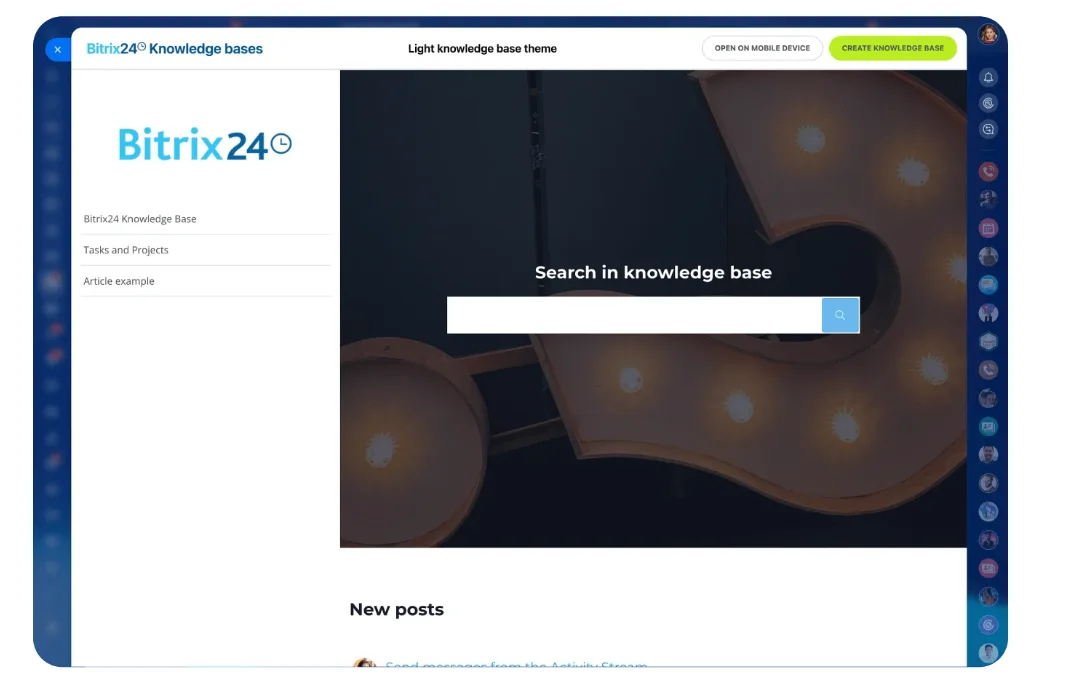
If your team runs on Bitrix24, the approved matrix, scoring definitions, and interview instructions can live in the Bitrix24 Knowledge Base so recruiters, interviewers, and managers all work from one reference.
Pro Tip: Before you open the role, have the current team score themselves against the matrix. If your own experienced people can't agree on what "independent" or "troubleshooting" means, candidates don't stand a chance of being scored consistently.
Decide which software skills can be taught quickly and which must be present on day one
The harder cut is what can be taught quickly and what has to walk in the door with the candidate.
Judge each skill against three factors
Three questions do most of the work. How steep is the learning curve? What's the business risk if the person gets it wrong? And how much does the task lean on judgment or connected knowledge that takes months to build?
A new interface is usually a fast ramp. Someone who understands ticket routing will pick up your ticketing platform quickly; the same goes for a new CRM layout, a dashboard, a file-naming convention, or a documented workflow.
Treat judgment-heavy work differently
Some tasks are about far more than knowing where the buttons are. Deciding which exception actually matters. Knowing that a broken workflow three teams away is about to become your problem. Recognizing that a data issue is serious enough to hold a report rather than ship it. Those gaps close slowly, because they run on operational judgment, and judgment doesn't transfer in a week.
Separate tool familiarity from underlying capability
Tool familiarity is knowing a platform. Underlying capability is the logic beneath the work: data validation, workflow sequencing, permissions awareness, troubleshooting discipline, reading a report correctly, understanding what breaks downstream when you change something.
Here's where they come apart. Say a sales operations candidate spent three years in HubSpot and your team runs Bitrix24. If they can walk you through how they diagnose duplicate records, validate stage changes, test routing rules, and protect reporting accuracy, the platform gap is a short ramp. Compare that with someone who knows your exact interface but has only ever followed a script. The second candidate matches your software list better and is the weaker hire the moment something breaks.
Two rough groupings hold up in practice. Teachable quickly: moving around a similar tool, standard data entry, running an established report, using templates, following a known workflow, routine updates. More likely required at hire: diagnosing failures, handling exceptions without creating downstream errors, working from incomplete instructions, making judgment calls in regulated or customer-facing processes, and handling mistakes that are expensive or hard to reverse.
These shift with the role. For a marketing operations hire, building an email automation in an unfamiliar platform is often a fast ramp, while knowing which audience segments must never receive a given campaign is the judgment you want on day one. For a data analyst, learning your BI tool's syntax is teachable; knowing when a number looks wrong enough to stop and check is not. For support operations, the ticketing UI is learnable in a week, but the instinct for which escalation can't wait is the thing you're really hiring.
Check whether training capacity actually exists
Teams love to file gaps under "trainable," because it makes the shortlist longer and the decision easier. Then the new hire arrives and the one person who could teach the skill is buried under their own work.
Before you call a gap trainable, name who teaches it, what material already exists, and how much supervision the ramp needs. A gap that's trainable in theory and untrainable in practice is an essential gap you haven't admitted to yet.
<br>
Turn the matrix into a short practical assessment that mirrors the job
Once the essential tasks and levels are set, build an assessment that tests the job in miniature. Skip the trivia. "Where do you click to change this setting?" tells you nothing unless memorizing that exact click is genuinely the job.
Pick tasks that reveal several capabilities
Choose a few high-value tasks from the matrix, the ones that show whether a candidate can use the tool, follow the underlying logic, prioritize, catch mistakes, explain their decisions, and recover when something goes sideways. A handful of realistic tasks beats a long quiz every time.
Use realistic scenarios
A few that work: hand over a sample file full of errors and ask them to clean it; show a dashboard screenshot and ask what they'd check; give them a mock support queue to prioritize; ask them to update a sample record and talk through their quality checks; put a failed workflow in front of them and ask how they'd diagnose it safely.
Nobody needs access to your production systems to prove they understand the work. Redacted exports, mock environments, screenshots, or fictional records all do the job.
Work samples and simulations mirror tasks performed on the job, and they suit competencies a candidate is expected to have on entry. That carries a real limitation. If you plan to train the skill after hiring, testing it on your exact internal process screens out capable people for the wrong reason: you're penalizing them for not yet knowing something you were always going to teach.
Keep the assessment proportionate
Test the essential tasks and stop. The moment an exercise starts eating several hours or reproducing large chunks of the actual job, you've crossed from assessment into unpaid work, and strong candidates with other offers will walk.
For U.S. employers there's a legal edge here too. Title VII bars selection procedures that disproportionately screen out a protected group unless they're job-related and consistent with business necessity, and the stakes aren't abstract.
After Dial Corporation added a strength test at its Iowa sausage plant, women's share of new hires fell from 46% to 15%, and the case ended in a judgment of about $3.6 million for 53 rejected women. Federal enforcement has pulled back in 2026, with the EEOC moving to rescind its long-standing guidelines on selection procedures, but the statute hasn't changed; private plaintiffs can still sue, and several states keep their own disparate-impact rules.
A homemade assessment is a selection procedure too, so keep it tied to real tasks and score everyone the same way. Build the rubric straight off the matrix:
|
Assessment task |
What to look for |
Matrix link |
|---|---|---|
|
Clean a flawed input file |
Spots errors, follows process, produces usable output |
Data validation / works independently |
|
Review a failed workflow scenario |
Finds likely cause, suggests a safe next step |
Troubleshooting / essential at hire |
|
Generate a basic report from sample data |
Selects appropriate fields, interprets output correctly |
Reporting / guided ramp-up or essential |
A workable shape for the whole thing: three tasks, 45 minutes, scored 0 to 2 on each (0 misses it, 1 gets there with rough edges, 2 does it cleanly and explains the reasoning). Six points total, and you decide what a pass looks like before anyone sits it. Those numbers are one way to size the exercise, not a standard; fixing the scale in advance is what stops the bar drifting toward whoever you happened to like.
Pro Tip: Plant one deliberate, realistic problem in the exercise, a duplicate record or a missing field. How a candidate handles the exception tells you more than watching them sail through a clean happy path.
Use the matrix during screening and interviews to compare candidates fairly
With the matrix in hand, resume review stops being a keyword hunt and becomes an evidence check. The question is no longer "Do they have software X?" but "Which of these tasks have they done, in what environment, and how independently?"
Ask candidates for evidence of the work
During screening, have candidates map their experience onto the core tasks. For each one: what they owned, which tool they used, whether they followed a process or built it, how often they did the work, what happened when it broke, and what output or decision was theirs. That surfaces far more than a software list buried in a resume summary.
Ask the same core questions
Use the matrix to structure your questions and scorecards. If troubleshooting failed imports is essential, ask every serious candidate about a process failure they diagnosed. If recurring reports are essential, ask what they check before results go to stakeholders.
OPM's guidance on structured interviews makes the case plainly: ask all candidates the same predetermined questions and score them against the same scale. Follow-ups are fine. Keep the core questions and the scoring criteria constant.
The research behind this has only gotten stronger. When University of Minnesota psychologist Paul Sackett and colleagues re-ran decades of validity research in 2022, fixing a statistical correction that had inflated older estimates, structured interviews came out with the highest mean validity of any method they examined. The rest of the top tier was job-specific too, including work samples and job knowledge tests.
Tools that sample the job beat tools that measure general traits, which is the whole case for building from a matrix.

Watch for false positives
Software-heavy hiring throws two false signals. Some candidates talk fluently about tools they barely touched. Others undersell themselves because they did the exact work in a different system and assume it doesn't count.
Record transferable matches as what they are: evidence. Someone who independently did the equivalent work elsewhere has shown capability, platform or no platform. And someone who knows your software by name but followed a fixed checklist and escalated every exception is not an independent operator, however comfortable they sound.
A four-field scorecard per important item keeps this honest and gives the panel something concrete to argue over when two candidates are close:
- Task match
- Tool relevance
- Independence level
- Gap type: trainable, risky, or unclear
Apply the same matrix internally to identify team gaps and reduce single points of failure
The matrix shouldn't die once the seat is filled. Turned inward, it shows you where the team has real coverage and where the whole operation quietly depends on one person.
Look for concentration risk
Map your current people against the same task-tool-proficiency grid. You don't need a perfect talent database, just an honest look at which tasks several people can handle alone, which only one person can troubleshoot, which systems everyone touches but nobody really understands, which workflows have no trained backup, and which skills live only in someone's head.
This is the difference between a manageable vacancy and the version you find out about the Monday after a cutover, when the lead-routing automation nobody documented stops firing and the admin who built it left two years ago. A team can be thick with general CRM experience and still have exactly one person who understood how that automation worked. Replace a departing generalist with another generalist and the dependency is still sitting there, waiting for the next bad Monday.
Separate workload gaps from capability gaps
Two different problems look identical from a distance. Sometimes the team is fine on skill but one person hoards a critical task, so every handoff backs up behind them. Sometimes several people cover the routine work but nobody can fix a failure without escalating. The first calls for redistribution or backup training. The second calls for a hire with real troubleshooting depth. Confuse them and you'll hire your way into the wrong fix.
Turn gaps into onboarding work
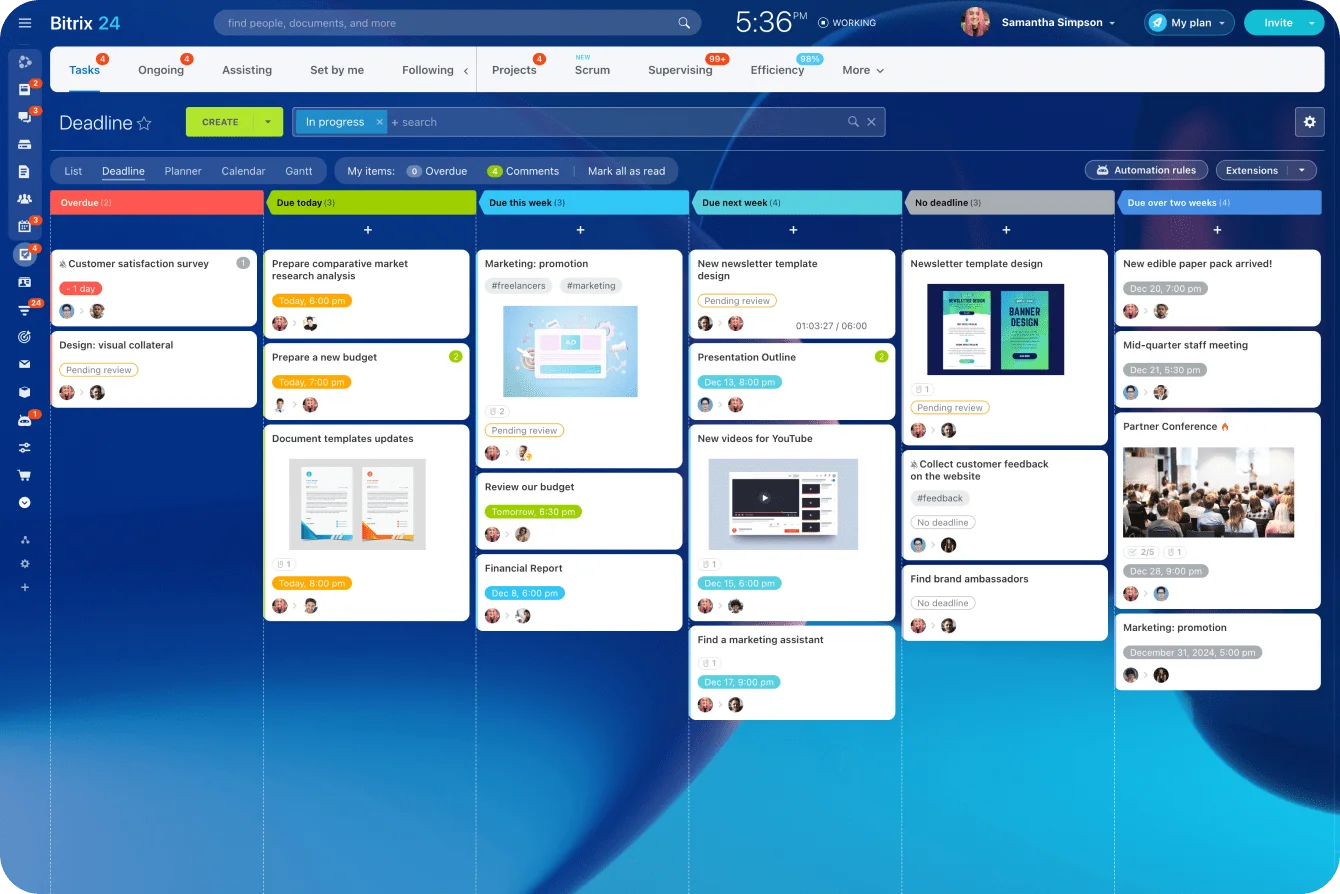
The matrix also feeds cross-training. When a new hire has trainable gaps, turn those rows into assigned learning tasks with an owner and a definition of done. In Bitrix24, task management tools let you assign that onboarding work, attach the instructions, set deadlines, and track completion, and the broader Bitrix24 HR tools cover the employee records, scheduling, and other HR work around the new hire.
Pro Tip: Look at your single-person dependencies before you approve a new req. You may find the next hire needs one specific capability, integration troubleshooting, say, rather than another generalist who overlaps with everyone you already have.
Check whether your matrix and assessment are working after the hire
The matrix is a hypothesis about the job. The first 90 days of a real hire are the test results.
Review what actually happened during ramp-up
Hold the early weeks up against the items you marked essential at hire. What could the person do immediately? What needed help? Which skills ramped fast? Which "simple" tasks turned out to depend on undocumented internal knowledge? Which requirements turned out not to matter at all?
The answers tell you whether the matrix described the real job or just the hiring team's assumptions about it. A task you filed under easy can hinge on context no outsider could know. An item you marked essential can turn out to be nothing more than familiar to the people already there.
Check the assessment against real performance
Look hard at the exercise. Did the people who aced it also handle those tasks well once they joined? Did any part of it fail, over and over, to separate strong hires from weak ones? Were interviewers even applying the rubric the same way? Whatever didn't predict real performance gets cut or rebuilt.
Keep the matrix current
Tighten vague task wording, move items between teachable and essential as you learn, and delete anything that adds noise without improving a decision. Revisit the whole thing when the role changes materially, the software stack changes, responsibilities move between teams, a recurring failure exposes a missing skill, or you're about to hire for the same role again.
FAQ
What's the difference between a skills matrix and a job description?
A job description lists what the role involves and, too often, the tools the last person happened to use. A skills matrix ties each task to the tools it touches, the proficiency it needs, and whether that level has to exist on day one. The job description attracts candidates. The matrix is what the panel actually scores against.
How many tasks should a first skills matrix include?
Fewer than you think. Start with the handful of tasks that eat the most time or carry the most risk, then add rows once the first hire shows you what you missed. A matrix that tries to cover everything the role might ever touch goes stale before anyone uses it.
Should I still ask candidates about specific software?
Yes, as context rather than a filter. Ask which tool they did the work in, then ask how they did it: what they checked, what broke, what they fixed. Direct experience with your platform shortens the ramp, so it's a fair tiebreaker between two otherwise equal candidates. It shouldn't knock out someone who did the same work somewhere else.
How long should a practical assessment take?
Long enough to cover the essential tasks and no longer. Three tasks in about 45 minutes is a workable default for most operational roles. Once an exercise runs to several hours or starts producing real deliverables, it reads as unpaid work, and your strongest candidates are the likeliest to decline.
Can a small team without an HR function use this approach?
Small teams need it more, because one bad hire eats a bigger share of their capacity. The matrix is a spreadsheet, the assessment runs on sample files, and the scorecard fits on a page. What it does need is one owner, usually the hiring manager, and an hour with whoever does the work today.
Hire for proven software skills, not keywords
Use Bitrix24 to document skill matrices, align interviews, assign onboarding tasks, and track real team capability in one workspace.
Get Started NowThe bottom line
A resume tells you what software a person can name. It says almost nothing about whether they can clean a broken file, catch the exception that would have poisoned a report, or fix a failed sync without escalating.
Those are the moments the job is actually made of, and a keyword match can't see any of them.
Build the matrix once, keep it in the Bitrix24 knowledge base with the onboarding plan in its task tools, and every downstream decision (screening, assessment, onboarding, cross-training) runs on evidence about the work instead of recognition of a logo.
Skip it, and you keep hiring the confident tool-namer over the quiet operator who'd have saved you the outage.
Takeaway: Score candidates on the work itself, and the software names on the resume stop deciding your hires before you've seen anyone do the job.