Accountable Roles & RACI Matrix: Onboarding Guide


Project onboarding breaks when people don’t know who does the work, who approves it, and who only needs visibility. Tasks overlap, approvals stall, stakeholders arrive too late, and new team members spend their first days asking who owns what.
A RACI matrix fixes that by turning vague expectations into named responsibilities: Responsible for execution, Accountable for the outcome, Consulted before decisions, and Informed after progress or changes.
That clarity matters because onboarding depends on clean handoffs. If nobody owns access setup, kickoff prep, scope confirmation, approvals, or client updates, the work slows down and trust drops. In fact, PMI’s research found that ineffective communication contributes to more than half of projects that miss their goals, and unclear ownership feeds that risk.
This guide shows you how to build a practical RACI matrix: what to map, how to assign owners, where to involve stakeholders, and how to keep it current once onboarding starts.
What a RACI matrix means in project onboarding
A RACI matrix is a role-assignment tool that connects each project activity to four kinds of involvement: Responsible, Accountable, Consulted, and Informed. In onboarding, it shows new team members how work actually moves, not just how the org chart looks.
In plain terms:
- Responsible: the person or role doing the work
- Accountable: the role that owns the outcome and makes sure it gets done correctly
- Consulted: people who give input before an action or decision
- Informed: people who need updates but aren't part of execution or approval
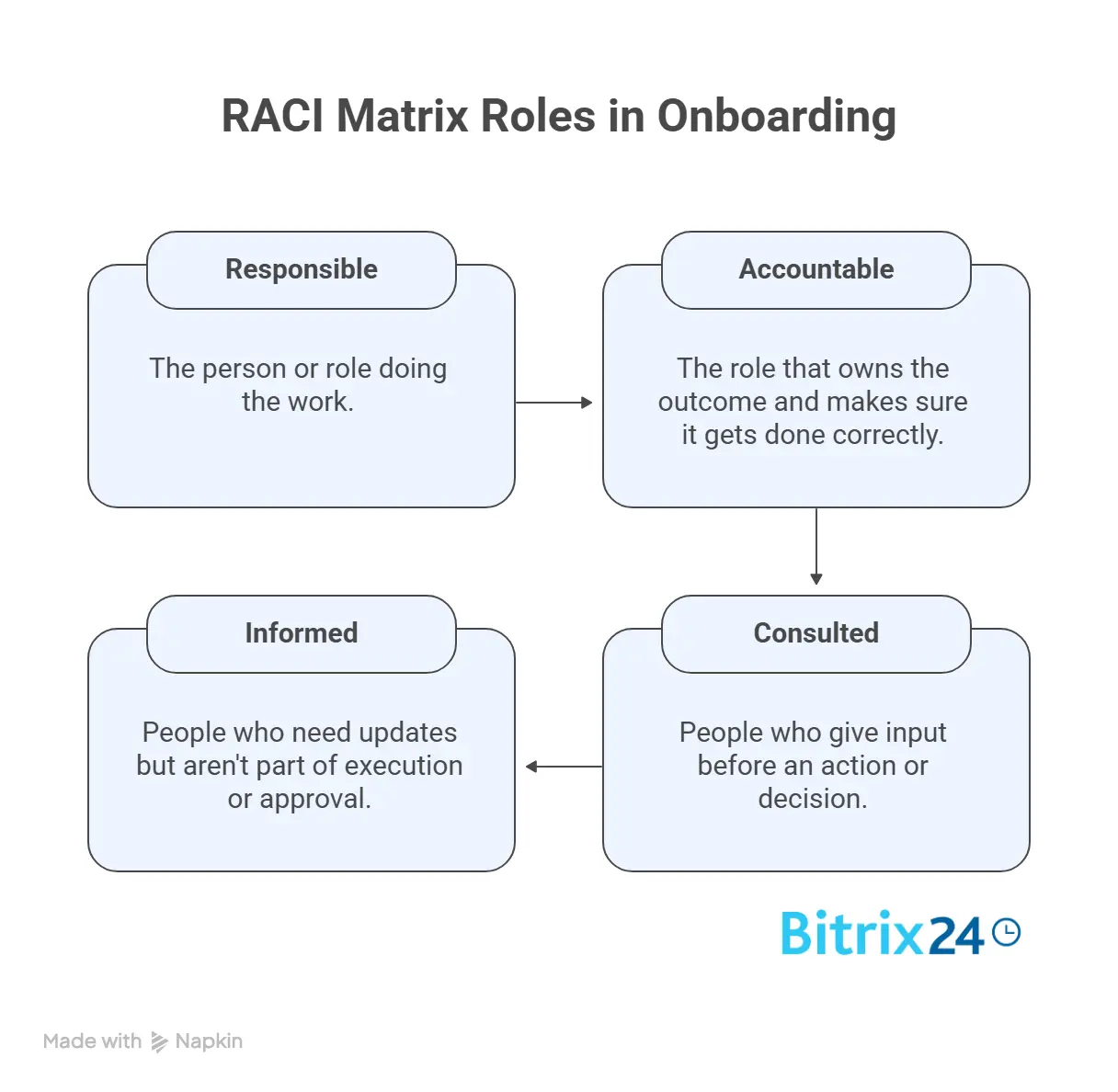
Responsible and accountable aren't the same thing
That distinction matters more than teams admit. Doing the work isn't the same as owning the result.
Take system access for a new hire. An IT admin is usually Responsible for setting up the accounts and permissions. The operations lead is Accountable, because they own onboarding readiness and answer for whether access is complete before kickoff. One role executes; the other carries final ownership.
Across onboarding and delivery, a RACI matrix maps these roles to the activities that actually matter: kickoff prep, access provisioning, requirements review, status reporting, approvals, change requests, client communication, and handoffs. It tells people where they fit before confusion sets in.
A simple example:
|
Activity |
Responsible |
Accountable |
Consulted |
Informed |
|---|---|---|---|---|
|
Prepare kickoff agenda |
Project Manager |
Delivery Lead |
Sales Lead, Client Sponsor |
Project Team |
|
Set up project access |
IT Admin |
Operations Lead |
Project Manager |
New Team Member |
The value is narrow and practical: it removes guesswork around execution, approval, and communication before the project picks up speed.
Why role assignment breaks down during onboarding
Role assignment breaks down for predictable reasons. Teams move fast, assume everyone already knows the workflow, and skip documenting decision rights. That holds up right until a new person joins, a client asks for a change, or a task hits an approval step nobody planned for.
The clarity gap is bigger than most teams think. Across decades of workplace data, only about half of employees strongly agree they know what's expected of them at work, according to Gallup. And new hires sit at the worst end of that gap, because they haven't yet absorbed the unwritten rules a tenured team runs on.
Duplicate ownership
Two managers both think they approve deliverables. Two coordinators both start the same setup task. Nobody notices until the work overlaps or one person overrides the other.
A marketing team onboarding a new campaign can hit this when the content lead and design lead both believe they have final sign-off on the finished asset.
Missing approvers
A task gets finished but can't move forward, because no accountable owner was ever named. The team starts chasing sign-off after the fact, which is where delays and frustration tend to surface.
Silent stakeholders
These are people whose input matters but who weren't included early enough.
Legal reviews contract terms after implementation planning has started. Security raises concerns after tools have been chosen. Finance needs to confirm budget but was never told a vendor was being added.
Each one creates rework that clearer role mapping would have prevented.
When authority is implied, not defined
Fast-moving teams are especially exposed. They lean on assumptions like "everyone knows how this works" or "we'll sort it out in the kickoff." That's fine for a stable team that's worked together for years. It falls apart when onboarding new hires, contractors, cross-functional partners, or external clients, none of whom share the team's history.
Unclear decision rights create their own mess. People hesitate because they're unsure who can say yes. Others overstep because nobody told them where the boundary sits. You get extra meetings, repeated reviews, and low-grade conflict that sounds like process disagreement but is really an ownership problem.
As Patrick Lencioni put it in The Five Dysfunctions of a Team, "the enemy of accountability is ambiguity."
That's why onboarding needs explicit role assignment. Not because teams are disorganized, but because projects become unreliable when authority is implied rather than defined.
RACI Workshop Kit: Role Interview Questions + Templates
Enter your email address to get a comprehensive, step-by-step guide

Step 1: List the Project Activities New Team Members Need to Understand
Start with the work, not the people. Before assigning roles, identify the activities a new team member has to understand to function without constant clarification.
Focus on recurring activities, approval points, scheduled meetings, and handoffs. Those are the moments where responsibility blurs. If an activity changes hands, needs sign-off, or affects delivery timing, it belongs in the matrix.
Typical onboarding-related activities:
- Prepare kickoff materials
- Confirm project scope and timeline
- Provision tools and system access
- Review client requirements
- Approve budget or resource allocation
- Run status meetings
- Escalate project risks
- Approve deliverables before release
- Transition work between teams
Group activities by phase
Grouping rows by project phase keeps the matrix usable. Organize them under pre-kickoff, project setup, active delivery, review and approval, and handoff or closeout. That keeps the document readable and helps new team members see when each task matters.
Teams that run repeatable projects often keep this structure inside their project management workspace, so the same phases and owners carry from one project to the next instead of being rebuilt each time.
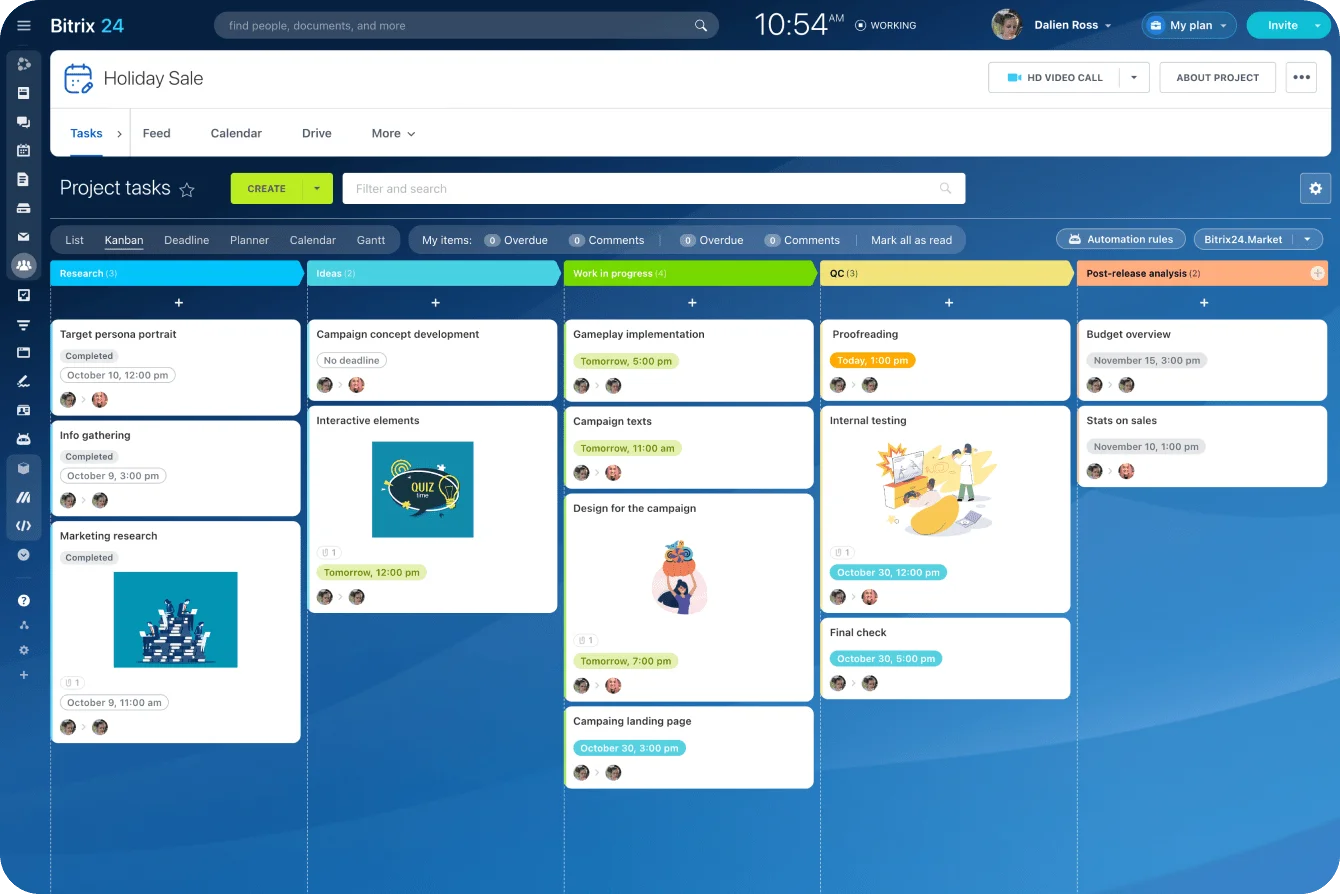
Keep it to what matters
Don't try to capture every tiny action. That's how RACI documents become bloated and ignored. Pick the activities that need explicit ownership because they affect speed, quality, or coordination. "Send calendar invite" doesn't need a RACI entry. "Approve project timeline" does.
Quick filter: if a missed task would create delay, confusion, or escalation, include it. If it's minor and obvious, leave it out.
Step 2: Identify the roles involved in onboarding and delivery
Once the activities are listed, identify the roles. In most cases, use job roles or functional groups rather than individual names. That keeps the matrix usable when people change, teams rotate, or temporary contributors come and go.
Use roles, not individual names
Good labels include Project Manager, Delivery Lead, Engineering, Operations, IT Admin, Client Sponsor, Finance, Legal, or External Vendor. Those are more durable than naming one specific person who might be reassigned mid-project.
Include everyone who materially affects onboarding or execution: internal delivery teams, project sponsors, support functions, and external contributors with a defined part in the workflow. If a contractor provisions environments or a client-side approver signs off on requirements, they belong in the matrix.
Define each role's scope first
Before assigning any RACI labels, clarify what each role actually covers. Title overlap is common. A "project lead" on one team coordinates tasks; on another, they hold final approval authority. If scope isn't clear, the matrix will look tidy and still create confusion.
A short scope description helps:
|
Role |
Scope in This Project |
|---|---|
|
Project Manager |
Coordinates schedule, meetings, reporting, and day-to-day execution |
|
Delivery Lead |
Owns delivery quality, priorities, and final operational decisions |
|
Client Sponsor |
Approves major milestones, scope shifts, and client-side commitments |
|
IT Admin |
Handles access, systems, and technical setup support |
This step is simple but worth doing carefully. A sloppy role list produces sloppy assignments in the next step.
Pro tip: Add decision limits to each role
A RACI tells people who is involved, but it doesn’t always tell them how far their authority goes. Add a short decision limit for roles that approve, escalate, or change project direction.
For example, a Project Manager might approve schedule changes under five working days, while anything affecting budget, scope, or client commitments goes to the Delivery Lead. This stops people from treating every small decision like an escalation.

Step 3: Assign responsible and accountable for each activity
Now assign the two roles that matter most operationally: Responsible and Accountable.
Responsible is the role doing the work. Accountable is the role that owns the final result and answers for whether it was done properly. Several people can contribute to execution in real life, but the matrix should stay disciplined about who actually drives each activity.
For accountability, keep it tighter. Assign one Accountable owner per activity. More than one usually means nobody truly owns the decision.
A practical way to assign
- Look at each activity and ask, "Who actually performs this work?" That's Responsible.
- Then ask, "Who would leadership go to if this were missed, delayed, or done poorly?" That's Accountable.
- If the same role does both, that's fine. Just make it explicit.
Onboarding examples:
|
Activity |
Responsible |
Accountable |
|---|---|---|
|
Prepare kickoff deck |
Project Manager |
Delivery Lead |
|
Create user accounts and permissions |
IT Admin |
Operations Lead |
|
Approve final onboarding checklist |
Project Manager |
Delivery Lead |
|
Validate client requirements |
Business Analyst |
Project Manager |
Be honest here. Teams often hand accountability to the most senior person out of habit, even when that person is barely involved. It looks politically safe, but it weakens execution. Accountability should sit with the role that owns the outcome, not the highest title in the room.
Once Responsible and Accountable are set per activity, this is the layer that maps cleanly onto a task and project tool: each activity becomes a task, the Responsible role is the assignee, and the Accountable role tracks it to completion. Keeping that link live means the matrix isn't a static document. It's how the work actually gets tracked.

Pro tip: Turn accountability into a review rhythm
Accountability is easier to maintain when it has a scheduled checkpoint. For any high-risk activity, add a short review point where the Accountable owner checks progress before the deadline, not after it slips. That could be a milestone review, a weekly project check, or a simple task reminder. The point is to make accountability visible while there’s still time to correct the work.
Step 4: Add consulted and informed stakeholders without overloading the process
With Responsible and Accountable set, add the people who need input or visibility. This is where many RACIs go wrong, because teams over-include stakeholders and turn a role map into a permission maze.
Consulted vs Informed
Consulted means the role gives input before the work is finished or a decision is made. It's an active, two-way relationship, usually discussion, review, or subject-matter guidance. Informed means the role gets updates after the action or milestone. That's one-way: they should know what happened, but they don't shape the outcome.
That difference isn't trivial. Mark someone Consulted when they only need a status update, and you create review cycles that don't need to exist. Multiply that across a project and onboarding slows to a crawl.
Use Consulted for roles like security reviewing access requirements, finance advising on budget implications, or a client stakeholder weighing in on kickoff participants. Use Informed for people who need awareness but not influence, such as adjacent team leads or executives getting milestone updates.
Quick rule of thumb:
- If their input can change the outcome before completion, mark them Consulted.
- If they only need to know the result or status, mark them Informed.
Keep both categories lean. When everyone's Consulted, no one can move. When everyone's Informed on every task, updates become noise and people stop reading them. The point is to support communication, not turn every action into a group exercise.
In practice, this is easier when Informed stakeholders get updates pushed to a shared project communication space rather than individual emails, so awareness doesn't depend on someone remembering to cc the right people.

Step 5: Review the matrix, validate it with stakeholders, and put it into use
Don't stop once the grid is filled in. A RACI matrix only works if the team checks it for logic, validates it with the right people, and uses it in actual onboarding.
Review for structural gaps
Look for tasks with no Accountable owner, activities with too many Consulted roles, and rows where several people appear to make the same decision. Check whether important approvals or handoffs are missing entirely. These gaps are far easier to fix before rollout than after a project slips.
Validate with stakeholders
This doesn't need a long workshop. A focused 30-to-45-minute review is usually enough. Walk through a few real scenarios instead of reading the table line by line: who owns kickoff readiness, who approves a late scope change, who's consulted before a client-facing deadline moves. Concrete scenarios surface ambiguity faster than abstract discussion.
Put it to work and keep it current
Use the matrix during onboarding sessions, not just as background documentation. Show new team members how to read it and when to rely on it. If they have to guess whether it's current, they'll go back to asking around.
Store it where people already work, whether that's the project workspace, a shared knowledge base, or your PM tool. A RACI that lives in a forgotten folder is functionally dead. And update it when responsibilities change, because team structure shifts, vendors rotate, and projects evolve. A stale RACI is often worse than none, since people trust it right up until it fails them.

Practical checklist before launch:
- Every key activity has clear ownership
- Approval paths are explicit
- Stakeholders agree with their role assignments
- New team members know where to find the matrix
- Someone owns updates going forward
Pro tip: Test the RACI with one messy scenario
Before rolling the matrix out, run one realistic problem through it: a late client approval, a scope change, a missing access request, or a delayed deliverable. Ask who acts first, who approves the next move, who gives input, and who needs the update. If the answer still depends on “we’d probably ask Sarah,” the matrix needs another pass.
Common RACI mistakes
Most RACI mistakes are easy to spot once you've seen them a few times:
- More than one Accountable owner per activity, which creates ambiguity instead of shared ownership.
- Too many Consulted roles, which makes the workflow approval-heavy and slow.
- Over-detailed matrices that capture every micro-task and become impossible to maintain.
- Title-based assumptions, where seniority gets the label instead of the role with real operational ownership.
- Set-and-forget use, where the matrix is built once and never updated as the project changes.
How to scale RACI reliably
To scale RACI across projects, standardize the format. Use a shared template so teams aren't reinventing the structure every time, and keep a consistent set of activity categories for similar projects.
Review ownership at predictable points: kickoff, major scope changes, team transitions, and phase handoffs.
For larger or cross-functional teams, resist the urge to build one giant matrix covering everything in painful detail. Keep one core RACI for project-level responsibilities and add separate supporting views for specialized workflows only if needed. Otherwise it becomes a spreadsheet nobody wants to open.
In short: one accountable owner per activity, Consulted limited to real contributors, a review whenever team structure changes, and storage where the team already works.
FAQ
When should you update a RACI?
Whenever project phases change, ownership shifts, new stakeholders enter, or approval paths change. If any of those happen, the current matrix is already aging.
How should contractors be handled?
Include them if they perform meaningful work, provide required input, or own a defined deliverable. Treat a contractor like any other role in the matrix. Don't leave them out just because they're external.
Which tools work best?
Most teams start with a spreadsheet, a table in a project wiki, or a work management tool with a shared project page. Fancy software is optional. Accessibility matters more than features.
What if one person holds multiple roles?
Common in smaller teams. Assign the labels based on the role that person plays for each activity. One person can be Responsible in one row and Accountable in another. Just be explicit.
How long does setup take?
For a straightforward project, a first workable version takes under an hour to draft and a short review session to refine. Cross-functional projects take longer, mostly because ownership disputes finally become visible, not because RACI itself is hard.
Clarify project roles from day one
Use Bitrix24 tasks, workflows, and shared workspaces to assign owners, track approvals, and keep onboarding moving without confusion.
Get Started NowFinal takeaway
A RACI matrix gives new team members more than a list of names: it shows who does the work, who approves the outcome, who gives input, and who needs updates before confusion slows the project down.
Build it early, keep it visible, and use it where the work happens. The payoff is fewer approval loops, cleaner handoffs, and a team that can move without asking “who owns this?” every time something changes.