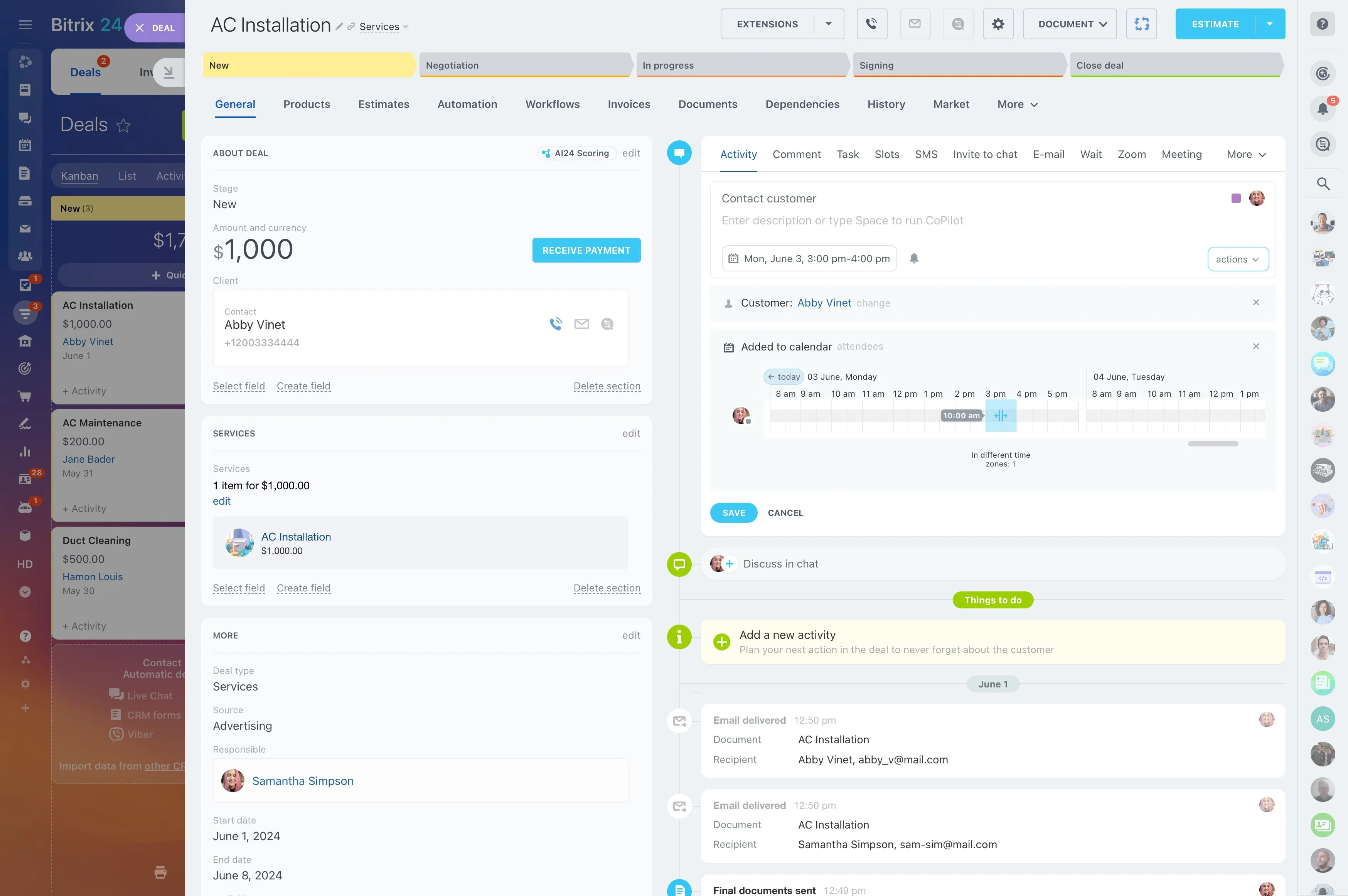
Define stages your team can actually follow
When you’re running multiple opportunities at once, deals rarely “disappear” — they drift. A record sits in the wrong stage, the owner changes without a clear handoff, or there’s no next activity to move it forward. Deal management software should make the pipeline readable at a glance and actionable for every rep and manager.
Bitrix24 structures deal work around three non-negotiables: a defined pipeline stage, a responsible owner, and planned activities tied to the deal. Set up stages that match how you sell, use permissions to keep the right people in the loop, and review pipeline reporting to spot stuck stages, uneven workloads, and gaps in follow-up.
- Visibility: every opportunity has a stage and owner
- Execution: next steps are logged as activities with due dates
- Control: access and updates follow your team’s rules
- Review: reporting shows what’s moving and what’s stalled
Start simple, then tighten what the data shows
Begin with one pipeline, a realistic set of stages, and only the deal fields your team can fill out consistently. Once deals are flowing, use what you see in reporting to refine stage definitions, required details, and handoff rules.
The goal is a pipeline reps can follow daily and managers can trust for reviews and planning.
Use deal activities to prevent silent stalling
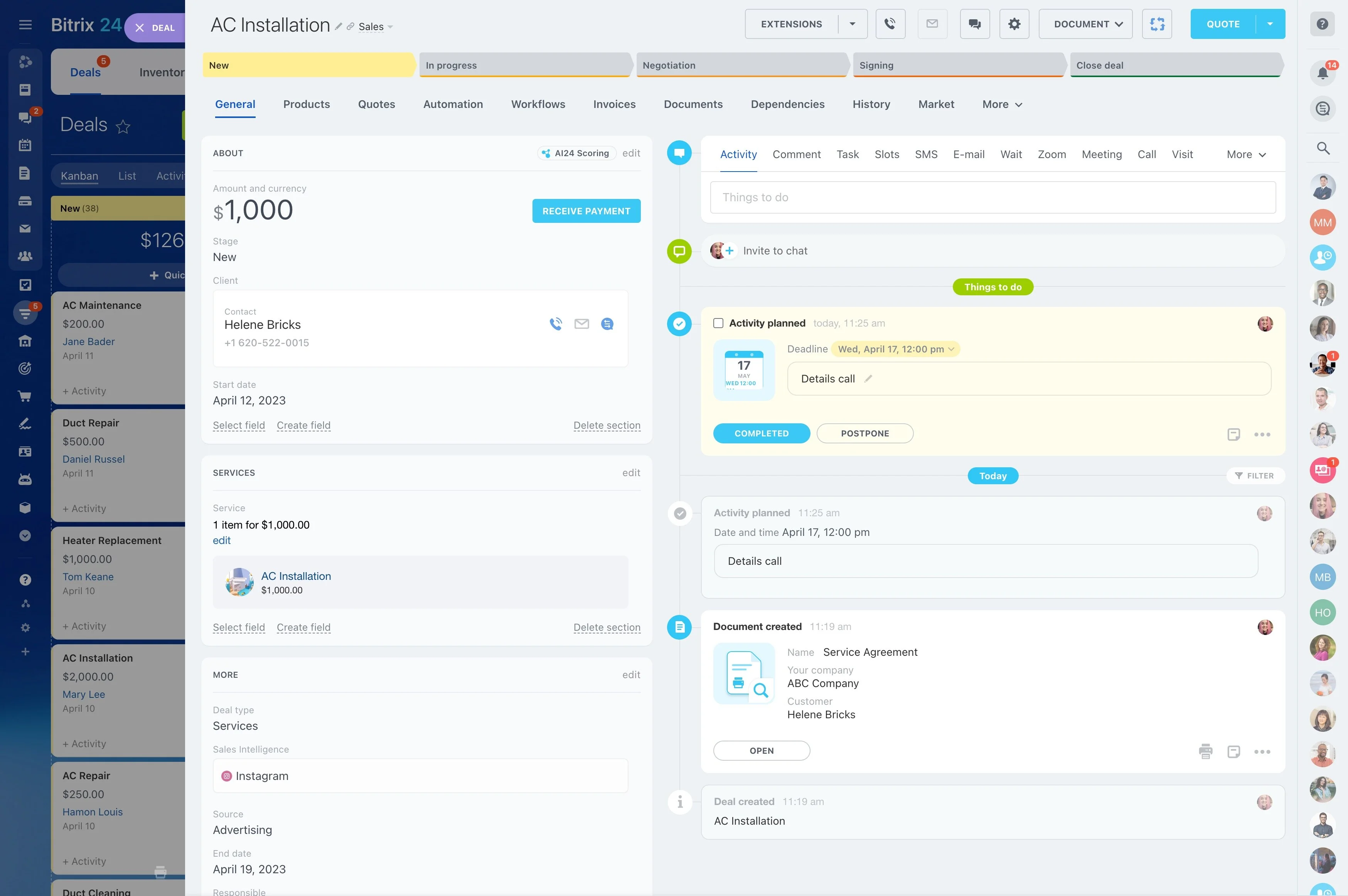
Stages tell you where a deal is; activities tell you what happens next. Plan calls, meetings, and follow-ups as activities on the deal so execution stays connected to the opportunity.
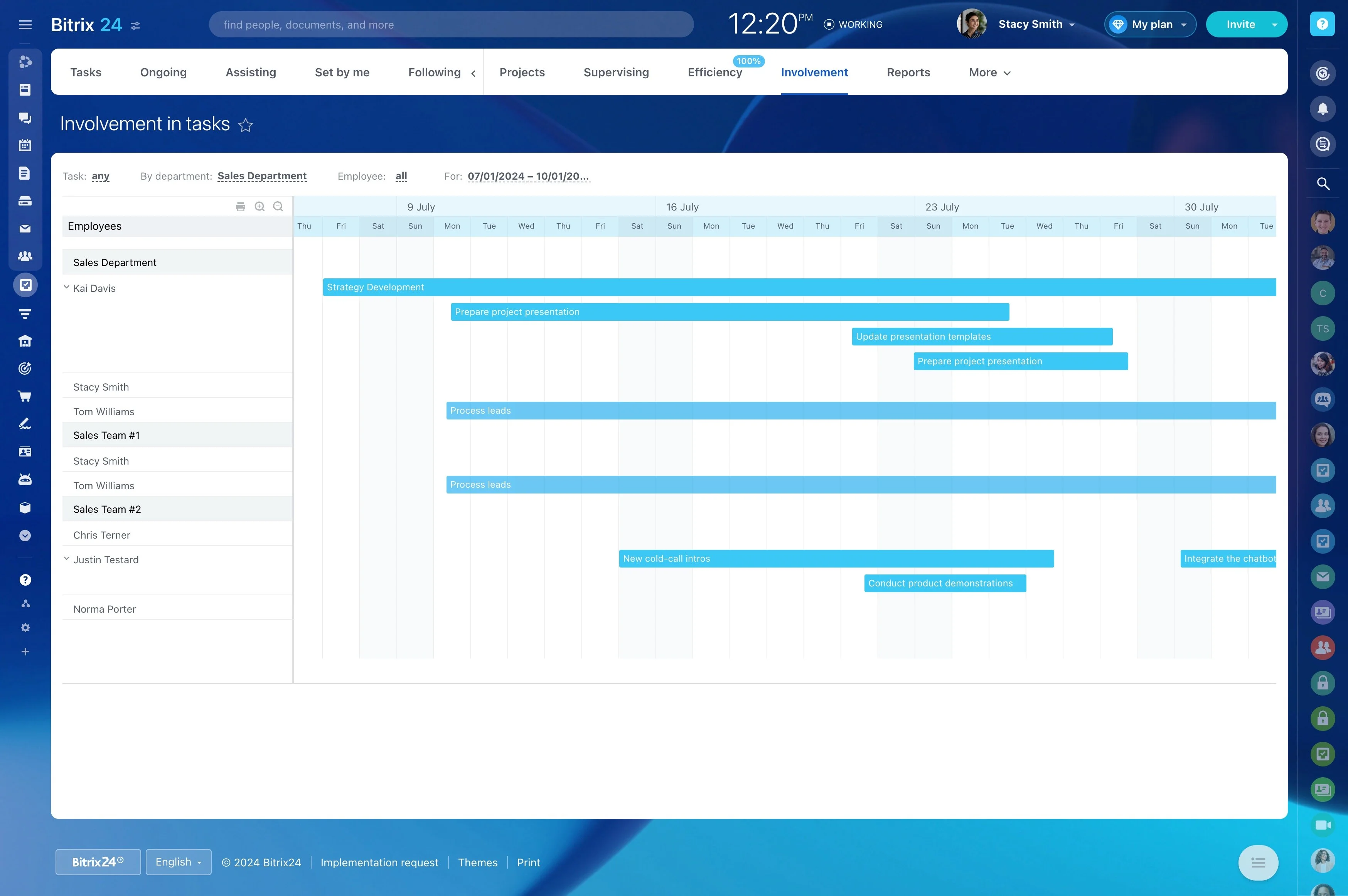
With due dates in place, you can review upcoming work by owner or by stage and quickly spot deals that have no next step.
Log the trigger, then assign the next action
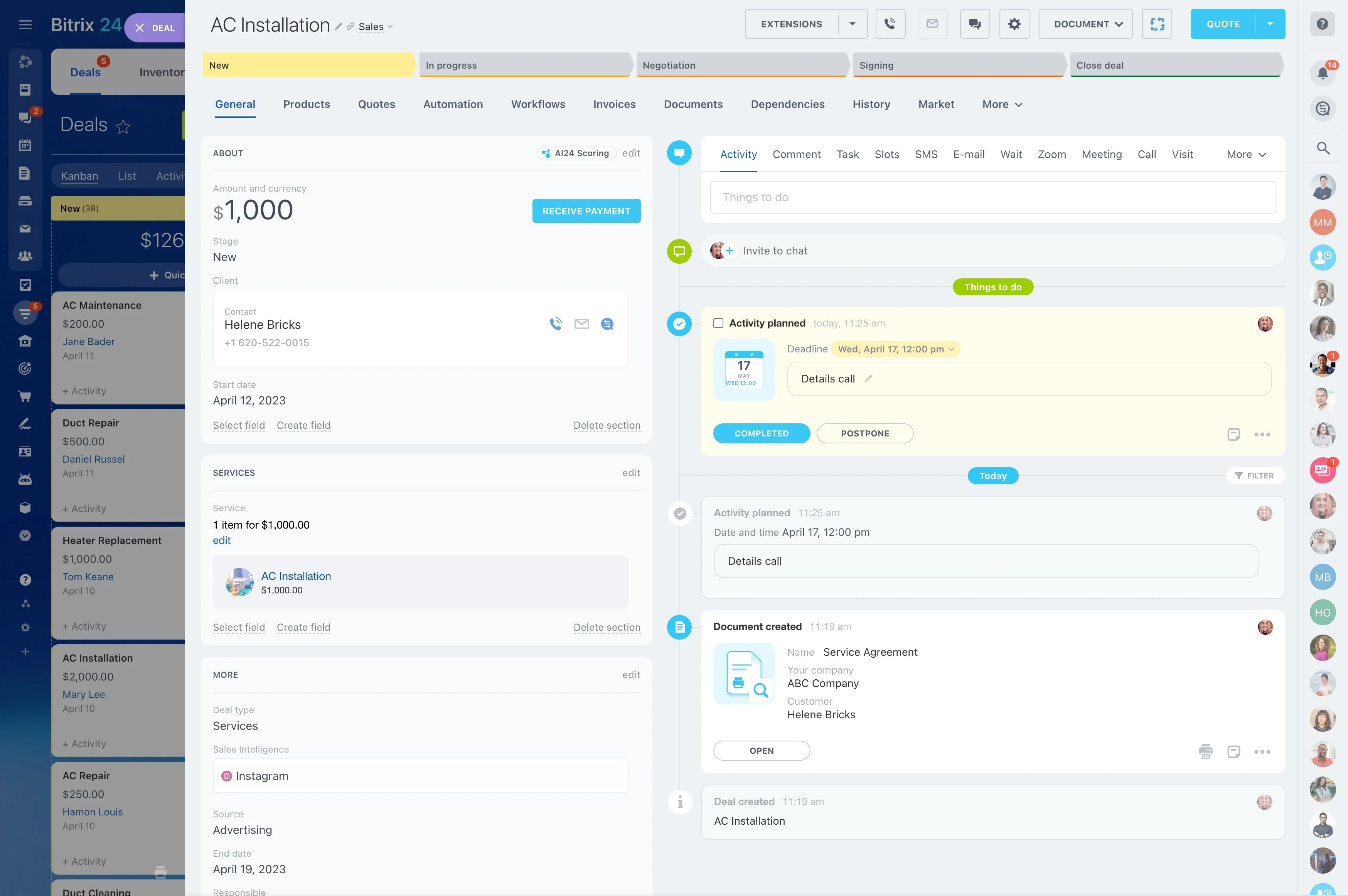
Reliable tracking starts with one habit: when a trigger happens, the team creates a deal and schedules the next step immediately.
Example: A prospect requests pricing. Create the deal, assign an owner, place it in the right stage, and add a due-dated activity (send quote, book a call). Outcome: every new opportunity is accountable and time-bound, so managers can tell what’s waiting on your team vs. the customer.
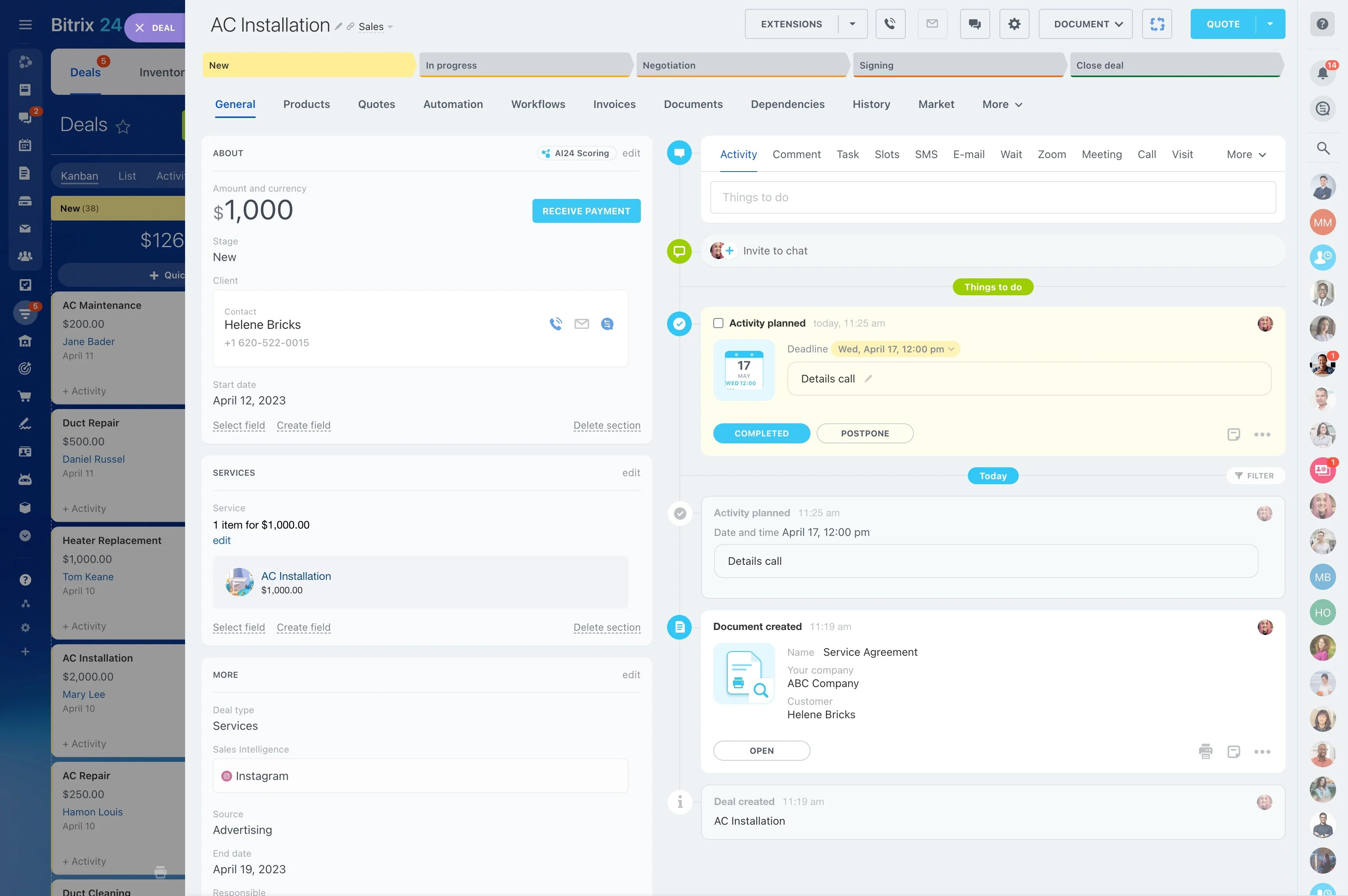
Define stages your team can actually follow
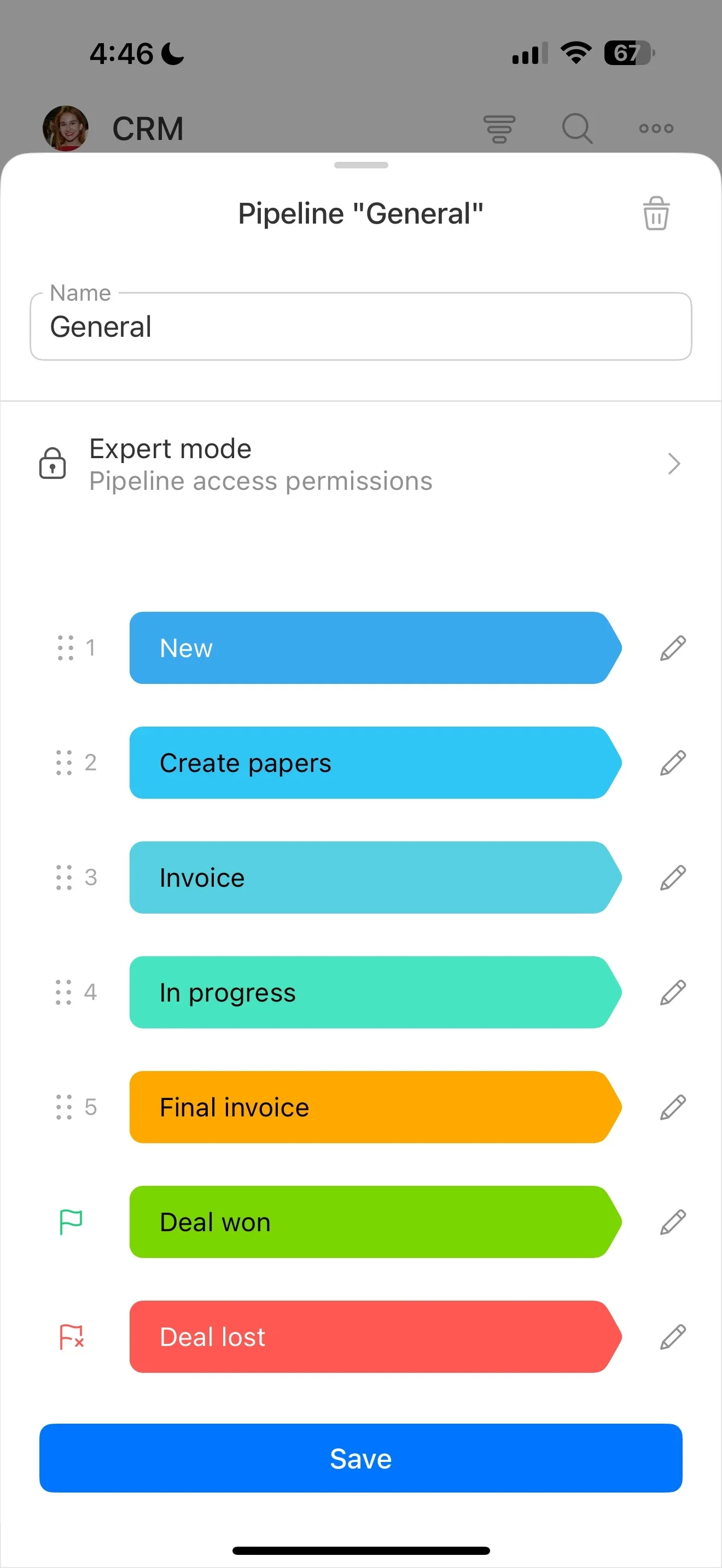
A pipeline only works when stages mean the same thing to everyone. Configure deal stages to match your sales steps, then document what “entry” and “exit” look like for each stage.
When stage criteria is clear, deals are easier to compare across reps, and reporting reflects real progress instead of personal interpretation.
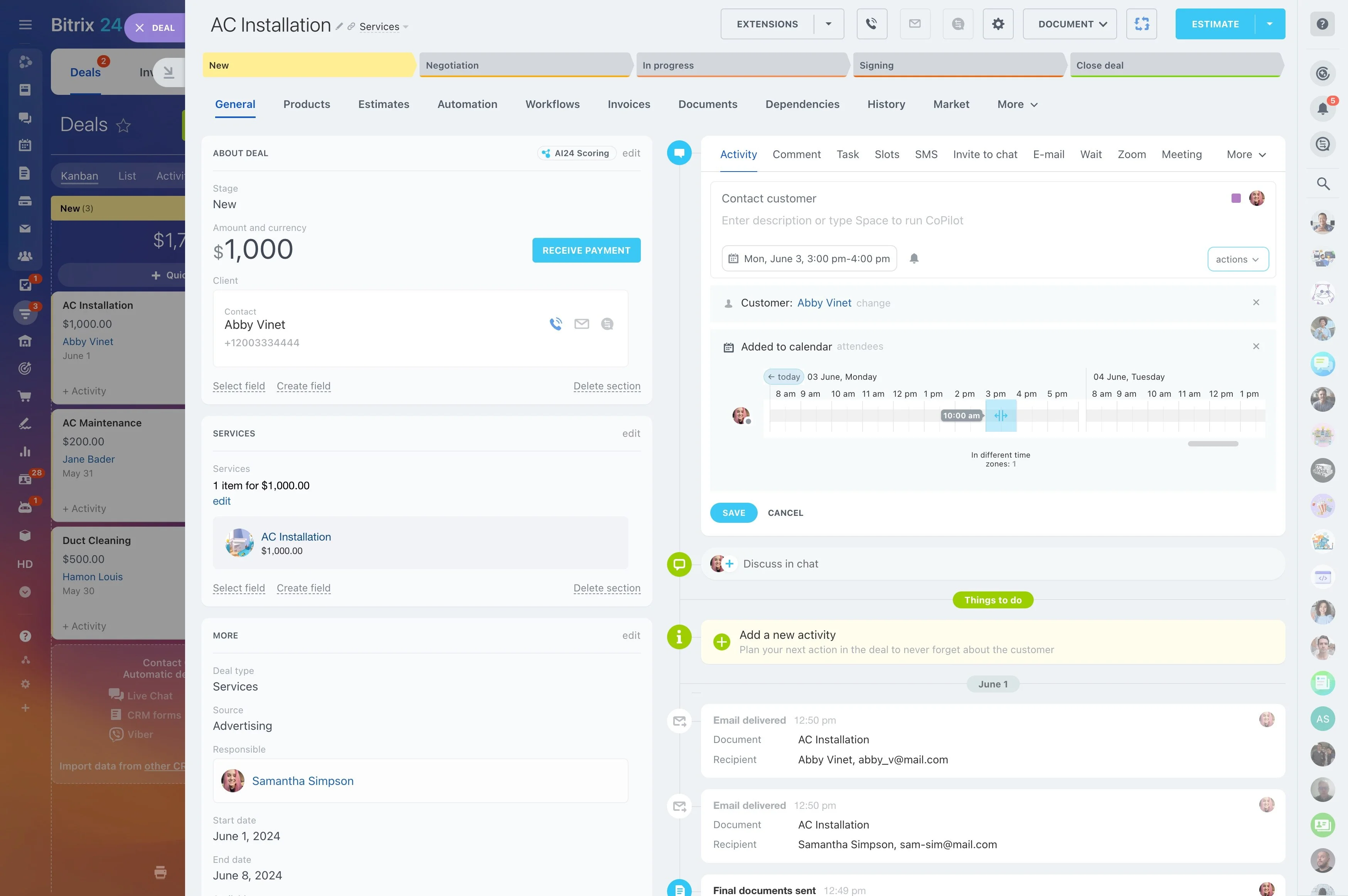
Keep accountability clear during handoffs
Deals often slow down when ownership gets fuzzy. Assign a single responsible owner to each deal and change ownership intentionally when the process requires a handoff (for example, qualification to closing).
With a clear owner at every moment, coaching and prioritization can focus on what actions were taken and what’s planned next.
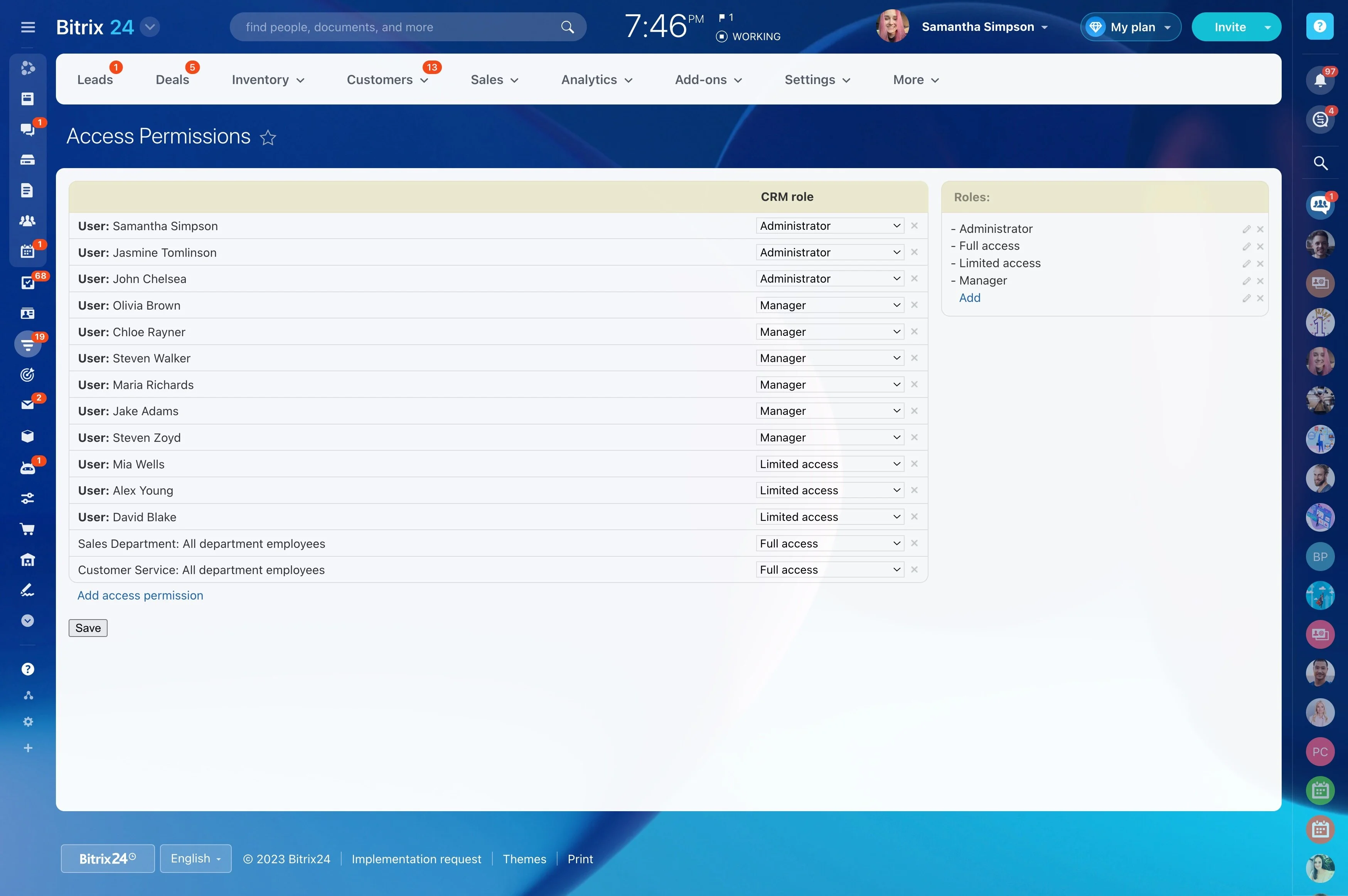
Apply permissions to protect sensitive deals
Not every role needs the same level of access. Use CRM permissions to control who can view, edit, or reassign deals based on your operating model.
This supports common setups like reps managing their own pipeline while sales leaders keep visibility for reviews and forecasting.
Use reporting to diagnose pipeline bottlenecks
Deal management is only useful if it drives decisions. Review CRM reporting for stage distribution and movement over time to see where deals pile up and where follow-up activity drops.
That makes it easier to separate process issues (unclear stage criteria) from execution issues (overload, missed next steps).