Use results-by-owner and results-by-stage views to validate assumptions
Revenue planning gets risky when your forecast is based on averages or intuition instead of the deals your team is actively working. A practical forecast starts with what’s already in the pipeline and answers one question: what revenue is likely to close in a specific period, and why?
Bitrix24 sales forecasting software uses CRM deal data—amount, expected close date, and a probability tied to stage—to calculate a weighted view of expected revenue. Because every total rolls up from named deals with owners and dates, you can review assumptions, see where coverage is thin, and compare forecasted results to what actually closed.
To keep forecasts consistent, define pipeline rules your team follows and limit who can change the fields that move the forecast (amount, close date, stage/probability). That way, forecast reviews focus on deal reality and next actions—not reworking inconsistent inputs.
- Group expected revenue by month/quarter using close dates
- Weight pipeline value by probability to estimate likely outcomes
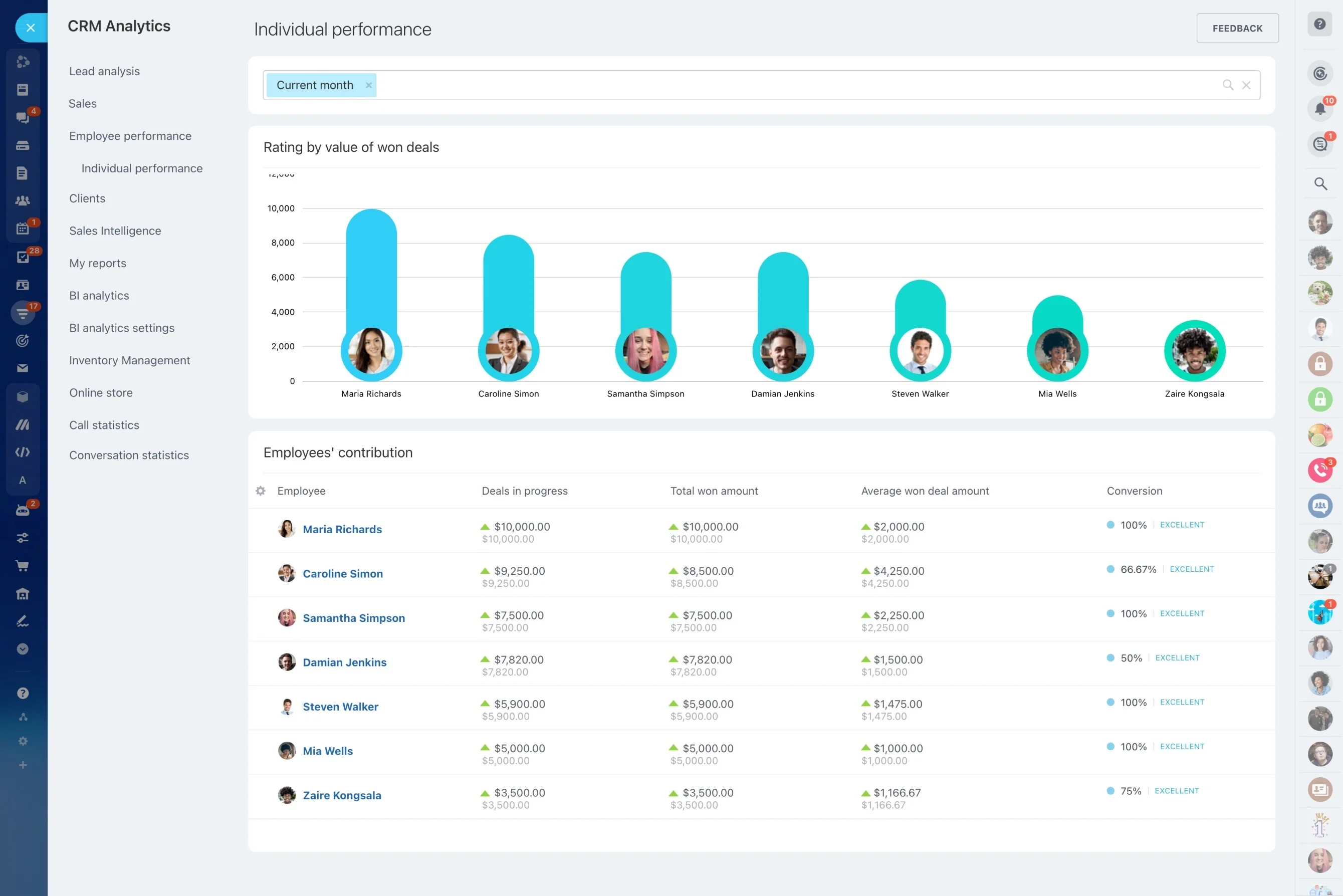
- Use results-by-owner and results-by-stage views to validate assumptions
Control forecast inputs with role-based access
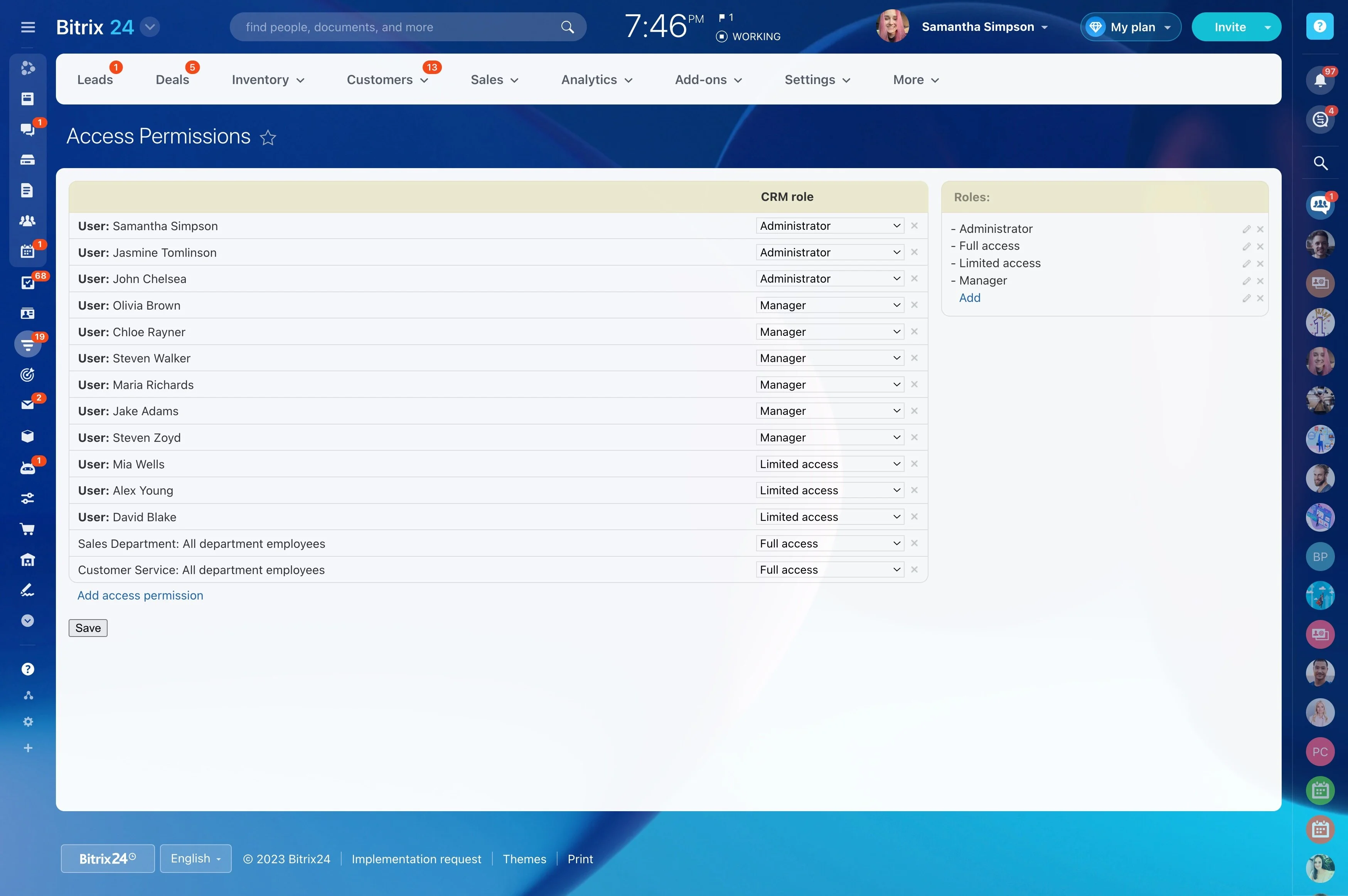
Protect forecast integrity by limiting who can change the fields that drive totals—amount, expected close date, and stage/probability. Give the right roles edit access (for example, reps on their own deals) and keep other stakeholders in view-only mode for review and planning.
This keeps forecast reviews focused on decisions, not data disputes.
The four inputs behind an actionable forecast
A forecast is only as useful as the deal data it’s built from. In a CRM, that means rolling up deals by expected close period and weighting them by probability, then slicing the view by stage and owner to understand where the number comes from.
- Pipeline value: deal amount
- Probability: likelihood to close (often stage-based)
- Timing: expected close date for the right period
- Performance context: results by rep, stage, and period to sanity-check inputs
Example: month-end check against target
Trigger: Two weeks before month-end, you need a confident commit number.
CRM action: Filter deals with close dates in the current month, confirm the next milestone with each owner, and update close date or stage/probability only when the deal meets your team’s evidence criteria (for example, proposal delivered or decision meeting scheduled).
Measurable outcome: The forecast is traceable to a defined set of deals, and the gap to target is expressed as a specific amount plus the number of deals that must advance.
Pipeline setup that keeps forecasts consistent
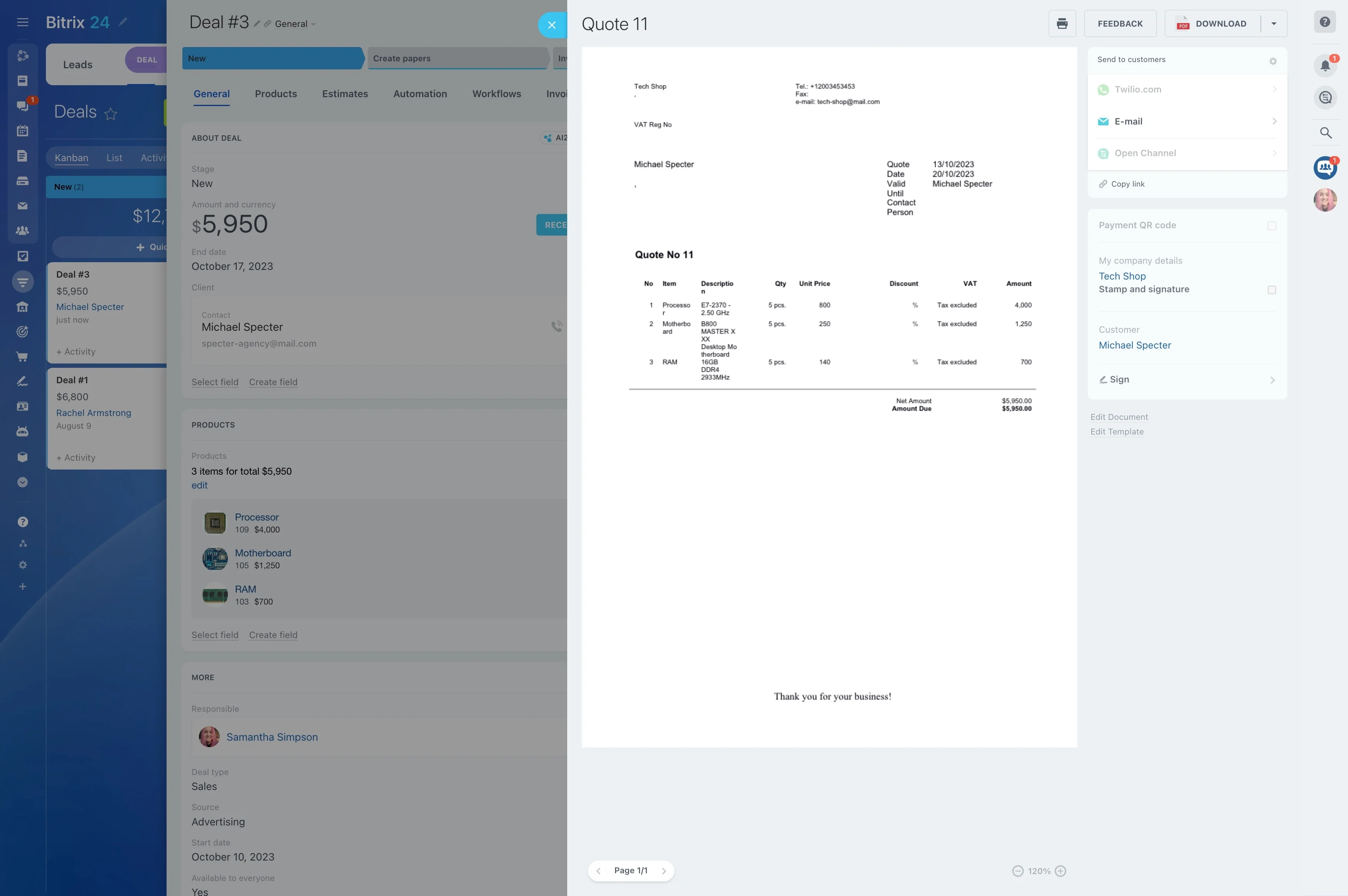
Forecast drift usually comes from stage definitions that mean different things to different reps. Align stages to real sales milestones, then define the minimum “forecastable” fields (amount, close date, stage/probability, owner) so forecasts don’t swing because updates are inconsistent.
With shared rules, month-to-month comparisons reflect pipeline health—not interpretation differences.
Forecast review cadence with clear ownership
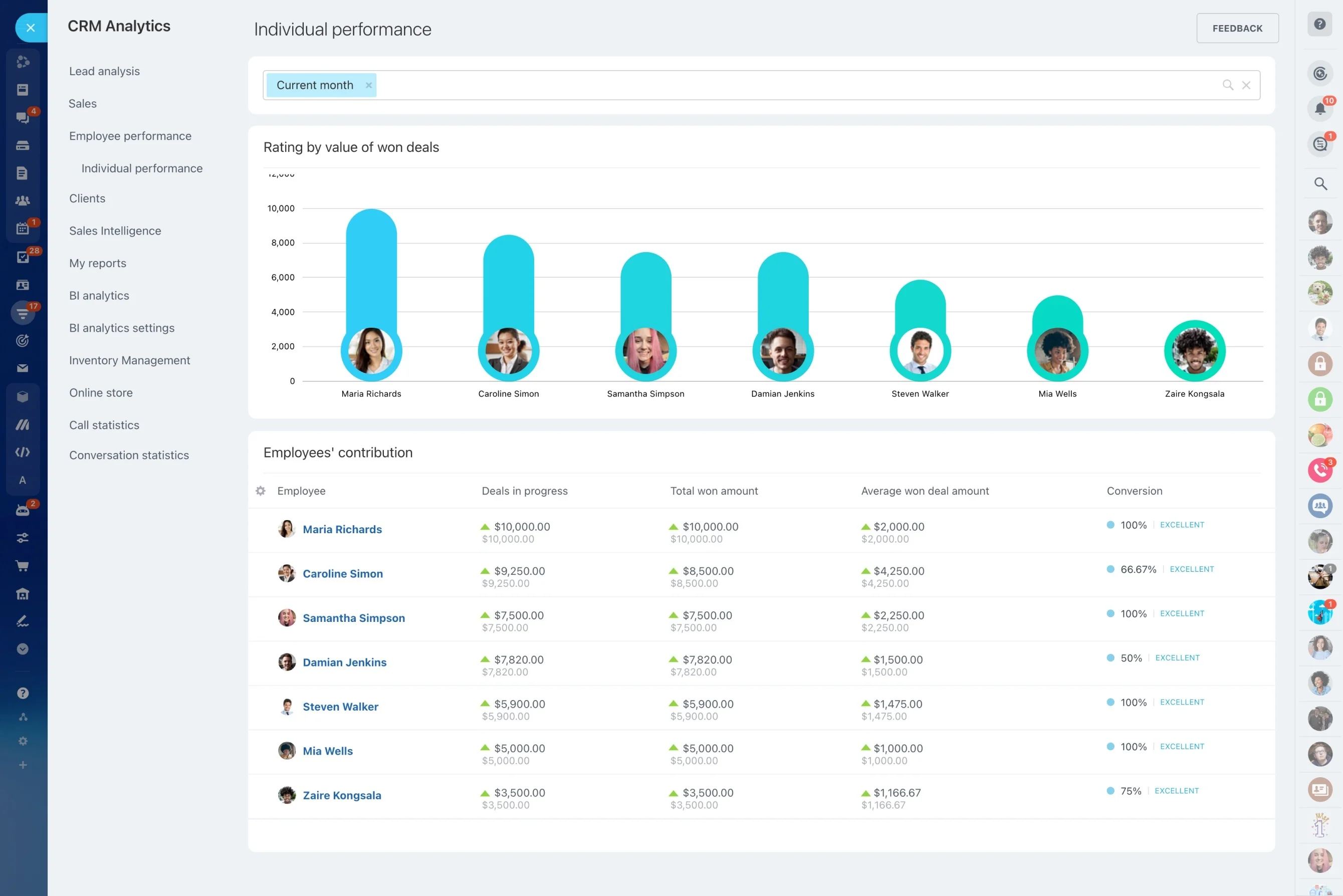
A repeatable review process makes forecasts easier to defend. Set checkpoints (weekly, mid-month, and month-end), require owners to keep close dates and next milestones current, and review the forecast by rep and stage to surface risk concentration.
- Reps maintain deal fields and next steps
- Managers validate high-value deals and stage movement
- Leadership/finance uses period totals for planning discussions
Connect forecasted revenue to actual results
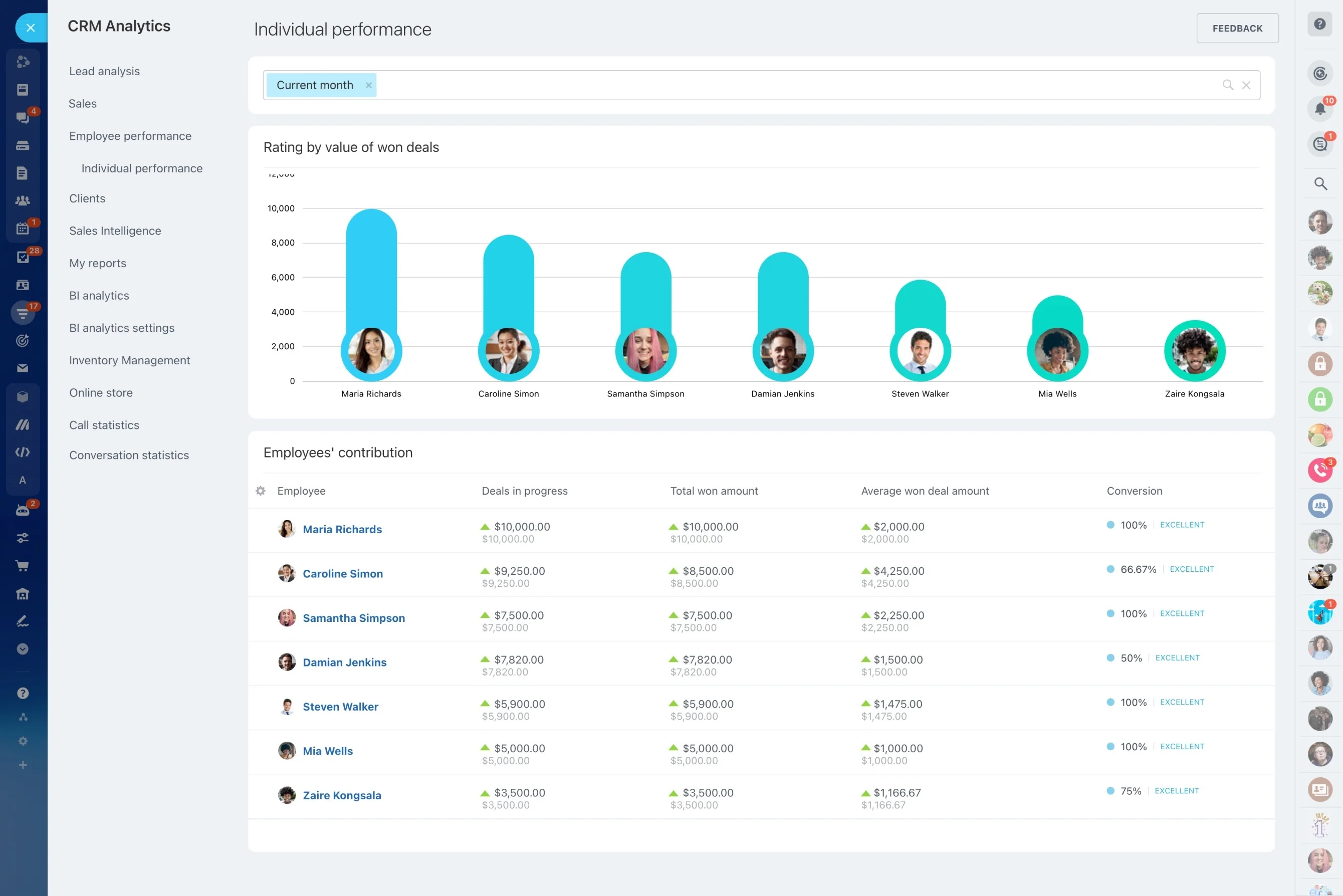
To improve accuracy, compare what was forecasted to what actually closed and identify the source of variance—slipped timing, overstated probability, or late-stage losses. Review results by owner, stage, and period to adjust pipeline rules and coaching.
Over time, the forecast becomes a feedback loop for qualification and deal progression.