Why Teams Stop Using New Software After Week Two


Week one tells you whether employees can use new software. Week two tells you whether they will.
Once the kickoff meetings and test accounts are out of the way, the tool has to compete with real deadlines, familiar routines, and managers who may still ask for updates in email or chat. If employees aren’t clear on when to use the system, what work now belongs there, and which old processes have ended, usage drops quickly.
The problem is rarely awareness. It’s that the software hasn’t been built into the way the team works. Here’s where adoption usually breaks and how to turn a launch-week experiment into a lasting team habit.
What “software adoption” actually means in a team setting
In a business setting, software adoption means repeated, role-relevant use inside actual work processes. It doesn’t mean people created accounts, clicked around during launch week, or sat through training.
It helps to separate three stages:
|
Stage |
What it means |
What it looks like in practice |
|---|---|---|
|
Activation |
The user logs in, sets up an account, and tries core features. |
A sales rep updates a test deal, or a project manager creates their first task board. |
|
Habit formation |
The user returns because the tool supports recurring work. |
Team members update tasks before weekly check-ins instead of waiting to be chased. |
|
Operational dependence |
The team relies on the tool for assignments, updates, approvals, reporting, or handoffs. |
Managers review work from the system, and off-system updates are redirected back into it. |
Most rollout metrics overemphasize activation because it’s easy to measure. Habit formation and operational dependence matter more.
If work can continue normally without the software, adoption is still shallow.
Long-term adoption happens when the tool becomes part of how work moves: tasks are assigned there, progress is tracked there, reviews happen there, and approvals are expected there.
Pro Tip: Before launch, define the “minimum useful behavior” for each role. For example, a salesperson may only need to update deal stage, next step, and close date. A project contributor may only need to update task status and blockers. Start there before introducing advanced features.
Why early momentum fades so quickly
The week-two drop-off happens when novelty gives way to effort. In launch week, employees explore the tool with temporary goodwill. By week two, they ask a practical question: does this reduce friction, or is it one more place to check?
That’s the real answer to why employees stop using new software. They don’t abandon tools because they hate change in the abstract. They abandon tools when the cost of using them feels higher than the benefit.
Employees return to the path of least resistance
If the software adds clicks, duplicates communication, creates extra data entry, or sits outside existing routines, people drift back to familiar systems. Not because those systems are better, necessarily, but because they’re already embedded in how work gets done.
Employees notice whether a manager still asks for updates in email, whether a customer record has to be entered twice, and whether the “official” workflow is easy to bypass. Once the software looks optional, it rarely survives busy weeks.
Launch metrics can hide weak adoption
This is also why software adoption fails even when rollout metrics look fine. Training attendance, launch-week logins, and pilot enthusiasm can all be high while long-term retention stays weak. Rollout success doesn’t equal retention.
14-Day Adoption Rescue Kit: Scripts, Nudges, Scorecards
Enter your email address to get a comprehensive, step-by-step guide

How adoption failure happens inside everyday work
Most adoption failures begin with ambiguity, not open resistance. Employees understand what the software does, but they don’t know which parts of their work must now happen there.
Every rollout needs a simple operating rule set:
- Where new requests start
- Where progress and status are updated
- Where files and decisions are recorded
- Where approvals happen
- Which old channels are no longer accepted
- Who checks whether the workflow is being followed
Without those rules, each team creates its own version of the process. The software becomes another place to update rather than the place where work happens.
Launch activity vs durable adoption
|
Launch signals |
Durable adoption signals |
|---|---|
|
Training completion |
Core workflows consistently run in the system |
|
High first-week logins |
Repeat usage tied to recurring work |
|
Pilot excitement |
Manager reinforcement in meetings and reviews |
|
Positive survey feedback |
Approvals, reporting, or handoffs occur in the tool |
|
Feature exploration |
Old channels are retired or clearly limited |
Pro Tip: In the first month, don’t ask, “Are people using the tool?” Ask, “Which recurring work now happens only in the tool?” That gives you a better read on whether the platform has become part of operations.
The Core Drivers Behind Week-Two Abandonment
A useful way to understand week-two abandonment is through four lenses: People, Process, Tool, and Reinforcement. Most failures sit across several at once.
People: Users don’t know what “good use” means
Weak onboarding leaves users unsure how the software relates to their role. They may know the interface but not the minimum actions expected from them every day or every week.
A customer support agent, for example, may be shown dashboards, routing settings, reporting, automations, and internal notes in one session. But if they leave without knowing how to log a request, update ticket status, escalate an issue, and close the loop with the customer, the training hasn’t done its job.
Process: The workflow is still unclear
Unclear workflows create hesitation. If nobody defines where the software fits into approvals, handoffs, updates, or reporting, use becomes discretionary. Discretion leads to inconsistency.
This often shows up in project teams. A task exists in the software, but the real deadline is discussed in a meeting. A comment is added to the platform, but the actual decision happens in chat. Soon, the tool becomes a place people update after the real work has already happened.
Tool: Too much is introduced too soon
Too many features introduced at once can bury the core job. A team that needs three recurring actions gets shown fifteen capabilities.
Integration also matters. If the tool is disconnected from calendars, email, CRM data, ticketing systems, or other systems of record, it creates switching costs.
In Bitrix24, this is where teams can reduce friction by connecting work through task management, CRM records, calendars, communication, and file sharing instead of spreading the same workflow across separate tools.
Reinforcement: Managers don’t change their own behavior
Insufficient manager support and no accountability model are often the final blow. If managers don’t check the tool, ask questions from the tool, or require updates in the tool, employees infer that usage is optional.
Prosci’s Tim Creasey puts it plainly: “Active and visible sponsorship is the single greatest contributor to the success of a change initiative.”
For a software rollout, that visibility can’t stop at executive approval or a launch announcement. Sponsors and team managers need to reinforce the change in meetings, status reviews, one-to-ones, and everyday decisions about where work should happen.

Common mistakes companies make when rolling out new software
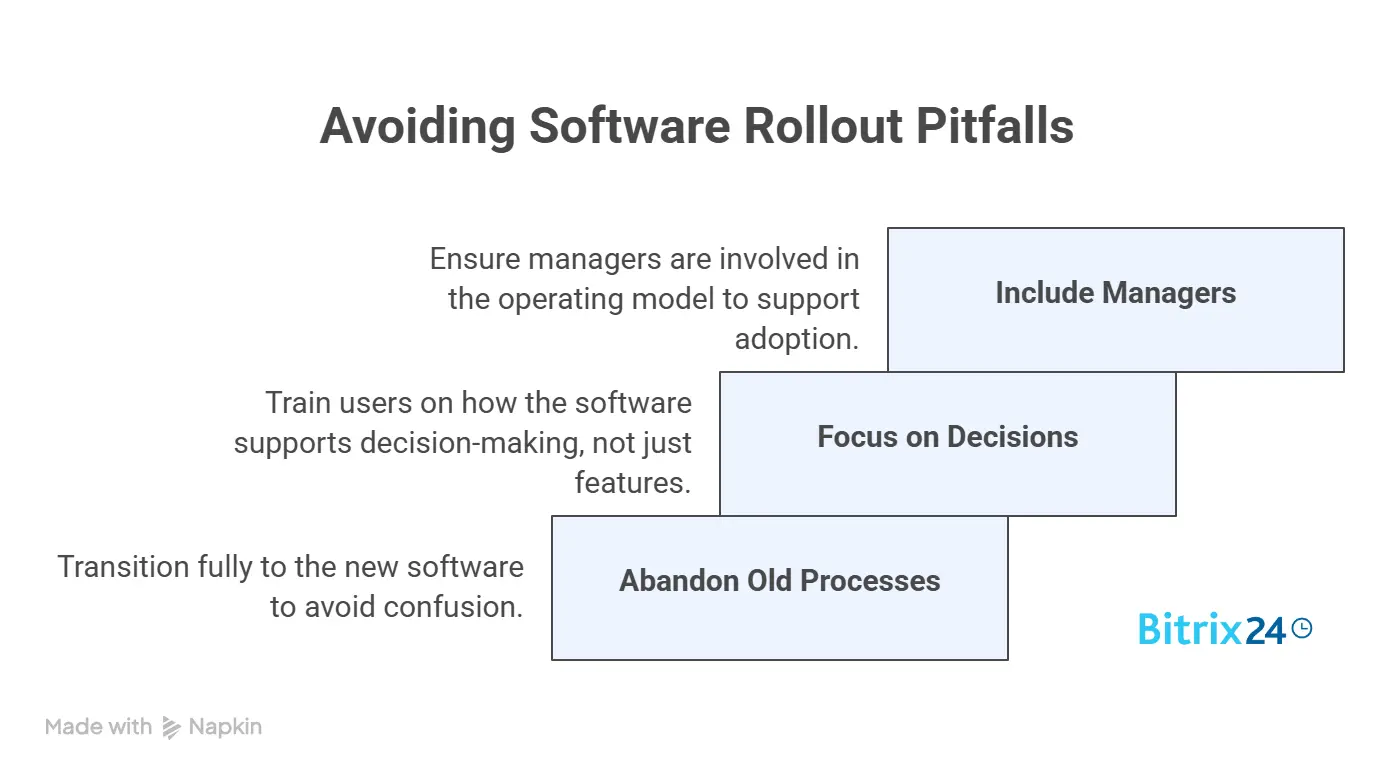
Even useful software can fail when the rollout leaves old habits, parallel processes, and manager responsibilities untouched.
Mistake 1: Keeping the old process alive
A project management platform launches, but status updates still happen in email and chat. A knowledge tool goes live, but tribal answers remain in message threads. A help desk system is introduced, but employees can still DM support staff directly and get faster results.
In each case, the new tool competes instead of becoming the default.
Mistake 2: Training on features instead of decisions
Many onboarding sessions answer the question, “What can this tool do?” They should also answer, “What do we do here now?”
That means showing users the exact decisions and actions that now belong in the system. For example:
- New client request? Create a task.
- Deal status changed? Update the CRM record.
- Policy changed? Update the knowledge base.
- Approval needed? Route it through the agreed workflow.
- Customer issue escalated? Log the handoff, owner, and next step.
Mistake 3: Leaving managers out of the operating model
Another frequent miss is leaving manager-level responsibility undefined. If nobody owns reinforcement at the team level, adoption becomes “everyone’s job,” which usually means nobody drives it once the launch team moves on.
Managers need specific behaviors too. They should know which dashboard to review, which updates to reject if they happen outside the system, and how often to check workflow quality.
Pro Tip: Give managers a weekly adoption checklist for the first 30–60 days. Keep it short: review overdue items, check missing fields, redirect off-system updates, and call out one useful example of correct system use.
What this looks like in real business environments
The same adoption pattern shows up in different parts of the business. The details change by function, but the failure point is usually the same: the software sits beside the real workflow instead of becoming part of it.
Project management software: Partial migration
A common failed rollout looks successful from the outside. The project board is populated, tasks have owners, and the launch team can point to plenty of activity.
Then someone asks about a delayed deliverable.
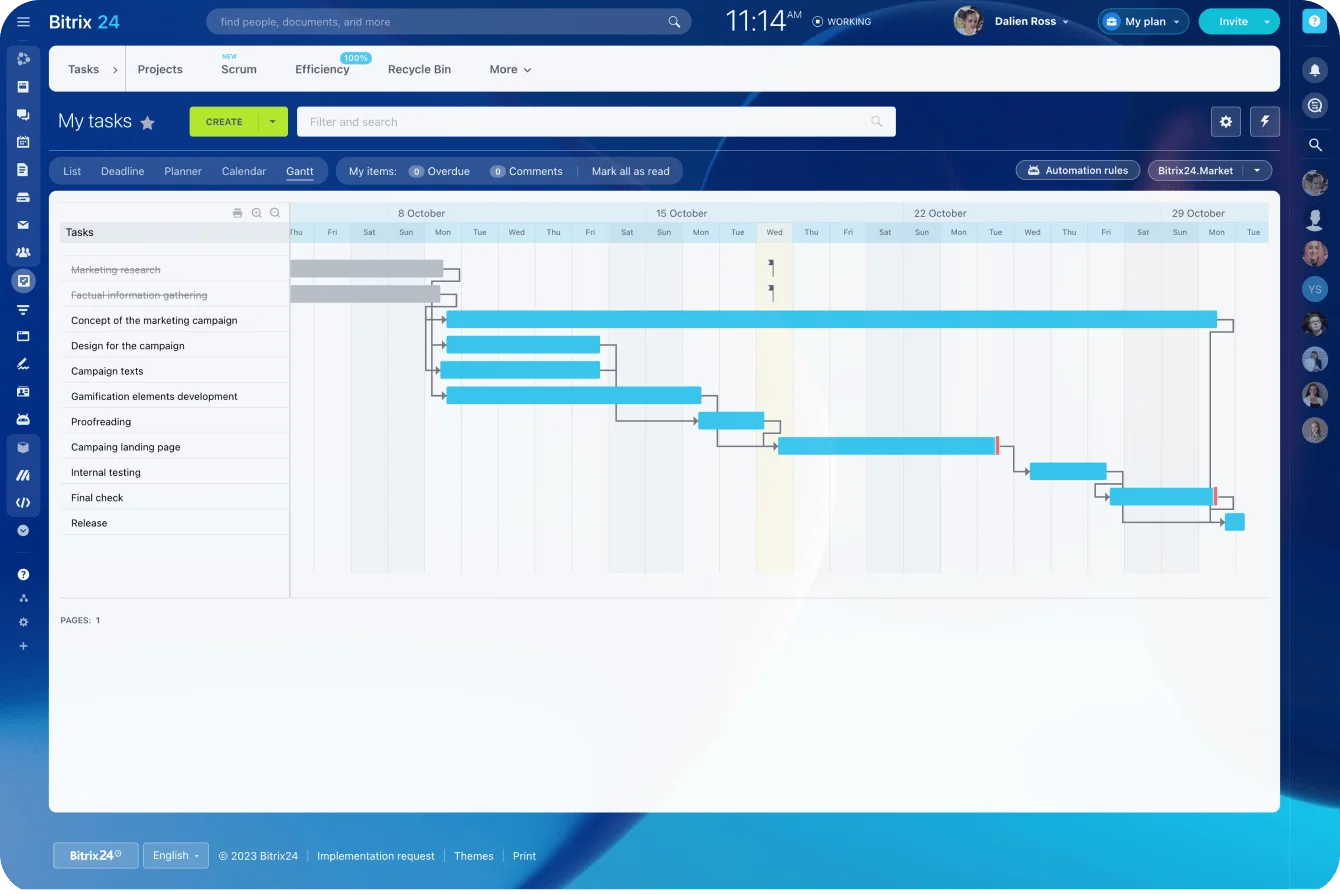
The deadline changed during Tuesday’s meeting, the blocker was discussed in chat, and the final decision sits in one person’s notes. The task board still shows the original date and a green status.
At that point, the software is recording work after the fact rather than coordinating it. Adoption improves when project reviews, dependencies, deadlines, and decisions all come from the same system.
CRM: Duplicate data entry
CRM adoption often breaks at the point where a salesperson finishes a call and thinks, “I’ll update the record later.”
They’ve already written notes in a notebook, sent a follow-up email, updated their calendar, and messaged a colleague about pricing. Entering the same information into the CRM feels like admin added after the real work.
“Later” becomes Friday afternoon, then Monday morning, and eventually the pipeline is full of stale close dates and missing next steps. Managers stop trusting the forecast, so they ask reps for separate updates, which gives the team even less reason to maintain the CRM.
Usage holds when the system captures activity with less repetition and managers review pipeline quality directly from it.
Knowledge tools: No content ownership
Internal knowledge tools fail when employees like the search experience but don’t contribute content. Usually there’s no ownership model for keeping information current, and people can still get answers faster by asking coworkers.
Knowledge systems stick when documentation becomes part of project closure, onboarding, or policy review workflows.
Help desk platforms: Backdoor requests
An employee messages someone in IT directly because it feels faster than submitting a ticket. The technician fixes the immediate issue between other jobs but doesn’t log the request.
A week later, the problem returns. There’s no history, no recorded cause, and no way to see that three other employees have reported the same issue through different channels. What looked like helpful personal service has hidden a recurring problem from the support team.
Help desk adoption improves when routine requests are redirected into the queue and unofficial channels stop working as a faster back door.

How organizations turn new software into a lasting team habit
Long-term adoption improves when the software is built into everyday work rather than added alongside it. These five steps help teams turn initial usage into a repeatable operating habit.
Introduce training in stages
Teach the next needed behavior at the point of use, not every feature upfront. In week one, users may only need intake, status updates, and notifications. In week three, they may be ready for reports, automations, or templates.
Map the workflow before configuring the tool
Define how work moves before expecting the tool to fix process confusion. Map the current process, identify duplicate handoffs, then decide which steps belong in the new system.
Connect the software to existing work
Reduce duplicate entry by connecting the parts of the workflow people already use.
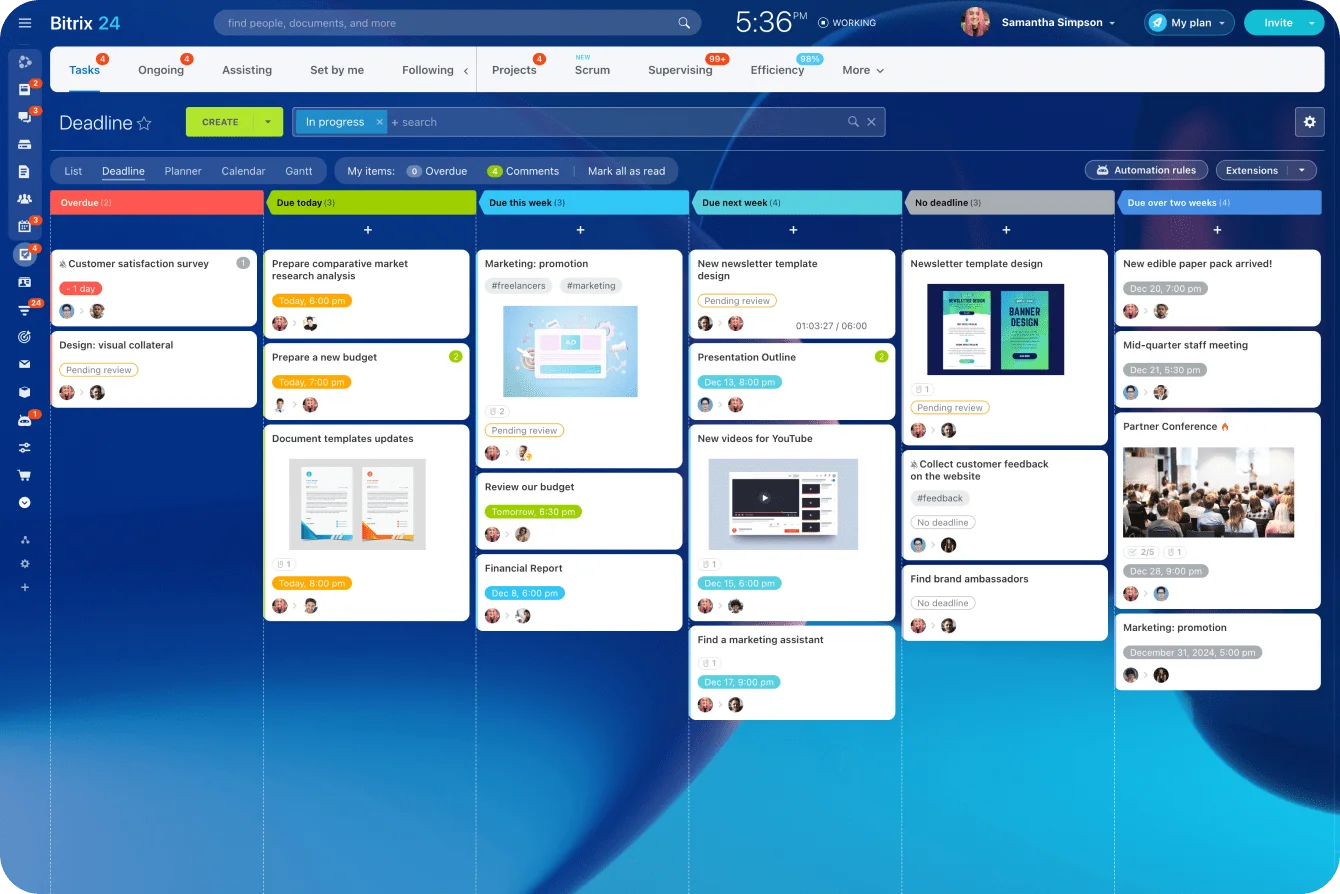
Bitrix24 brings CRM records, tasks, calendars, communication, files, and reporting into one workspace, so teams don’t have to maintain the same work across several disconnected systems. That makes the new process easier to follow and gives managers one place to review progress.
Retire competing processes
Remove parallel paths that let old habits survive. This doesn’t mean shutting everything down overnight. It means setting a date when specific workflows stop being accepted in the old channel.
Measure workflow adoption, not logins
Track workflow completion, manager review behavior, turnaround times, data completeness, percentage of work initiated in the system, or percentage of approvals completed in the agreed workflow.
The right level of adoption depends on the tool. A lightweight collaboration app won’t need the same controls as a cross-functional system of record. The goal is consistent, useful behaviour around the workflows that matter.
FAQ: Practical questions about long-term software adoption
What should a company do if employees like the software but still don’t use it consistently?
Define the workflow triggers that require system usage, such as request intake, status review, approval, or reporting. If people can complete the same work without touching the software, liking it won’t matter much.
Also check whether the old route is still faster. If a manager answers chat messages immediately but checks the new system once a week, employees will follow the faster path.
How long should teams expect adoption to take before judging success or failure?
Simple tools may stabilize within weeks. Cross-functional platforms or tools tied to process redesign can take months. Judge progression from activation to recurring workflow usage to operational dependence, not launch-week activity.
A better checkpoint is 30, 60, and 90 days:
Should organizations ever stop pushing adoption and roll back a tool?
Yes. If the software has poor process fit, overlaps heavily with existing systems, lacks sponsorship, or demands too much maintenance for too little value, rollback may be better than forcing compliance theater.
Before rolling back, separate tool failure from rollout failure:
Make New Software Stick Across Your Team
Bitrix24 unites CRM, tasks, chats, calendars, files, and reports so teams follow one workflow and managers reinforce adoption.
Get Started NowMake the software part of the work
The clearest test of adoption is whether the agreed workflow can still happen without the software. If approvals, updates, handoffs, and reporting continue elsewhere, the rollout hasn’t changed how the team operates.
Start with one recurring workflow. Decide where it begins, what employees must update, which old route will close, and how managers will reinforce the change. Once that behaviour holds, extend the system into other processes.
Bitrix24 gives teams one place to manage CRM activity, tasks, communication, calendars, files, and reporting without spreading the workflow across separate tools.
Sign up for free and build your first shared workflow today.