CRM Project Management Software Benefits

Why separate CRM and project management tools create operational friction
When customer data lives in one system and delivery work lives in another, teams lose time, context, and control. Sales notes get copied into onboarding docs, project managers re-ask questions the client has already answered, and account updates sit in one tool while delivery teams work from another.
That split costs more than it looks. Harvard Business Review tracked 137 workers across three Fortune 500 companies and found they toggled between apps and websites roughly 1,200 times a day, losing close to four hours a week just reorienting after each switch.
The deeper issue is the assumption that CRM belongs to sales and project management belongs to operations. A deal doesn’t stop being a relationship when it closes, and a project doesn’t run separately from account history, commercial terms, and prior commitments.
Most teams try to fix the gap with another integration. Sometimes that helps, but the stronger fix is to manage the relationship and the work in one system, so customer records, deal history, tasks, timelines, and delivery updates stay connected.
This article explains what CRM project management software is, how a unified setup works, and when separate systems still make more sense.
What CRM project management software means
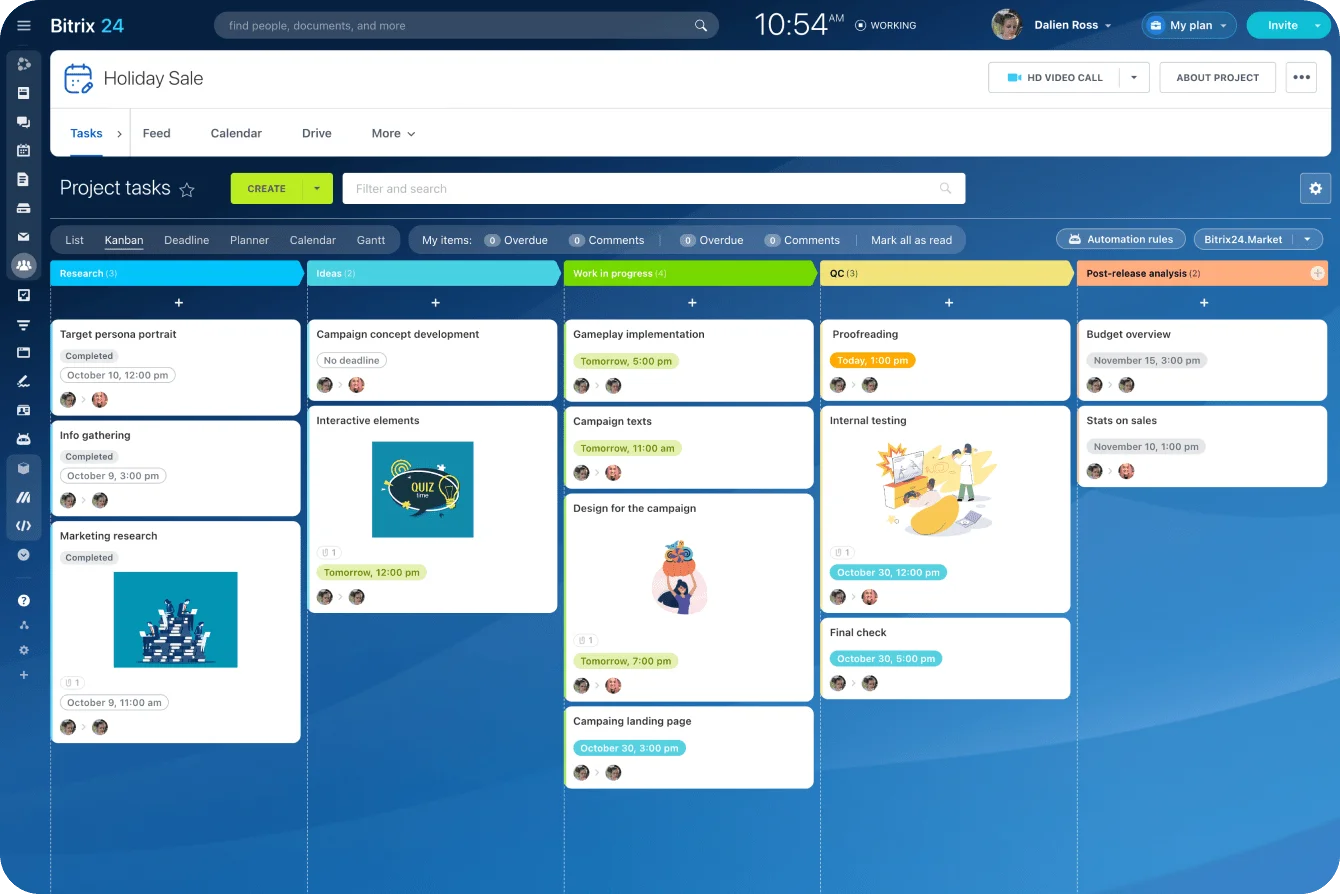
CRM project management software is one platform that holds customer records and work execution together. It connects account data, deal history, tasks, timelines, collaboration, and delivery tracking in a single system instead of scattering them across separate tools.
One shared record
The core idea is shared context. Instead of treating relationships and execution as unrelated workflows, the platform links them through common records. In practice that means:
- A closed deal becomes an onboarding project, with no re-entry required
- A client task sits next to account notes, billing details, and the full communication history
- A renewal conversation carries the delivery record that earned (or cost) the renewal
Nobody rebuilds the same story in a second system.
What vendors call it
Vendors label this differently. Some call it all-in-one work management, others client operations software, others a CRM with built-in project management. The label matters less than the operating model behind it: one place to manage both the customer and the work done for them.
Integrated vs. unified
These two words get used as if they mean the same thing. They don't, and the difference is practical.
Integrated tools pass data between systems, usually through connectors or middleware that can lag, break, or silently stop syncing. Unified platforms keep the data model, workflows, and visibility inside one environment. That changes how teams work day to day, not just how systems reconcile overnight.
Pro tip: Test the handoff, not the feature list
When comparing platforms, don’t start with a feature checklist. Run one real customer scenario through the system instead: lead captured, deal closed, onboarding started, tasks assigned, client updated, and renewal noted.
If the process needs manual copying, duplicate records, or side-channel explanations at any point, the setup is not truly unified in practice.
CRM-PM Integration Audit Checklist for Faster Team Execution
Enter your email address to get a comprehensive, step-by-step guide

Why CRM project management software matters for business performance
The clearest gain is time. Teams spend less of the day switching tabs, chasing updates, re-entering the same details, and reconciling records that should match but don't.
That time rarely shows up as a budget line, yet it surfaces everywhere in daily operations.
The cost of running extra tools
Tool sprawl carries overhead beyond the subscriptions. More systems mean more user provisioning, more permission management, more support tickets, more onboarding for every new hire, and more process docs to keep current.
Consolidation doesn't fix everything, but it usually makes the operating stack cheaper to run and easier to govern.
What the customer feels
When sales, delivery, and support work from the same account context, handoffs get smoother and responses get faster because everyone can see what came before.
Commitments are easier to verify. Customers repeat themselves less, which matters more than it sounds: in one industry survey, a majority of consumers ranked having to repeat the same information among their top customer-service frustrations. That continuity is where a unified system earns its keep.
Underneath all three is one point: revenue generation, onboarding, fulfillment, and retention are linked stages in a single lifecycle, not separate functions.
Software that mirrors that lifecycle tends to support cleaner execution than software that splits every team into its own silo.
How a unified CRM and project management platform works
The platform ties customer data and work data together at the account level. A team can move a record from lead, to deal, to onboarding, to active service, to renewal without recreating it every time ownership changes. The account becomes the anchor, and projects, tasks, files, milestones, and conversations attach to it.
Handoffs carry their own context
That structure changes what a handoff looks like. When a deal closes, the system can carry scope, contacts, deadlines, and internal notes straight into a project record. Delivery teams start with the background already in place instead of waiting for someone to brief them by email or dig through a shared spreadsheet that may be two versions out of date.
Automation handles the transitions
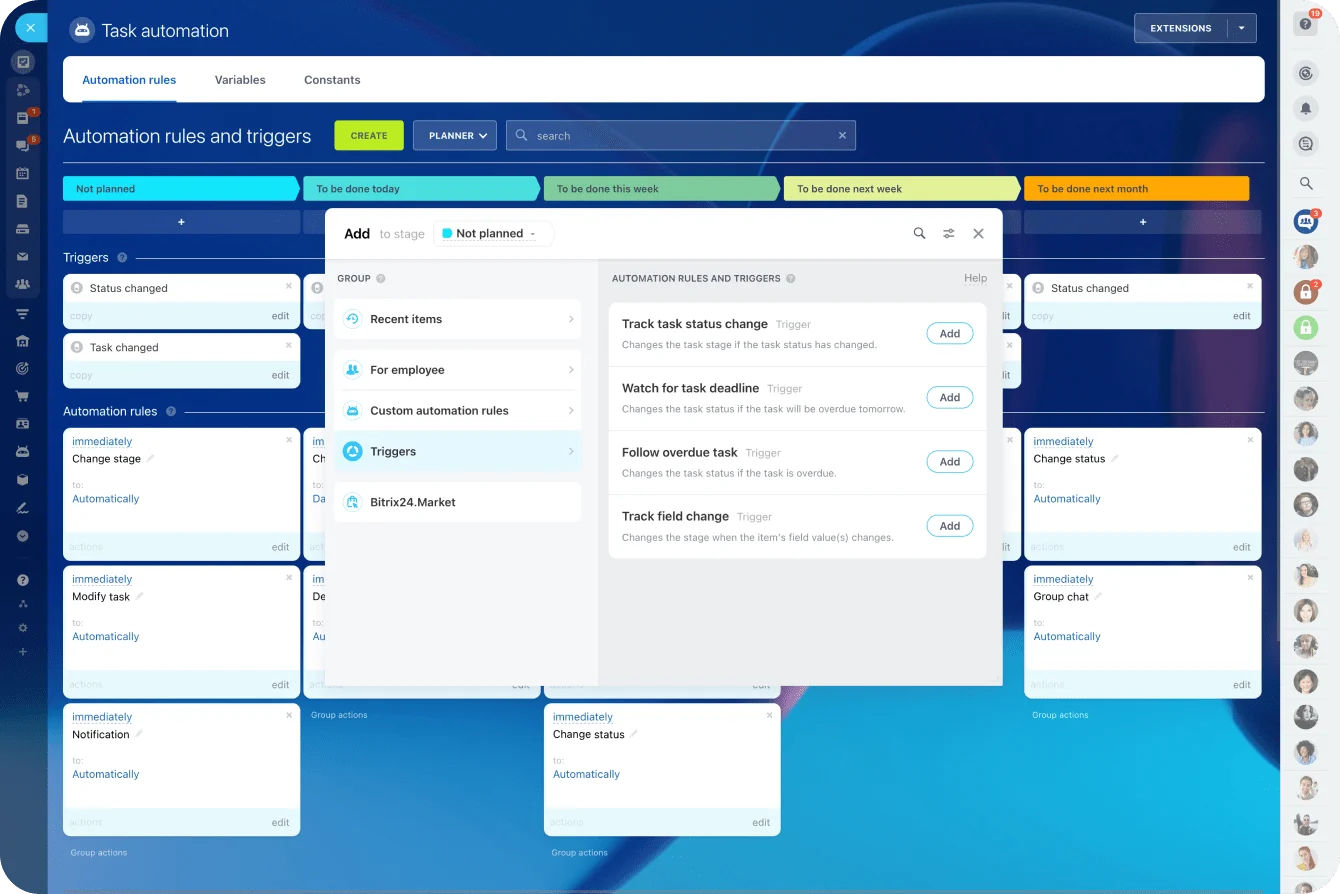
A lifecycle event can trigger the work that usually depends on someone remembering to do it:
- Create the onboarding project from a template
- Assign internal owners and set milestone dates
- Populate the standard task list for that engagement type
- Send the kickoff update to the customer
Task automation like this cuts coordination work, but the bigger win is consistency. The process stops living in one person's head, so it survives vacations, handovers, and busy weeks. Where this goes wrong: teams automate a messy process instead of fixing it first, and end up generating the same confusion faster.
Pro tip: Automate only the moments with clear ownership
The best automation points are handoffs where the next owner, required information, and trigger condition are obvious. Closed-won to onboarding is a good candidate. “Client seems interested” is not. If the rule depends on interpretation, keep a human review step in the workflow until the pattern is stable.
Reporting pulls from one source
In a unified environment, dashboards can combine revenue with project status, workload, and account health. Leadership isn't reading sales pipeline in one report and delivery progress in another with no clean link between them.
With analytics and reporting drawing from the same records, they can see whether booked revenue is actually moving through implementation, where accounts are slipping, and where capacity might cap growth.

Core benefits and mechanisms behind them
Time savings
These come from removing small, constant delays rather than one dramatic shortcut. Unified records mean fewer searches across tools. Fewer manual handoffs mean less rework. Reusable templates standardize repeatable motions like onboarding, implementation, and quarterly client reviews. Automated updates cut the status-chasing that eats a manager's afternoon.
Less tool sprawl
Consolidating overlapping functions, communication history, tasks, project tracking, customer data, and sometimes resource visibility, into one environment lowers the number of systems people have to learn and maintain.
It also makes governance simpler, since permissions, workflows, and reporting logic aren't scattered across vendors that each update on their own schedule.
Better customer experience
Continuity is the mechanism. Every team can see prior conversations, agreed requirements, deadlines, commitments, blockers, and project status without asking the customer to repeat details they’ve already provided. That shared visibility reduces dropped information and mixed messages, and it shortens response time because nobody has to reconstruct the account history before replying.
|
Operating Area |
Separate CRM + PM Stack |
Unified CRM Project Management Platform |
|---|---|---|
|
Data handling |
Frequent duplicate entry and sync issues |
Single shared record across lifecycle stages |
|
Handoffs |
Manual transfer of scope, notes, and ownership |
Workflow-driven transitions with carried context |
|
User experience |
Context switching across multiple tools |
One workspace for customer and work visibility |
|
Reporting |
Fragmented pipeline and delivery reporting |
Combined view of revenue, execution, and account status |
|
Customer communication |
Higher risk of inconsistent updates |
Shared account context supports continuity |
The benefits are operational, not cosmetic. Time savings come from less coordination, tool reduction comes from consolidation, and a better customer experience comes from shared context.
Common misconceptions and where businesses misjudge the value
"It's only for small businesses"
One misconception is that all-in-one platforms are mainly a small-business thing. That misses why companies actually adopt them. The driver is how tightly customer-facing teams depend on shared information, not headcount. If sales, onboarding, delivery, and account management all work from the same record, a unified platform makes sense well past the small-business segment.
"Consolidating tools creates efficiency on its own"
It doesn't. Moving into one platform without redesigning workflows, cleaning up data, or getting cross-team buy-in usually just relocates the mess. The software can support better operations, but it won't manufacture them.
This is the most common way these projects underdeliver: the tool changes, the habits don't, and six months later half the team is back in spreadsheets. A practical guide to streamlining customer relations for SMBs is worth reading before committing, precisely because it treats process and adoption as part of the work.
"The best CRM is the one with the longest feature list"
Businesses often judge CRM project management software by counting features instead of testing the workflow. More fields, views, dashboards, and automation options don’t help if teams still struggle to move cleanly from sale to delivery.
The better test is simple: can the platform track the customer relationship, carry deal context into the work, assign owners, manage tasks, keep communication visible, and report on progress without duplicate admin?
That’s where CRM project management software earns its value: by helping teams manage the full customer lifecycle, not by collecting features nobody uses consistently.

Real-world business use cases across the customer lifecycle
What links these cases is lifecycle continuity, not a shared industry. The more a business depends on smooth transitions between selling, delivering, and managing the account, the more this model earns its place.
Agencies and consultancies
The relationship and the delivery are tightly linked here, so the fit is strong.
A proposal turns into a client engagement, and scope, deadlines, contacts, approvals, and deliverables all need to move cleanly from sales into delivery and project management. A creative or marketing agency tracking pitches in one tool and live projects in another will often discover the gap the hard way, when a project lead promises a deliverable the sales team already scoped differently.
When one system holds the opportunity, the project timeline, the feedback loops, and the renewal conversation, that mismatch has fewer places to hide.
B2B SaaS
Combined CRM and project management connects the commercial and post-sale sides. Once a deal closes, implementation can start with the right stakeholders, milestones, and customer goals already visible. Customer success can track adoption and follow-ups in the same account context, and account managers keep sight of expansion signals without losing the service history behind them.
A handoff from sales to onboarding that lives in shared sales pipeline management records spares the new customer the experience of explaining their goals twice in their first week.
Professional services, IT providers, and field teams
These businesses coordinate customer communications, active work, deadlines, and follow-through across several roles, often at once. When those details sit in separate systems, response quality drops and things slip between owners. A field-service team juggling jobs across a scheduling app, a billing tool, and a notes folder will routinely lose track of what was promised on the last visit.
Connected records let everyone see what's committed, what's in progress, and what needs attention next.
Operational impact at scale, tradeoffs, and platform limits
Standardization as you grow
Unified platforms push teams toward shared templates, consistent record structures, and common reporting logic across departments. That makes forecasting more reliable, because leadership can connect customer revenue with execution metrics instead of comparing two disconnected reports and guessing at the relationship between them.
Growth tends to expose the weaknesses of disconnected tools, since more customers, handoffs, and employees mean more ways for information to fragment.
Governance gets heavier
Scale raises the cost of sloppy setup. Shared data structures, permissions, automation rules, and ownership models all matter more once several teams depend on the same environment.
Without clear standards, a unified platform gets messy in a new way: too many custom fields, inconsistent processes, and dashboards nobody trusts. The simplicity people want from consolidation depends on disciplined configuration and someone owning it over time, not on the software alone.
Where a unified platform falls short
Some organizations need specialized project controls, advanced resource planning, or deep customization beyond what most unified tools handle. Others run complex enterprise architecture where best-of-breed systems still make more sense.
In those cases a unified platform may be too narrow, or it may force compromises the business doesn't want. The scaling advantage is strongest when a company needs connected workflows more than extreme functional depth.
Bring CRM and project management into one workflow
CRM project management software is valuable because it connects the relationship with the work. Sales can see what happens after the deal closes, delivery teams can work from the full customer context, and managers can track revenue, progress, and account risk without stitching reports together by hand.
The right setup gives your team fewer handoff gaps, less duplicate admin, and a clearer view of every customer from first contact to completed delivery.
Bitrix24 brings CRM, tasks, projects, collaboration, communication, and reporting together in one platform, so your team can manage customers and delivery without splitting the process across disconnected tools.
Start for free today and build a workflow that keeps every client, deal, and project connected.
Connect CRM and Projects in One Workflow
Bitrix24 unites CRM, tasks, projects, chat, and reports so teams reduce handoffs, keep context, and deliver smoother client work.
Get Started NowFAQ: CRM Project Management Software Benefits
Is CRM project management software better than integrating separate CRM and PM tools, especially for companies with established systems and custom processes?
Not automatically. A unified platform tends to win when the main pain is handoff friction, duplicate work, and fragmented visibility across customer-facing teams. If a company already has mature systems, stable integrations, and customized workflows that genuinely work, ripping them out may not be worth the disruption. The call comes down to operating simplicity versus specialized fit.
Which teams benefit most from a unified CRM and project management platform: sales, onboarding, client services, account management, or executive leadership?
Usually all of them, for different reasons. Sales gets cleaner post-close handoffs. Onboarding and client services get delivery context without chasing it. Account management gets a clearer read on commitments, progress, and risk. Leadership gets reporting that connects revenue and execution. The value concentrates wherever these teams depend on each other most.
When does combining CRM and project management create more complexity than value, such as in highly specialized enterprise environments or simple low-volume businesses?
At either extreme. In highly specialized environments, the platform may not reach the depth needed for technical project controls, resource models, or enterprise integration. In very simple, low-volume businesses, the extra structure can be overhead nobody needs. The sweet spot is a business with recurring cross-functional customer work and enough operational complexity to justify shared workflows.