CMS vs CRM: Your Website and Sales Pipeline Are Losing Leads by Not Talking to Each Other


Your website captures attention. Your CRM manages relationships. But when CMS and CRM operate as separate systems, leads fall through the gap between them - and most teams don't realize it's happening. The disconnect between CMS and CRM isn't just a technical inconvenience. It's a revenue problem that quietly drains your sales pipeline every single day, turning potential customers into lost opportunities before anyone on your team has a chance to respond.
CMS and CRM integration - sometimes called marketing-sales system integration or website-pipeline sync - refers to the real-time connection between a content management system (the software that runs your website, landing pages, and web forms) and a customer relationship management system (the software your sales team uses to track deals, contacts, and follow-ups). When these two systems sync automatically, every form submission, page visit, and download gets logged instantly in the CRM, triggering the right follow-up at the right time. Without that connection, your marketing and sales teams are working with incomplete data - and your prospects are getting a fragmented experience.
This article explains why treating your website and customer database as separate islands is costing you leads, and what an integrated CMS-CRM setup actually looks like in practice. If you manage a sales pipeline and a website, this is the gap you need to close.

Why the CMS vs CRM Divide Costs You More Than You Think
Most businesses pick a CMS to build their website and a CRM to manage sales. The two tools serve different purposes, which makes sense. A CMS handles content publishing, page structure, blog management, and web form design. A CRM tracks contacts, deal stages, email threads, and follow-up tasks. The problem starts when these tools don't share data.
Think about what happens when someone fills out a contact form on your website. Without CMS-CRM integration, that form submission goes to an inbox - maybe a shared email, maybe a spreadsheet. Someone on your team has to copy the information into the CRM manually. That delay could be minutes, hours, or an entire business day. By the time a sales rep reaches out, the prospect has already moved on or contacted a competitor.
Manual data transfer between web forms and CRM platforms introduces three problems at once: it's slow, it's error-prone, and it creates gaps in your reporting. You can't accurately measure website lead generation performance if half your form submissions never make it into the pipeline. And you can't run automated follow-up sequences if the CRM doesn't know the lead exists yet.
The divide between CMS and CRM isn't just about technology. It's about the experience your prospects have when they interact with your business online and then hear nothing back for days.
6 Reasons to Connect Your CMS and CRM in Real Time
1. Instant Pipeline Population From Web Forms
The most immediate win from connecting your CMS and CRM is speed. When a web form feeds data directly into a CRM, a new contact and deal get created the moment someone hits "submit." No manual entry, no copy-paste, no waiting for someone to check the inbox.
A web form-to-CRM connection typically captures the visitor's name, email, phone number, company, and any custom fields you've configured, then automatically sends the data to the correct pipeline stage. This is how high-performing sales teams operate: the lead appears in the CRM before the prospect has even closed the browser tab.
For B2B companies running multiple landing pages or gated content offers, this matters at scale. If you're generating 50 to 500 leads per week from your website, manual processing simply can't keep up. The web form-to-CRM sync removes the bottleneck entirely.
2. Automated Follow-Up Triggers That Don't Miss a Beat
Speed matters in lead response. Research consistently shows that the faster you follow up with a new lead, the higher your chances of converting them. When CMS and CRM are connected, you can set up automated follow-up workflows that fire immediately after a form submission.
Here's what that looks like in practice: A prospect downloads a pricing guide from your website. The CRM creates a new contact, assigns it to the right sales rep based on territory or deal size, and sends a personalized email within 1 to 5 minutes. If the lead doesn't respond within two days, a second follow-up goes out. If they open the email but don't reply, the rep gets a notification to call.
None of this requires anyone to manually trigger anything. The automated follow-up runs on rules you define once and then refine over time. Without the CMS-CRM connection, these sequences can't start because the CRM doesn't know the lead exists until someone manually adds it.

3. Visitor Tracking That Gives Sales Context Before the Call
A connected CMS and CRM does more than just capture form submissions. It can also track anonymous website visitors and, once they identify themselves through a form fill or email click, retroactively attach their browsing history to their CRM profile.
This means your sales rep doesn't just see "John Smith submitted the contact form." They see that John visited your pricing page three times, read two case studies about your enterprise product, and spent four minutes on the integrations page. That's a very different conversation starter than "Hi John, thanks for reaching out."
Website lead generation becomes dramatically more effective when the sales team has behavioral context. You're not guessing what the prospect cares about - you're walking into the call with data that tells you exactly what to lead with.
Not every CMS-CRM integration supports full visitor tracking. Some require additional tools or scripts. But even basic page-visit data attached to a CRM record transforms how reps prepare for and handle conversations.
4. Landing Page Integration That Connects Content to Revenue
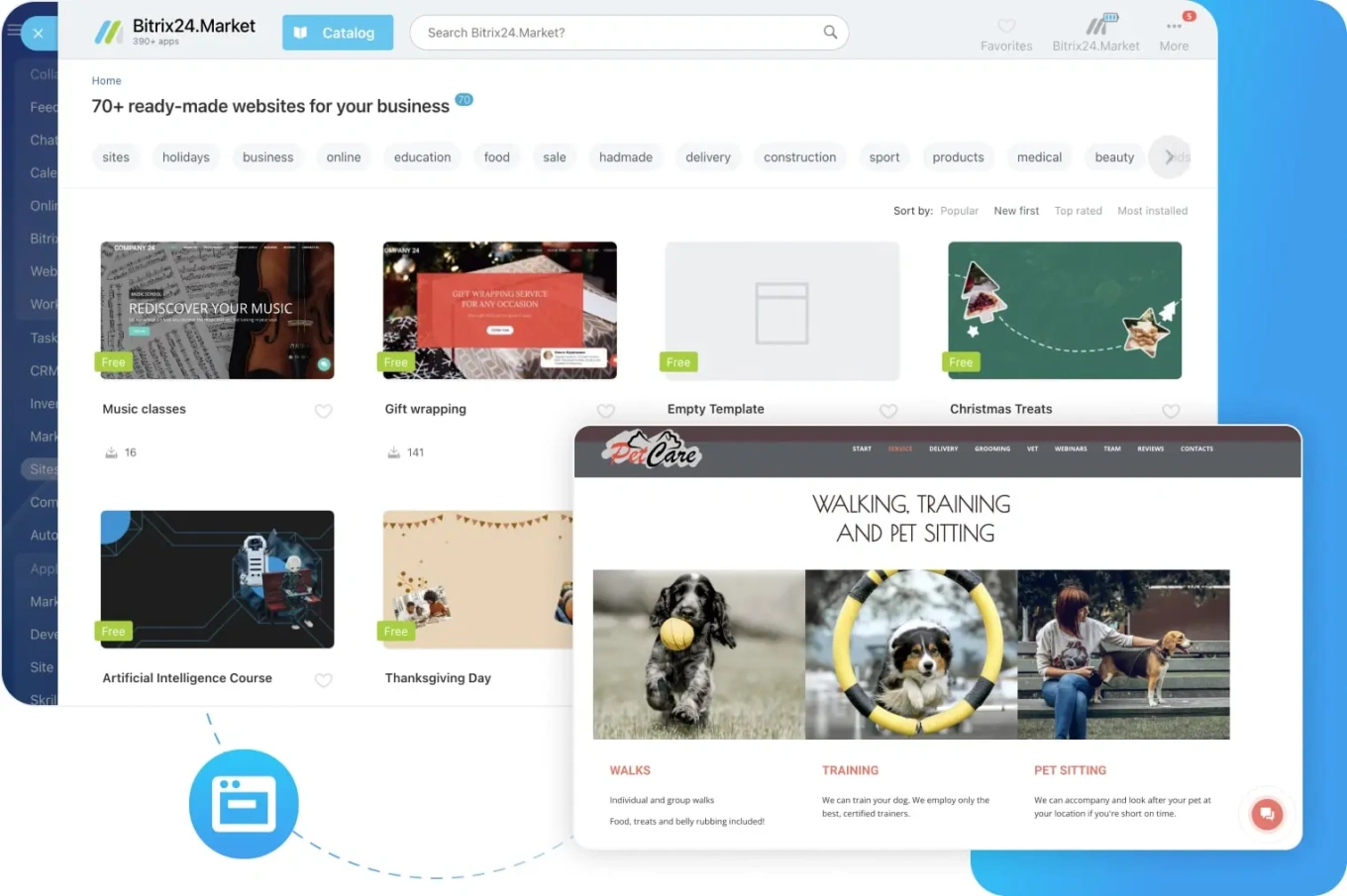
Your landing pages are the bridge between marketing content and the sales pipeline. When landing page integration is set up correctly, every conversion on those pages flows directly into your CRM - tagged with the campaign, source, and specific page that generated the lead.
This creates a closed-loop reporting system. You can trace a deal back to the exact landing page and traffic source that started the relationship, making marketing budget decisions much more concrete. Instead of guessing which campaigns drive revenue, you have actual data linking content performance to pipeline outcomes.
For teams building an online sales funnel, this connection is what separates a funnel that looks good on paper from one that actually generates measurable pipeline value. Your landing pages should be doing more than collecting email addresses - they should be feeding qualified leads into a structured sales process.
The best setups also allow you to A/B test landing page variations and see which version generates not just more leads but better leads, based on downstream CRM data such as conversion rate and deal size.
5. Automatic Lead Scoring Based on Website Behavior
When your CMS and CRM share data, you can build lead scoring models that factor in website activity alongside traditional firmographic and demographic data. A lead who visited your pricing page and watched a product demo video gets a higher score than one who just downloaded a general industry report.
Lead capture alone doesn't tell you much about intent. But lead capture combined with behavioral data from your CMS gives you a much clearer picture of who's ready to buy and who's still in research mode. This helps sales teams prioritize their time and focus outreach on the prospects most likely to convert.
Automatic scoring removes the subjectivity from lead qualification. Instead of relying on a rep's gut feeling about which leads are "hot," the system assigns scores based on concrete actions - pages visited, content consumed, forms submitted, emails opened. The CRM then surfaces the highest-scoring leads so reps know exactly where to focus.
6. Unified Reporting Across Marketing and Sales
One of the biggest frustrations for leadership teams is the disconnect between marketing metrics and sales results. Marketing reports website traffic, form submissions, and campaign performance. Sales reports pipeline value, win rates, and deal velocity. Without CMS-CRM integration, connecting these two sets of numbers requires manual work that rarely gets done consistently, making it difficult to understand which marketing activities actually generate revenue.
When the CMS and CRM are synced, reporting becomes unified. You can see the full journey from first website visit to closed deal in a single dashboard. Which blog posts generate the most pipeline? Which traffic sources produce the highest-value deals? What's the average time from first form submission to closed-won?
These are the questions that integrated reporting answers, and they're the ones that help you allocate budget, adjust strategy, and grow revenue with confidence rather than guesswork.
The bottom line: real-time CMS-CRM integration eliminates the manual handoff between marketing and sales. It converts website activity into pipeline data automatically, improving response times, lead quality, and revenue attribution across the entire funnel.
CMS vs CRM: What Each System Actually Does
Before diving deeper into integration, it helps to clarify the CMS vs CRM difference and what each system handles on its own. Here's a comparison:
|
Feature |
CMS |
CRM |
|
Primary purpose |
Manage website content and pages |
Manage customer relationships and sales |
|
Data focus |
Page views, content, site structure |
Contacts, deals, communications |
|
Users |
Marketing, content teams |
Sales, account management |
|
Lead handling |
Captures through web forms |
Tracks through pipeline stages |
|
Automation |
Content publishing, A/B testing |
Follow-up emails, task assignment |
|
Reporting |
Traffic, engagement, conversions |
Revenue, pipeline, deal velocity |
|
Examples |
WordPress, Wix, Bitrix24 Sites |
Salesforce, HubSpot, Bitrix24 CRM |
The confusion between CMS vs CRM often comes from the fact that many modern platforms - like Bitrix24 - include both capabilities. When the CMS and CRM live on the same platform, integration isn't something you have to build; it's already baked in.
When CMS-CRM Integration Doesn't Work (or Needs Extra Thought)
No approach fits every situation perfectly. Real-time CMS-CRM syncing works best for B2B companies with defined sales processes and moderate-to-high lead volume. Here are scenarios where the standard approach needs adjustment:
- Very high lead volumes with low qualification rates. If your website generates thousands of leads per month and most are unqualified, pushing every single one directly into the CRM can overwhelm your sales team. You may need an intermediate qualification step, such as a chatbot or a scoring threshold, before leads enter the pipeline.
- Complex enterprise sales with multiple stakeholders. Enterprise deals often involve multiple contacts from the same company interacting with your website at different times. A basic web form-to-CRM setup might create duplicate records unless your integration includes account-matching logic.
- WordPress CRM connections with heavy customization. If you're running a WordPress CRM setup through third-party plugins, the depth of integration depends heavily on which plugin you're using and how your forms are configured. Not all WordPress CRM plugins offer the same level of automation or data sync quality.
- Privacy and compliance requirements. Tracking website visitors and feeding their data into a CRM raises data privacy considerations. You need proper consent mechanisms, clear privacy policies, and GDPR or CCPA-compliant processes depending on your audience's location.
Real-Time Sync Readiness Checklist: CMS–CRM Integration Prep Guide
Enter your email address to get a comprehensive, step-by-step guide

How Bitrix24 Bridges the CMS-CRM Gap
Most businesses face the CMS vs CRM integration challenge because they're running two separate platforms. Your website is built on WordPress or another CMS, and your sales pipeline lives in a different CRM tool. Connecting them requires plugins, APIs, or middleware, and keeping that connection stable requires ongoing maintenance.
Bitrix24 takes a different approach by offering both the CMS and CRM within a single platform. The website builder lets you create landing pages and web forms that connect directly to the CRM without any third-party integration. A lead who fills out a form on a Bitrix24-built page automatically becomes a CRM contact with the full browsing context attached.
For teams already using a different CMS like WordPress, Bitrix24 offers integrations through its marketplace that connect external web forms and landing pages to the CRM. The data sync works both ways, so your marketing and sales teams stay aligned regardless of which system hosts the website.
What makes this practical is that the lead capture, automated follow-up, pipeline management, and reporting all live in one environment. There's no data handoff, no sync delay, and no duplicate records from integration errors. Your online sales funnel and your sales process share the same data layer, which means less maintenance and more reliable reporting.

Build Your CMS-CRM Integration Step by Step
If you're starting from scratch or reworking an existing setup, here's a practical sequence:
- Step 1: Audit your current web forms. Map every form on your website - contact forms, demo requests, newsletter signups, gated content downloads. Document where each submission goes right now and how long it takes to reach the CRM.
- Step 2: Define your CRM pipeline stages. Before connecting anything, make sure your CRM pipeline reflects your actual sales process. New leads need to land in the right stage with the right default owner.
- Step 3: Set up the web form-to-CRM connection. Whether you use a native integration (like Bitrix24's built-in forms) or a third-party connector, test the data flow end-to-end. Verify that all form fields map correctly to CRM fields.
- Step 4: Build automated follow-up sequences. Create email templates and task-assignment rules triggered by new lead creation. Start simple - one welcome email and a rep notification - then expand as you see what works.
- Step 5: Implement lead scoring. Use website behavior data (pages visited, content downloaded, time on site) combined with form data (company size, role, industry) to assign scores. Set thresholds that determine when a lead gets routed to sales versus staying in a nurture sequence.
- Step 6: Connect reporting. Build dashboards that show the full journey from website visit to closed deal. Track conversion rates at each stage and identify where leads stall or drop off.
Stop Losing Leads Between Your Website and Your Pipeline
The CMS vs CRM gap is one of those problems that doesn't announce itself. Leads slip away quietly. Follow-ups happen too late. Sales reps work without context. And leadership can't connect marketing spend to revenue outcomes because the data lives in two different places.
Closing that gap doesn't require a massive technology overhaul. It requires connecting the systems you already have - or choosing a platform where the connection is already built in.
Bitrix24 gives you a CRM, website builder, landing page tools, web forms, automation, and reporting in a single workspace. No plugins to manage, no integration to maintain, no data gaps between marketing and sales.
Ready to stop losing leads between your website and your sales pipeline? Sign up for Bitrix24 today and start building an integrated lead generation system that turns site visitors into pipeline opportunities.
Maximize Lead Generation with Bitrix24
Use Bitrix24 integrated CMS and CRM to optimize your lead generation efforts. With real-time syncing, gain better lead response times, quality data handling, and improved sales efficiency.
Start NowFAQ
Does Bitrix24 integrate with WordPress and other CMS platforms?
Bitrix24's integration with WordPress and other CMS platforms is available through its marketplace and API. You can connect WordPress forms, WooCommerce data, and other CMS outputs to the Bitrix24 CRM so that leads captured on an external website automatically populate your sales pipeline. For teams that prefer a single-platform approach, Bitrix24 also includes its own website and landing page builder with built-in CRM connectivity.
How do web forms feed data directly into a CRM?
Web forms feed data directly into a CRM through either native integration or third-party connectors. When a visitor submits a form, the data - name, email, phone, company, and any custom fields - gets sent to the CRM via an API call or webhook. The CRM then creates a new contact record, assigns it to a pipeline stage, and can trigger automated follow-up actions like emails or task assignments. The entire process happens within seconds of the form submission.
Can I track anonymous website visitors?
Tracking anonymous website visitors is possible with CRM-connected tracking scripts that monitor page visits, session duration, and content interactions. The visitor remains anonymous until they identify themselves through a form submission, email click, or chat interaction. At that point, their browsing history gets retroactively linked to their CRM profile. This gives your sales team behavioral context about what the prospect was researching before they made contact.
What information should I auto-capture from my site into the CRM?
The information you should auto-capture from your site into the CRM includes contact details from form submissions (name, email, phone, company), the specific page or campaign that generated the lead, UTM parameters for source tracking, pages visited before and after the form fill, content downloads, and any qualifying questions asked in the form itself. The goal is to give your sales team enough context to personalize outreach without requiring prospects to fill out overly long forms.
How do I build landing pages that convert and push leads into the pipeline?
Building landing pages that convert and push leads into the pipeline starts with a clear offer, a focused layout, and a form connected directly to your CRM. Keep the page focused on a single call-to-action, remove unnecessary navigation links, and make the form as short as possible while still capturing qualifying data. The CRM connection should be tested to confirm every submission creates a contact, triggers the right automation, and gets tagged with the correct campaign source for reporting.
What's the ROI of real-time CMS-CRM integration?
The ROI of real-time CMS-CRM integration comes from three areas: faster lead response times that improve conversion rates, reduced manual data entry that frees up rep selling time, and unified reporting that lets you allocate marketing budget based on actual pipeline contribution rather than surface-level metrics. Most B2B teams that implement this integration see improvements in lead-to-opportunity conversion within the first few months, along with a clearer picture of which campaigns and pages generate the highest-quality leads.