Plan the accounting integration
When sales activity must lead to invoices and payments, teams need a clear handoff between the customer record and the financial process. A CRM with accounting connects the deal context to each next step, so sales and finance can work from the same commercial history.
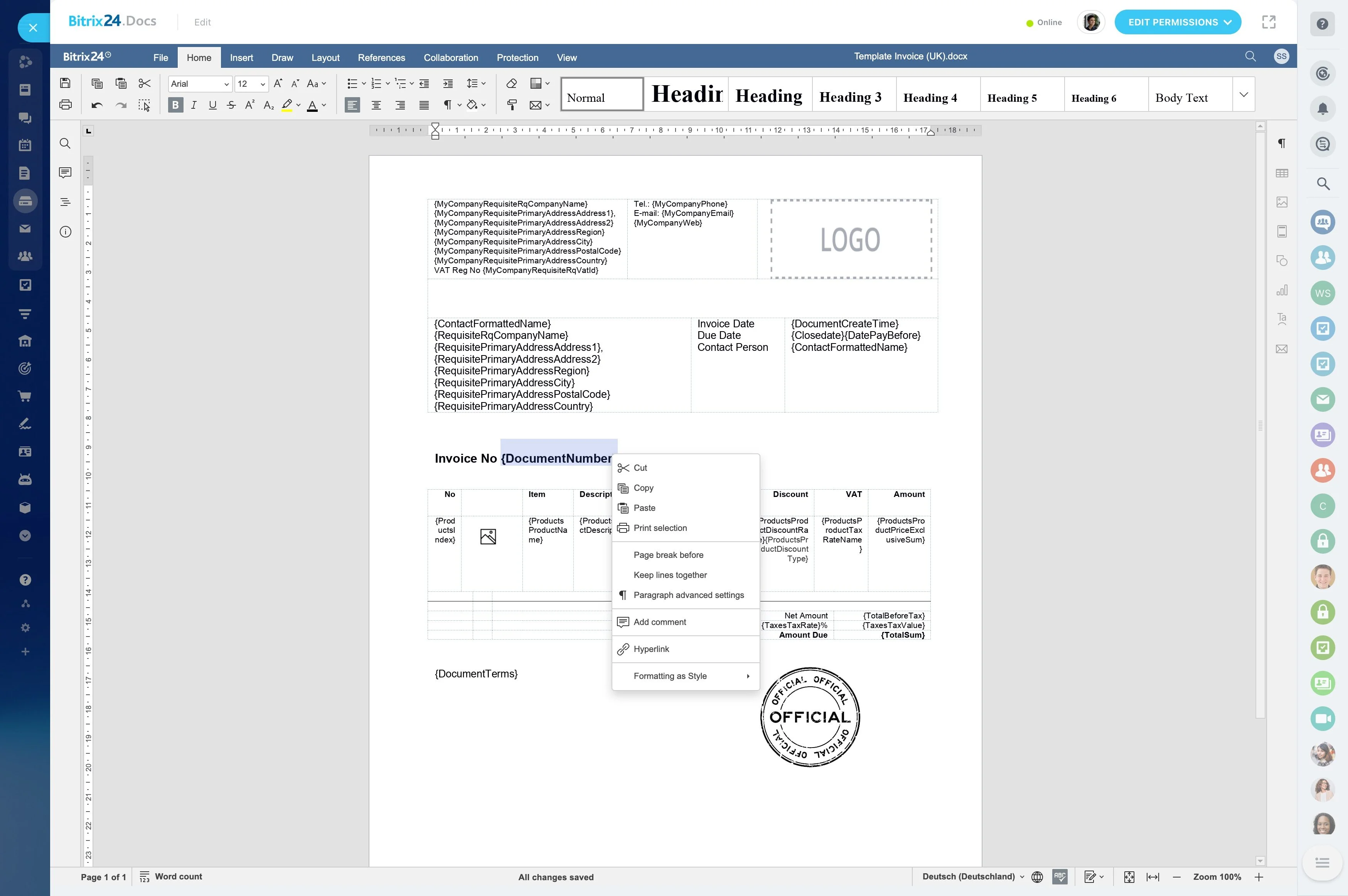
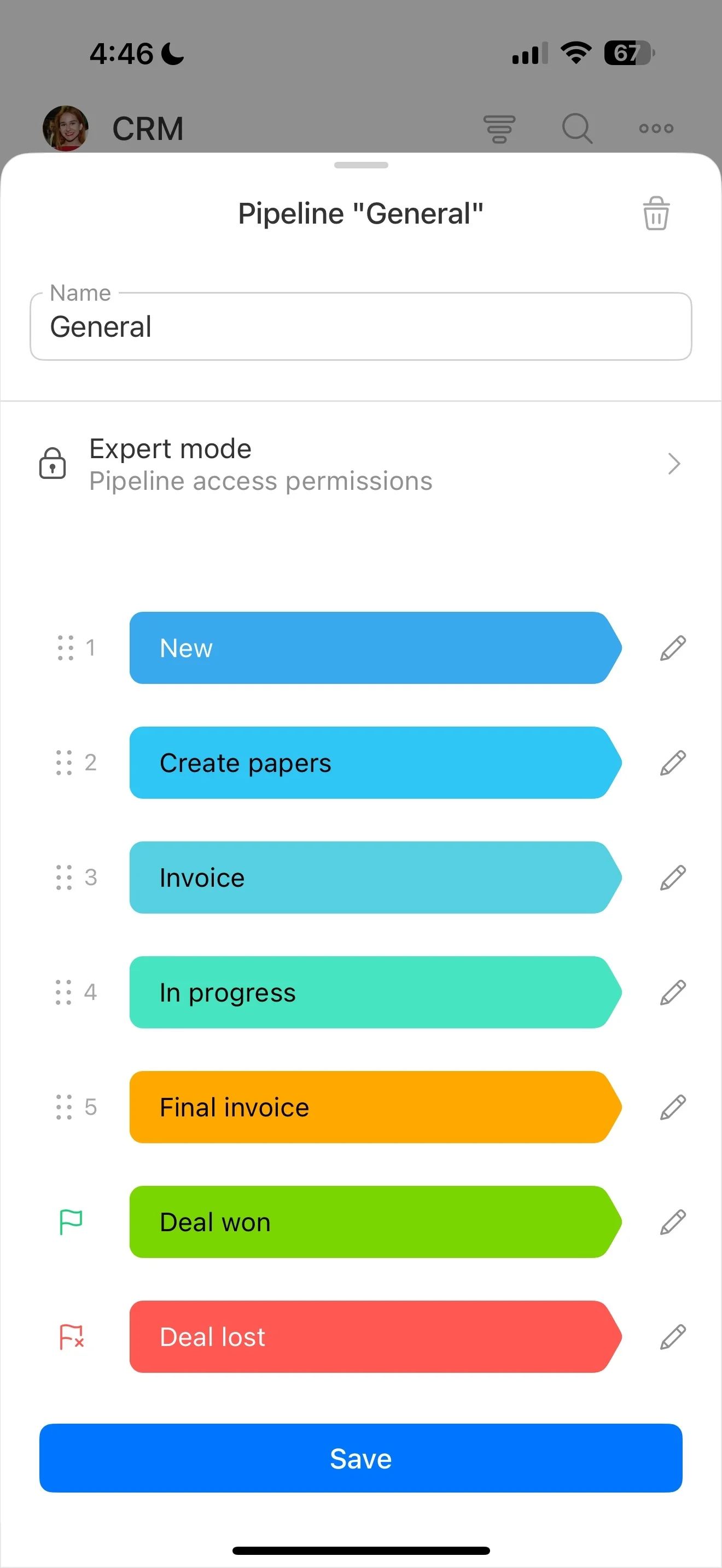
Bitrix24 can support the CRM workflow from lead and deal management through quotes and invoices. Accounting integrations can then connect the approved transaction to the accounting system, keeping customer-facing work in CRM while financial records and controls remain where they belong.
Assign ownership at every handoff
Clear ownership prevents gaps between commercial and financial work. Sales manages the customer relationship and deal progress; finance manages accounting activities and payment administration; managers monitor items waiting for approval, invoicing, or follow-up.
Agree who approves quotes, issues invoices, checks payments, and contacts the customer. This keeps responsibilities visible without turning CRM into an accounting system.
Define the CRM-to-accounting boundary
CRM manages the commercial relationship: contacts, companies, deals, quotes, and customer communication. Accounting manages bookkeeping, payment administration, and financial reporting. The connection matters at the handoff, where approved sales information moves into the financial workflow.
This division keeps the CRM useful for progressing the customer relationship without treating it as a replacement for accounting software.
Move from deal to invoice
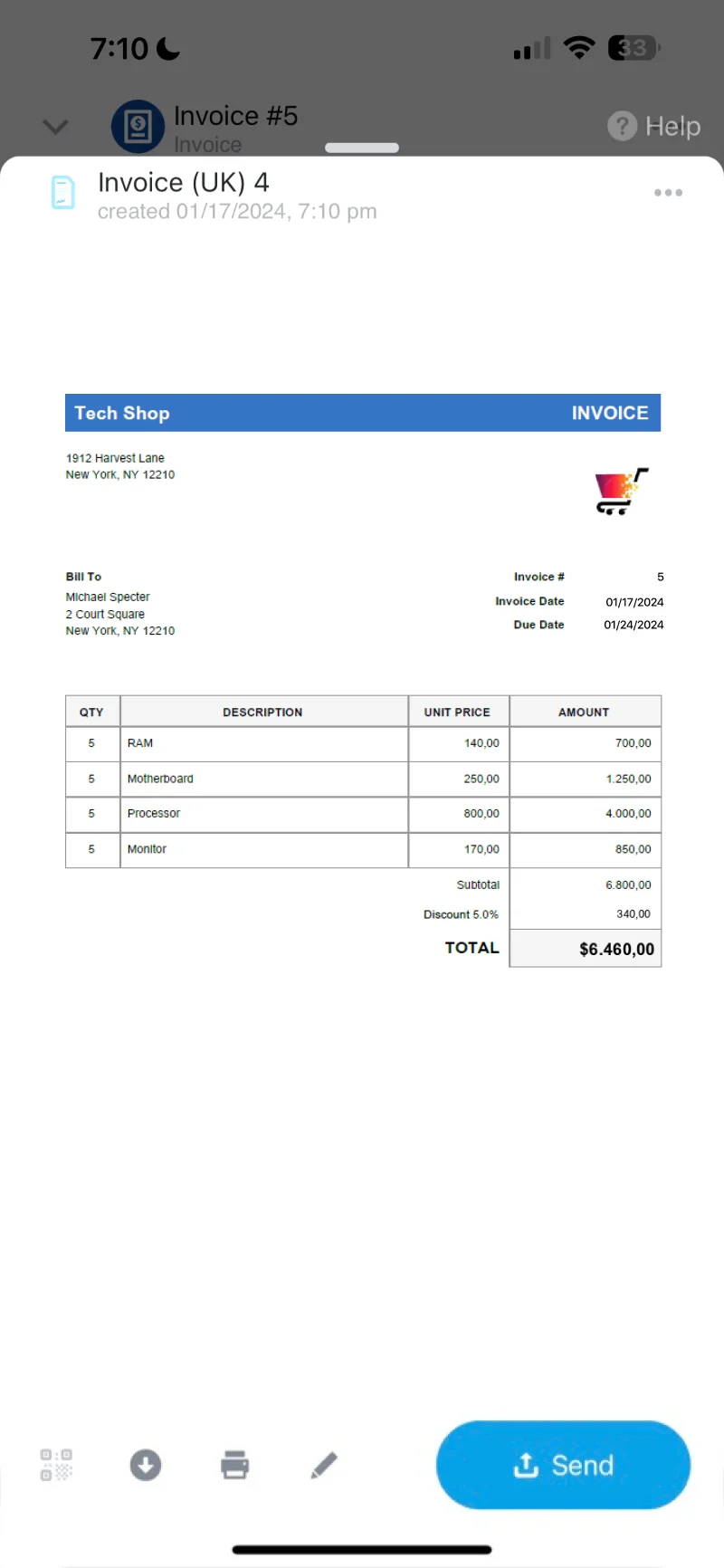
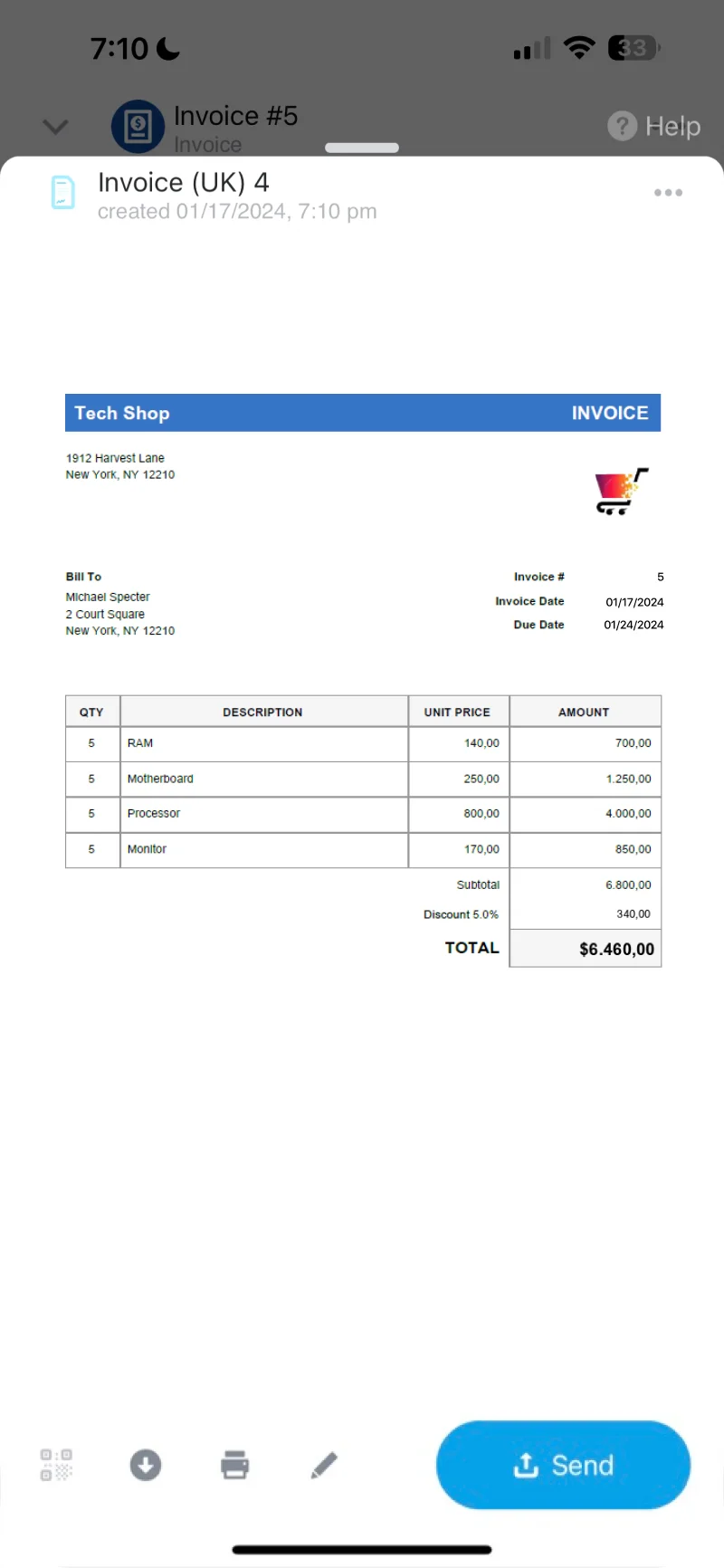
The process starts with a qualified opportunity and the details required for a commercial offer. Once the customer accepts the terms, the deal provides the context for moving toward invoicing and the accounting handoff.
- Track the opportunity and customer details in CRM.
- Prepare and manage the quote.
- Move the approved transaction toward an invoice.
- Pass the relevant information into the accounting workflow.
Keep payment follow-up connected
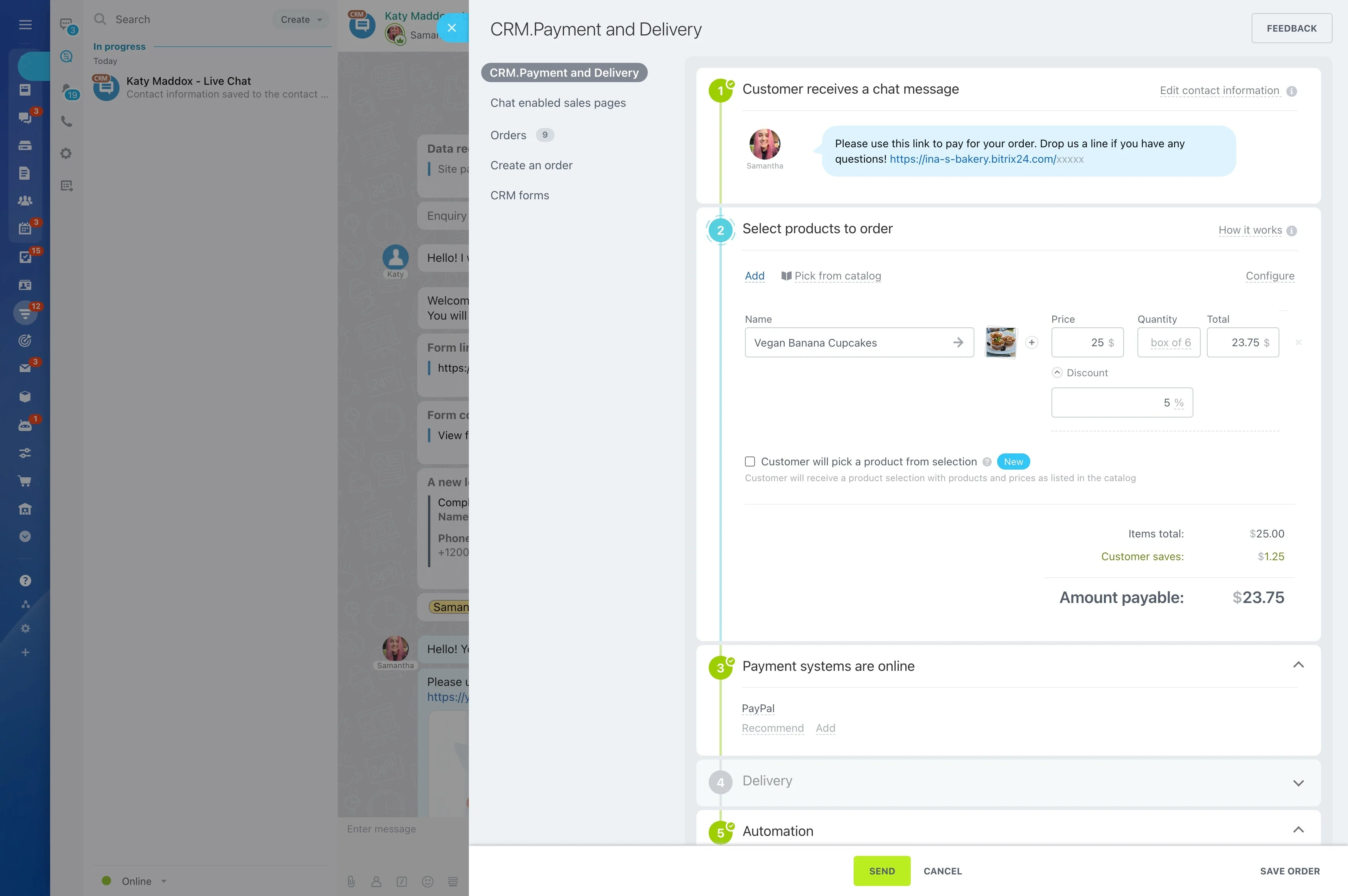
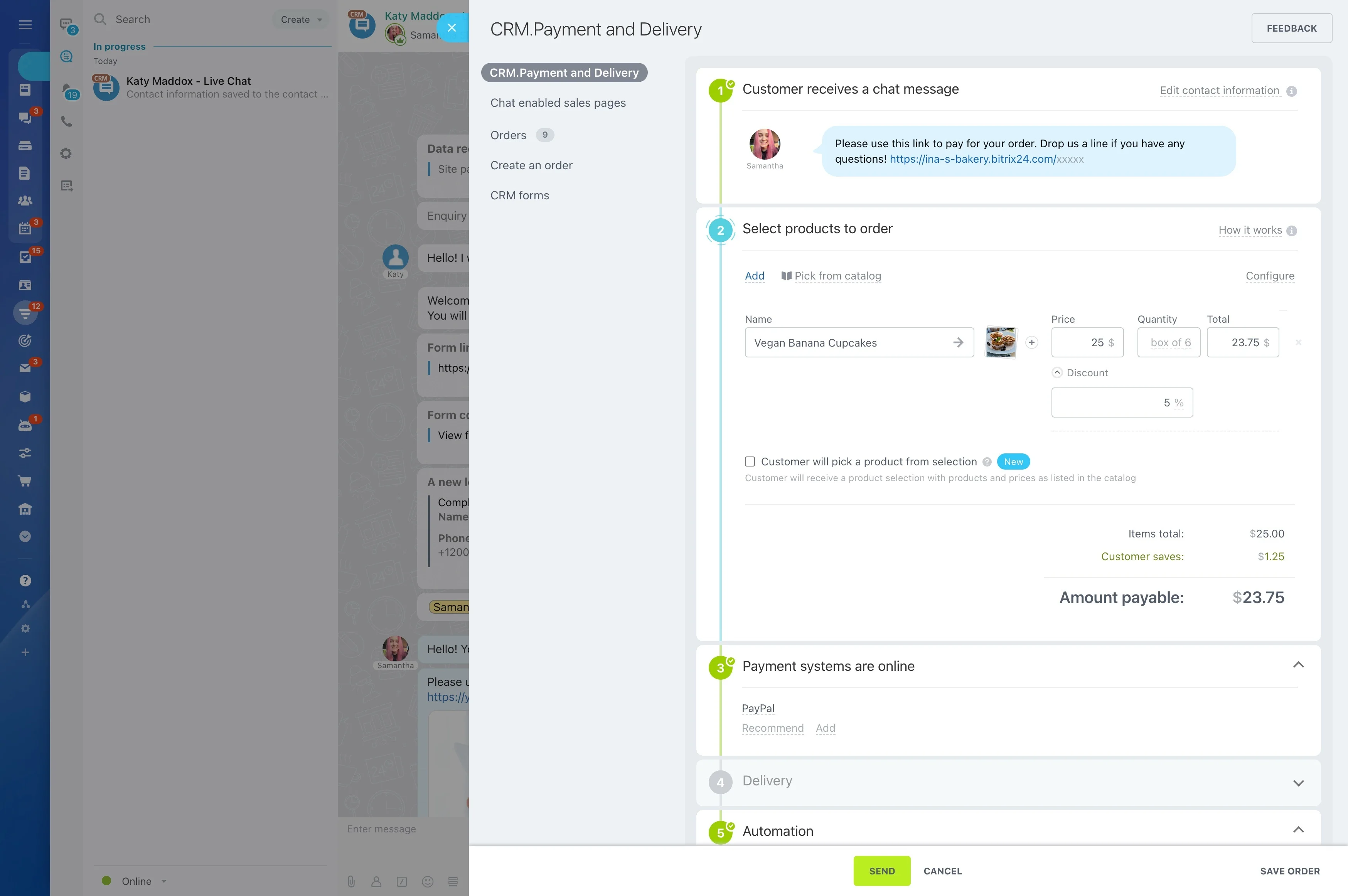
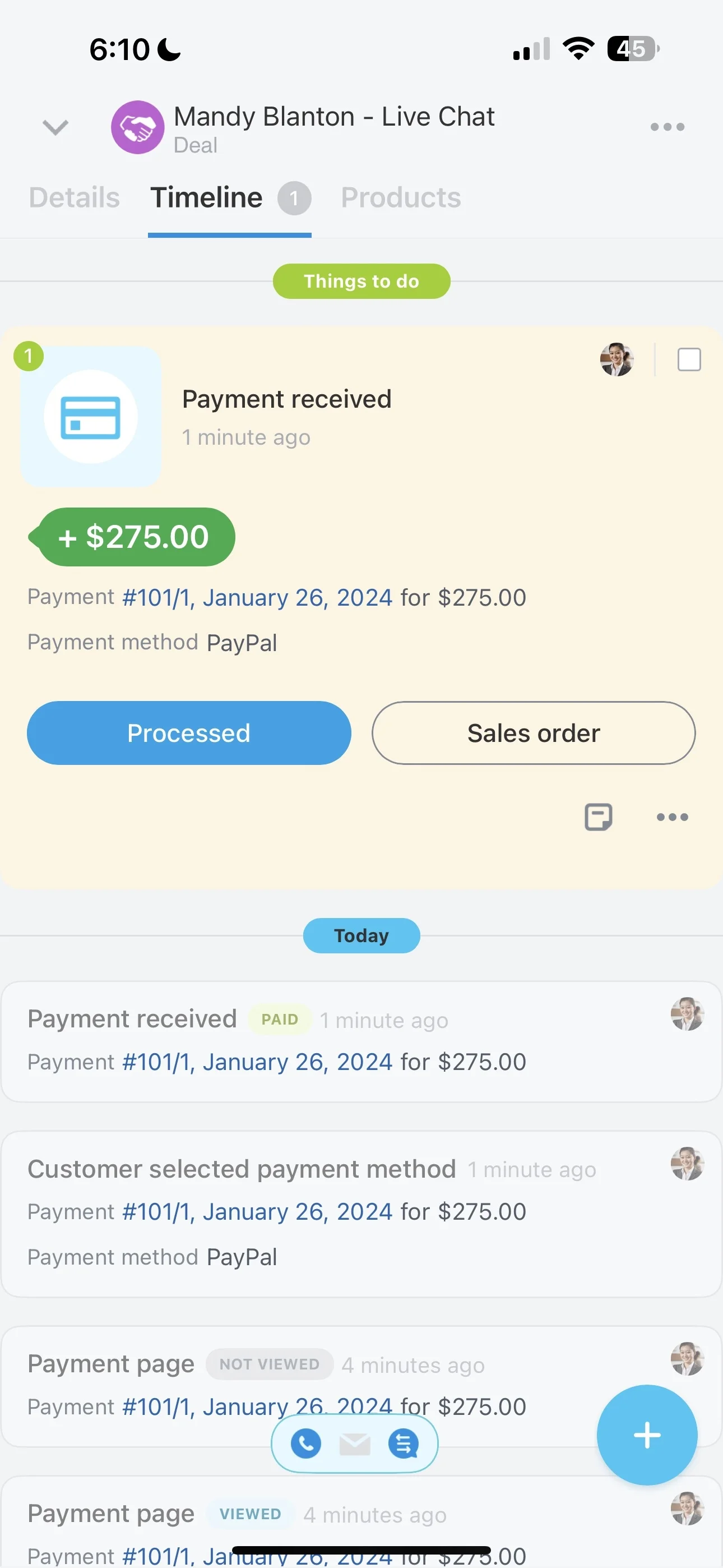
After an invoice is issued, payment follow-up should still relate to the original deal and customer history. A connected workflow gives sales context for customer communication while finance handles the accounting side of the process.
Payment status and synchronization depend on the accounting platform and integration selected, so confirm which information returns to CRM and how exceptions are handled.
Separate pipeline and financial reporting
Sales reporting explains pipeline and deal progress, while accounting reporting explains invoices, payments, and financial results. Connecting the workflows can help management follow the path from opportunity to realized revenue, subject to the reporting capabilities of the selected integration.
Keep each system’s reporting role clear so teams know which source is authoritative for a given financial figure.
Plan the accounting integration
Start by mapping the information that must move between CRM and accounting, including the approved deal, invoice details, payment updates, and exceptions. The right setup depends on the accounting platform, document flow, and reporting requirements.
- Define the deal-to-invoice handoff.
- Confirm which payment statuses return to CRM.
- Assign reconciliation and exception ownership.
- Identify the system of record for financial reporting.