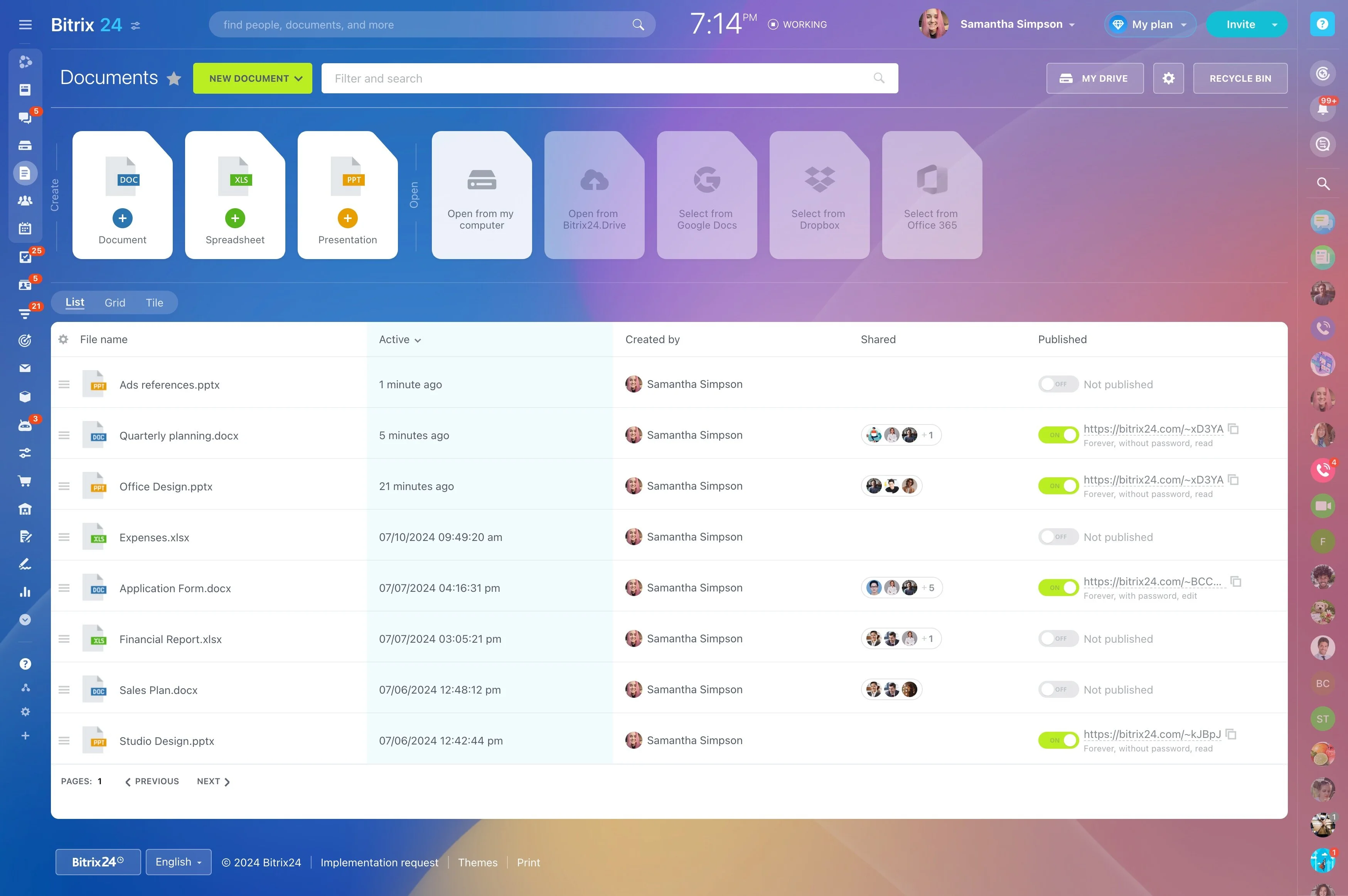
Template setup: map fields once, reuse per deal
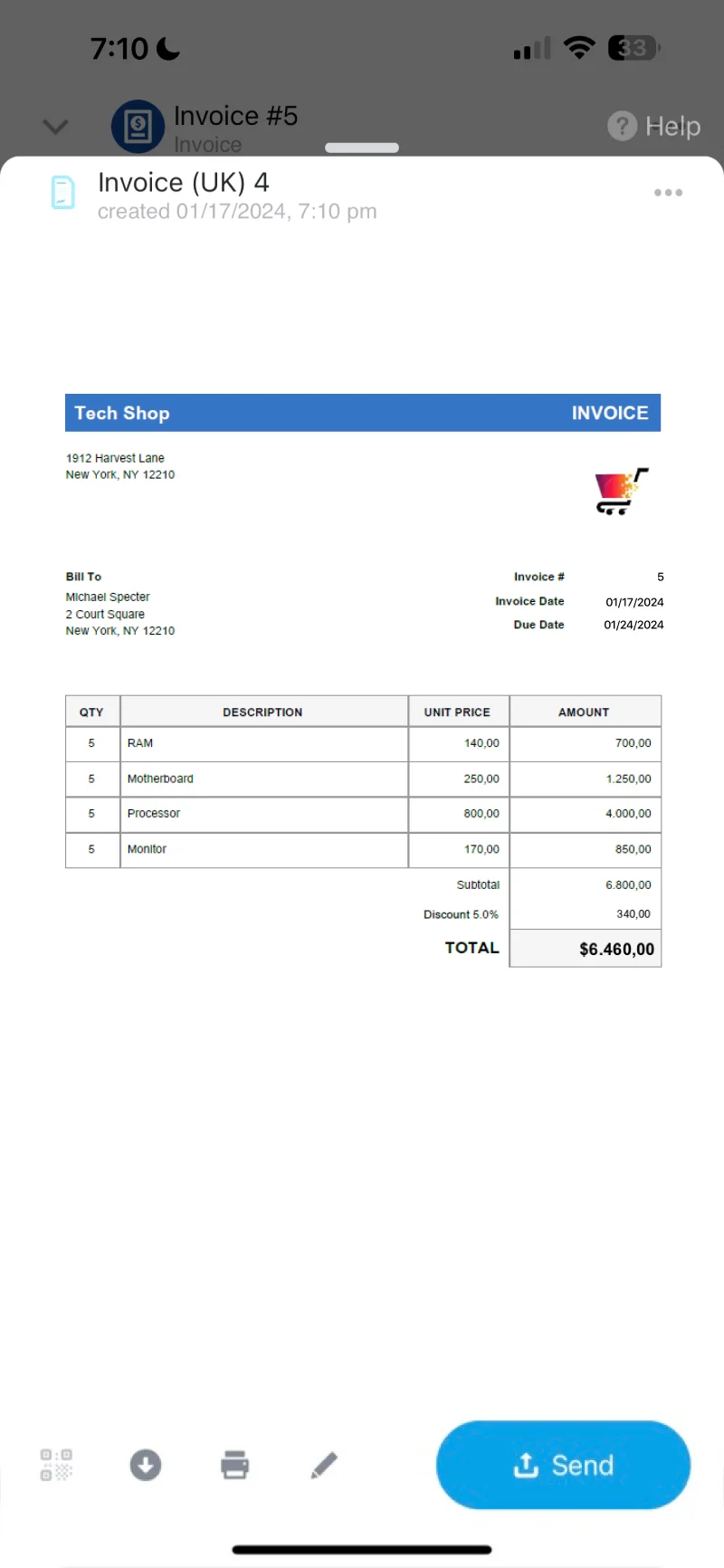
When a deal hits “Proposal” or “Invoice requested,” the work should be validating the numbers and terms—not re-entering names, addresses, line items, and dates into a separate document. CRM document generation lets your team create proposals, quotes, invoices, and other documents from the CRM record using templates, so the output stays consistent and reflects the latest data in the deal.
In Bitrix24, document templates can be linked to the fields you already maintain in CRM (company and contact details, deal amount, products/services, dates, and custom fields). A rep generates the right document from a deal, contact, or company record, then continues the normal review, approval, and customer communication steps with the document activity remaining tied to the CRM workflow.
- Generate standard documents from CRM records using templates
- Keep branding and required clauses consistent across the team
- Limit who can edit templates vs. who can generate documents
Permissions for template control and compliant output
Keep document generation consistent by separating template ownership from day-to-day document creation. Assign a small group to create and update templates, while reps generate documents from CRM records they can access.
This helps reduce off-brand formatting and outdated wording, and makes it clear who is responsible for template changes.
Create proposals and invoices from live CRM fields
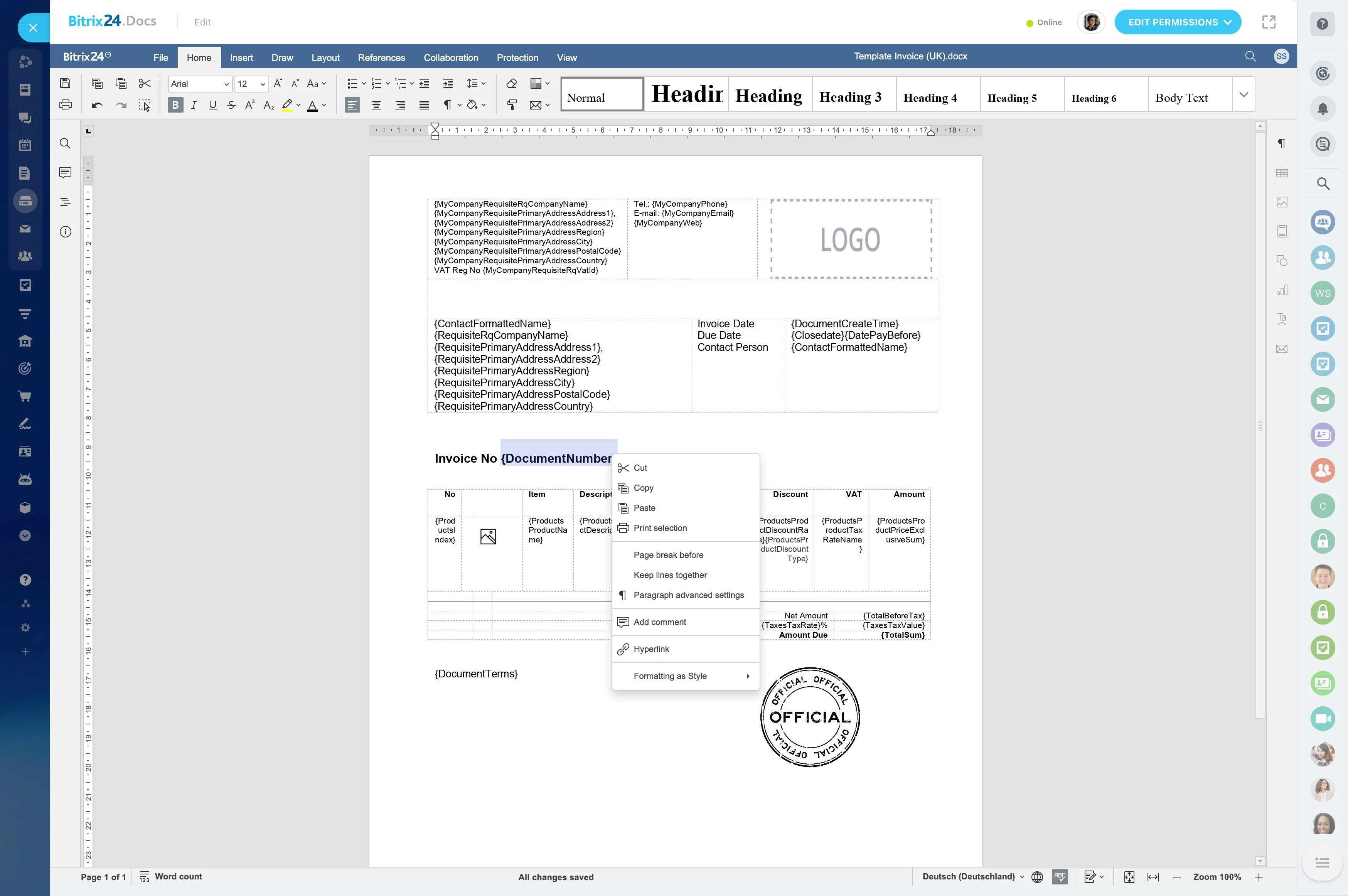
Start from the CRM record that already holds the customer and deal details. When you generate a document, the template inserts the mapped fields so names, addresses, pricing, and dates match what’s currently stored in CRM.
Common outputs include proposals/quotes tied to a deal, invoices based on agreed items and totals, and standardized forms that reuse contact or company data.
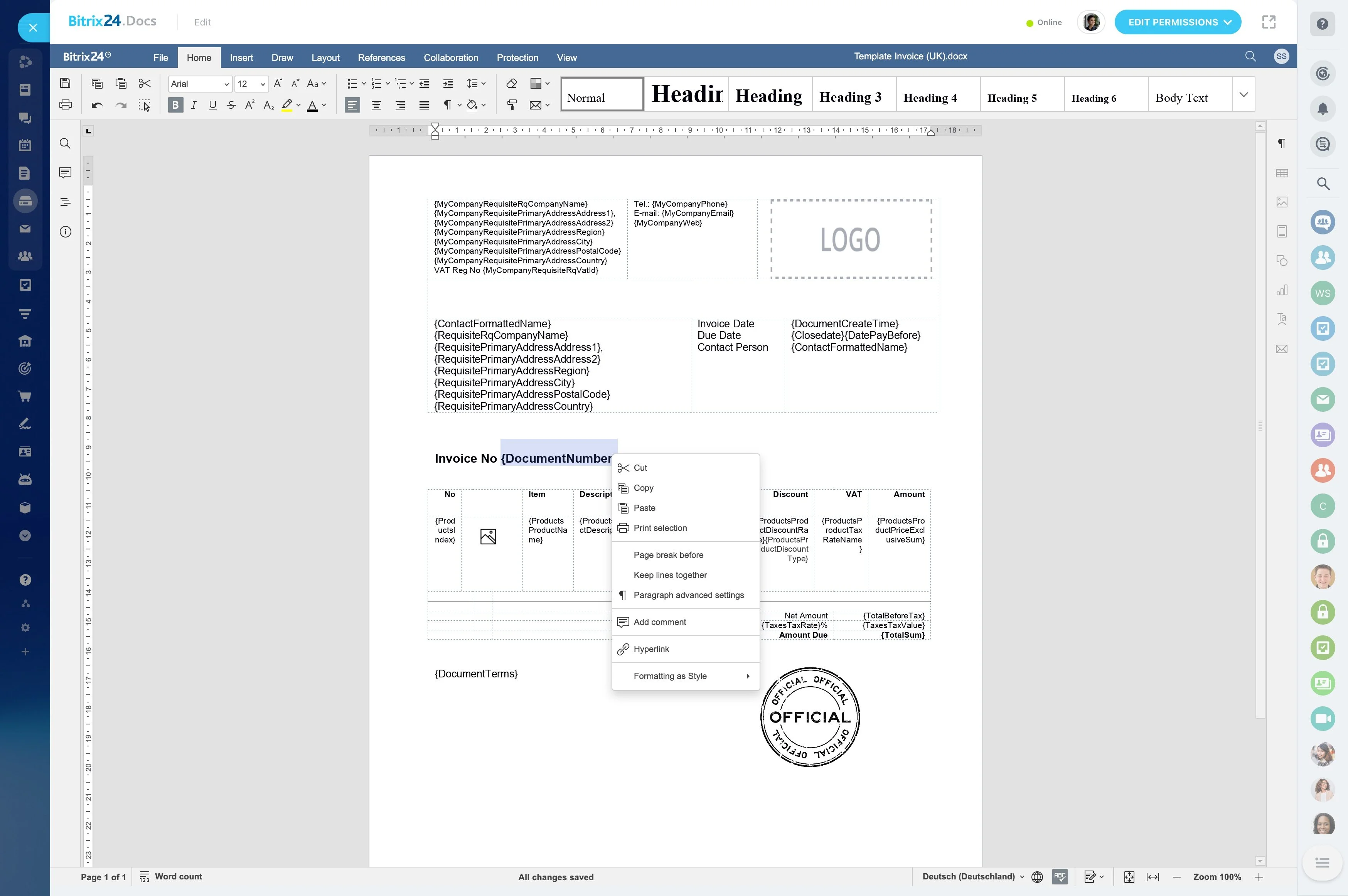
Template setup: map fields once, reuse per deal
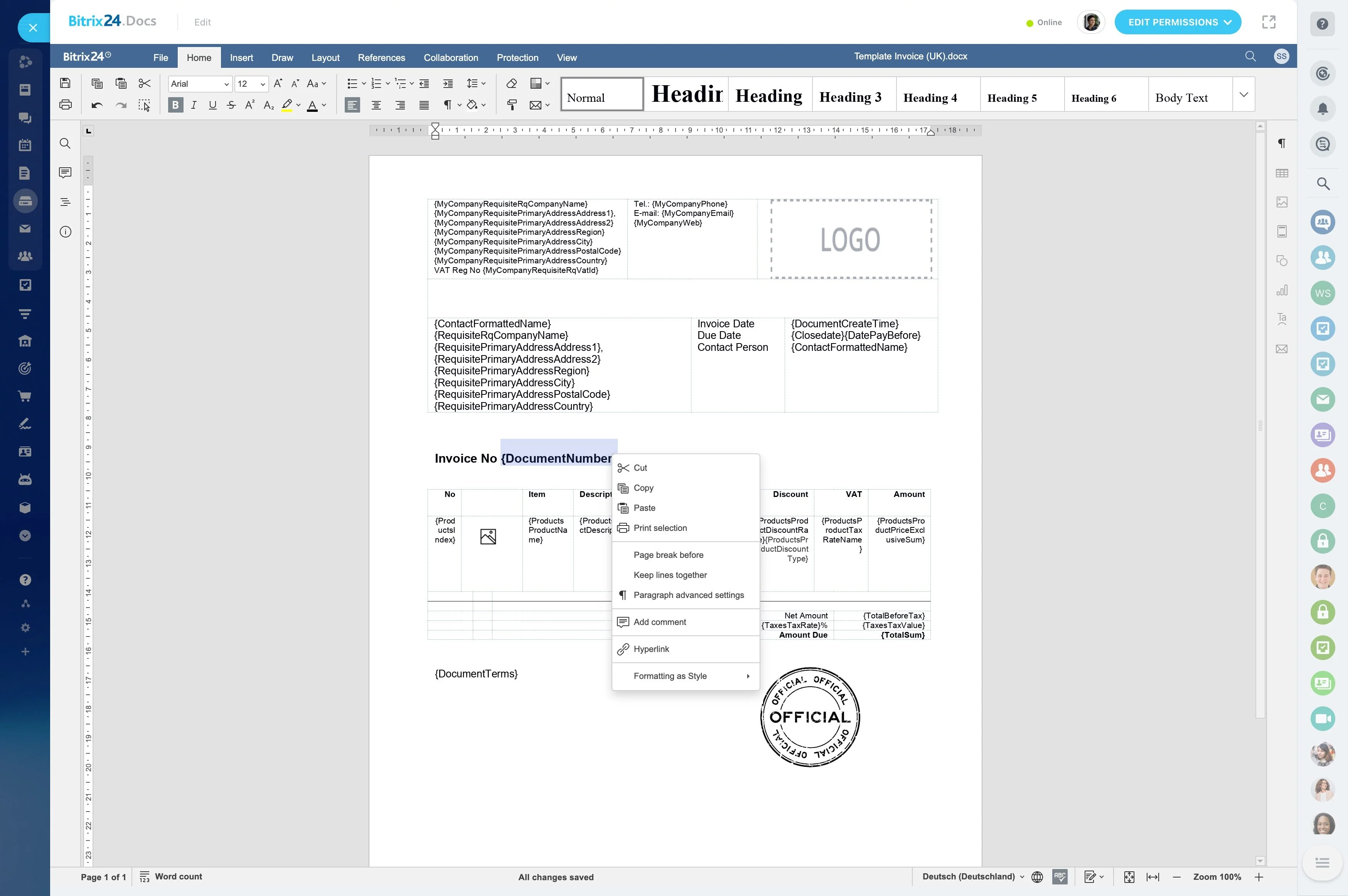
Build a small set of templates that match how you sell (for example, “Standard Proposal,” “Enterprise Proposal,” “Deposit Invoice,” “Final Invoice”) and map each to the CRM fields it needs.
When terms, branding, or sections change, update the template so every new document follows the same structure without editing each file manually.
Workflow example: stage change → generate → track impact
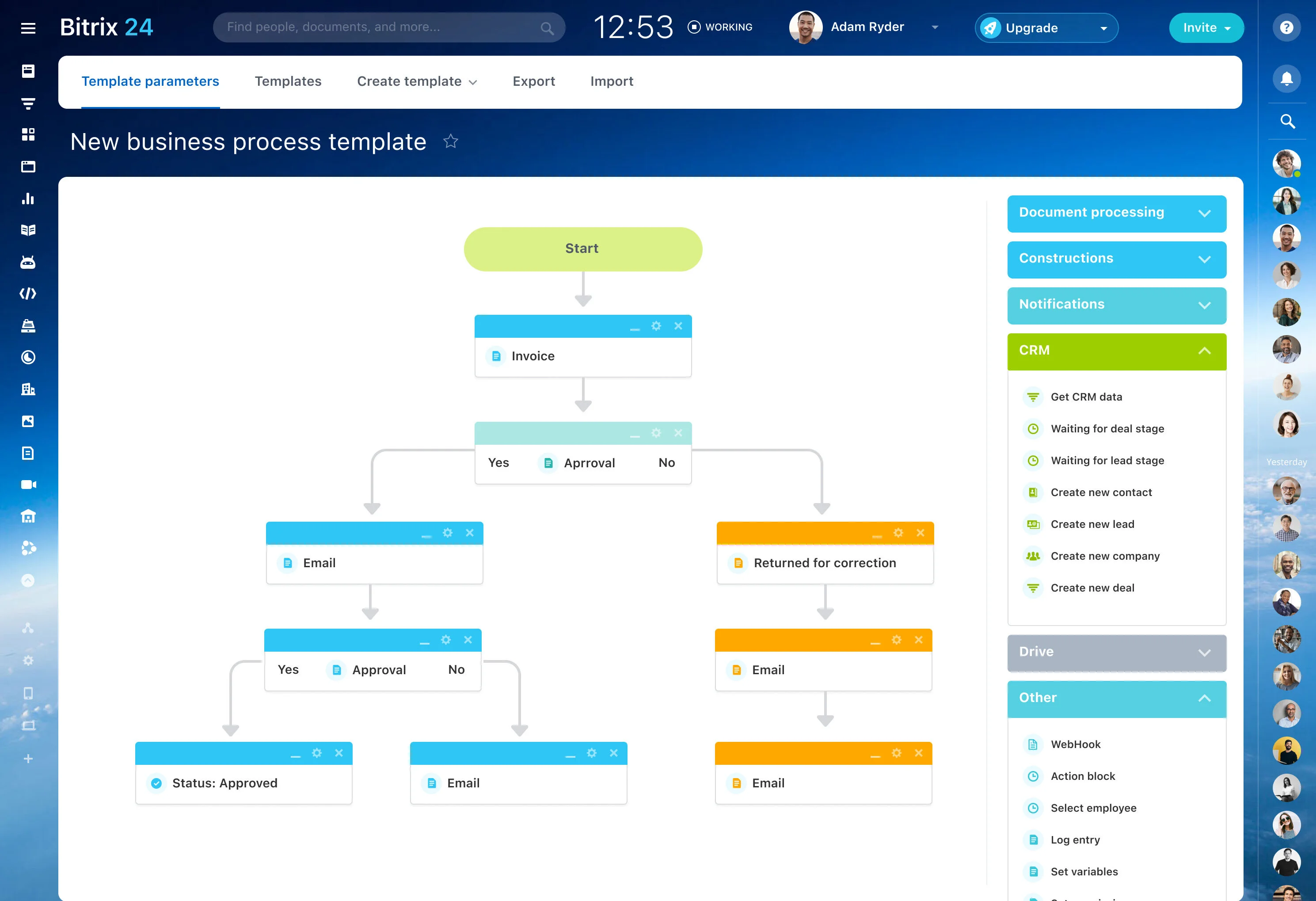
Trigger: A deal moves to a “Proposal” stage.
CRM action: The owner generates the proposal from the deal using the approved template, reviews it, and sends it—keeping the document linked to the deal.
Outcome to measure: Compare stage conversion and cycle time before vs. after rollout, and track how often deals in “Proposal sent” have a generated document attached.
Use document generation at key deal stages
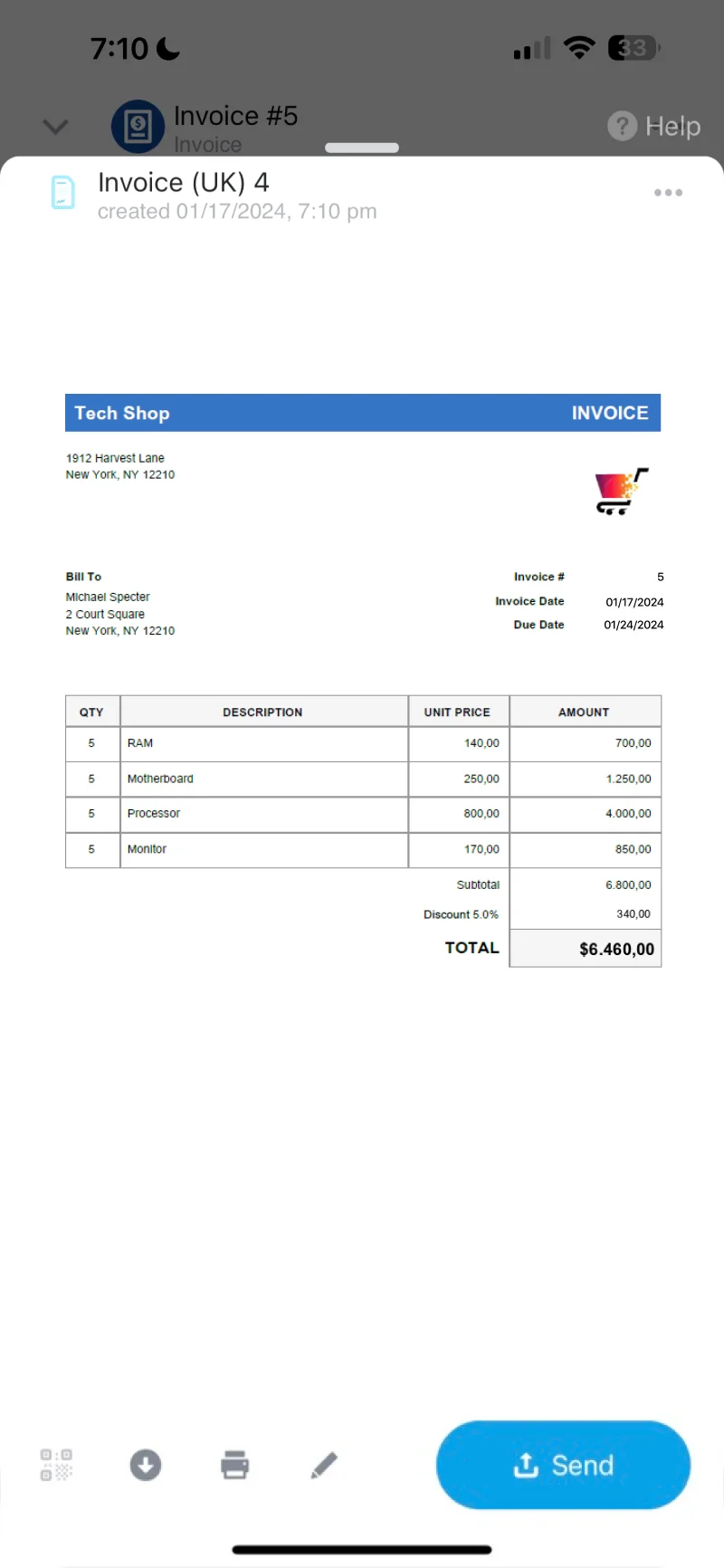
Document generation works best when it’s tied to specific pipeline moments: proposal sent, invoice issued, contract prepared, renewal offered. Generate the document from the same deal record the team is working in, then continue the next steps from that context.
That way, anyone taking over the deal can see what was created and when, alongside stage changes and follow-ups.
Reporting on adoption and process consistency
Treat document generation like any other repeatable pipeline step: track whether it’s used, whether it’s used at the right time, and whether it correlates with better movement through stages.
- Usage: which owners generate which document types
- Coverage: deals that reached key stages with the required document created
- Impact: changes in conversion and cycle time after rollout