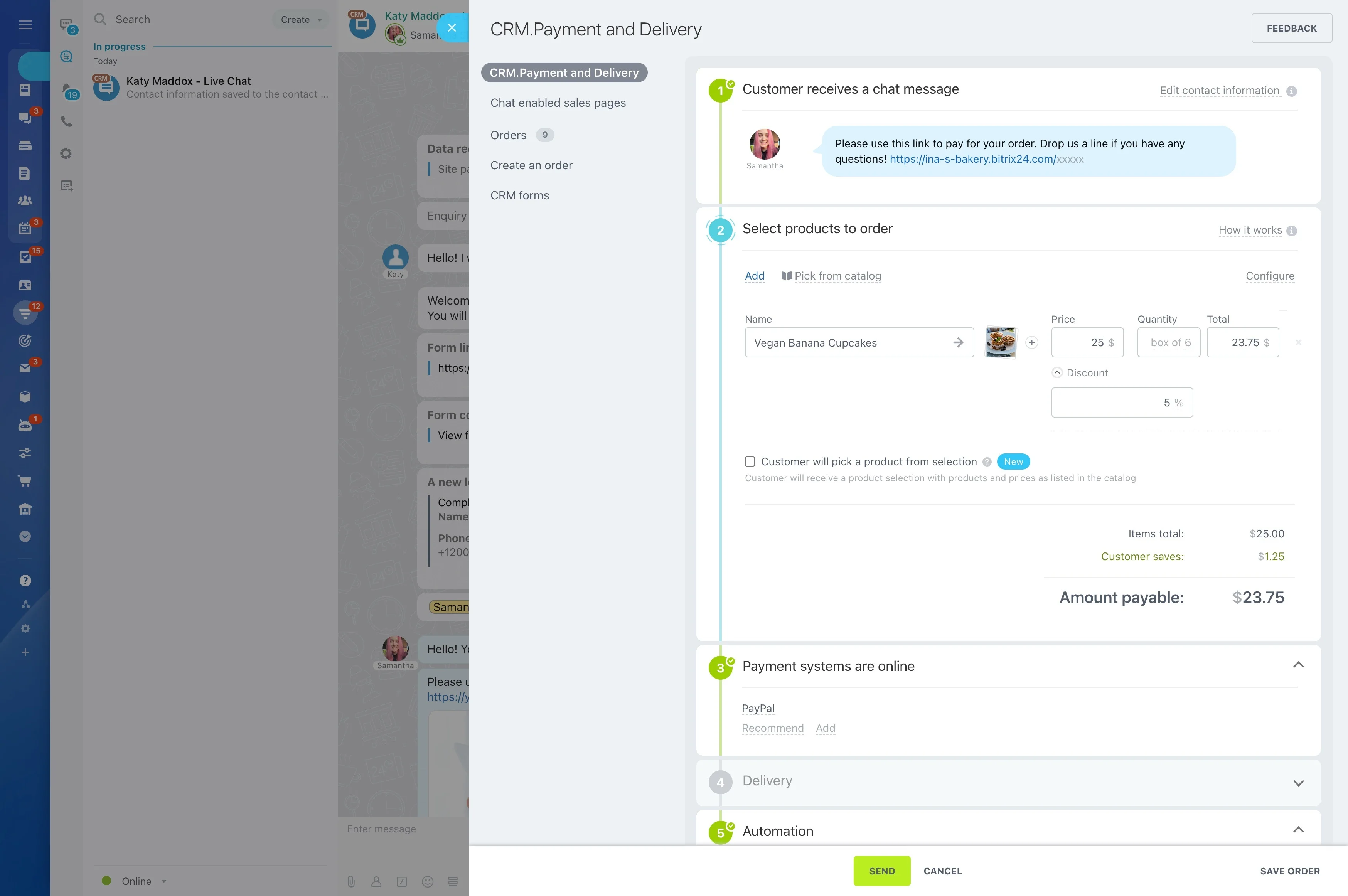
Make payment status clear in pipeline stages
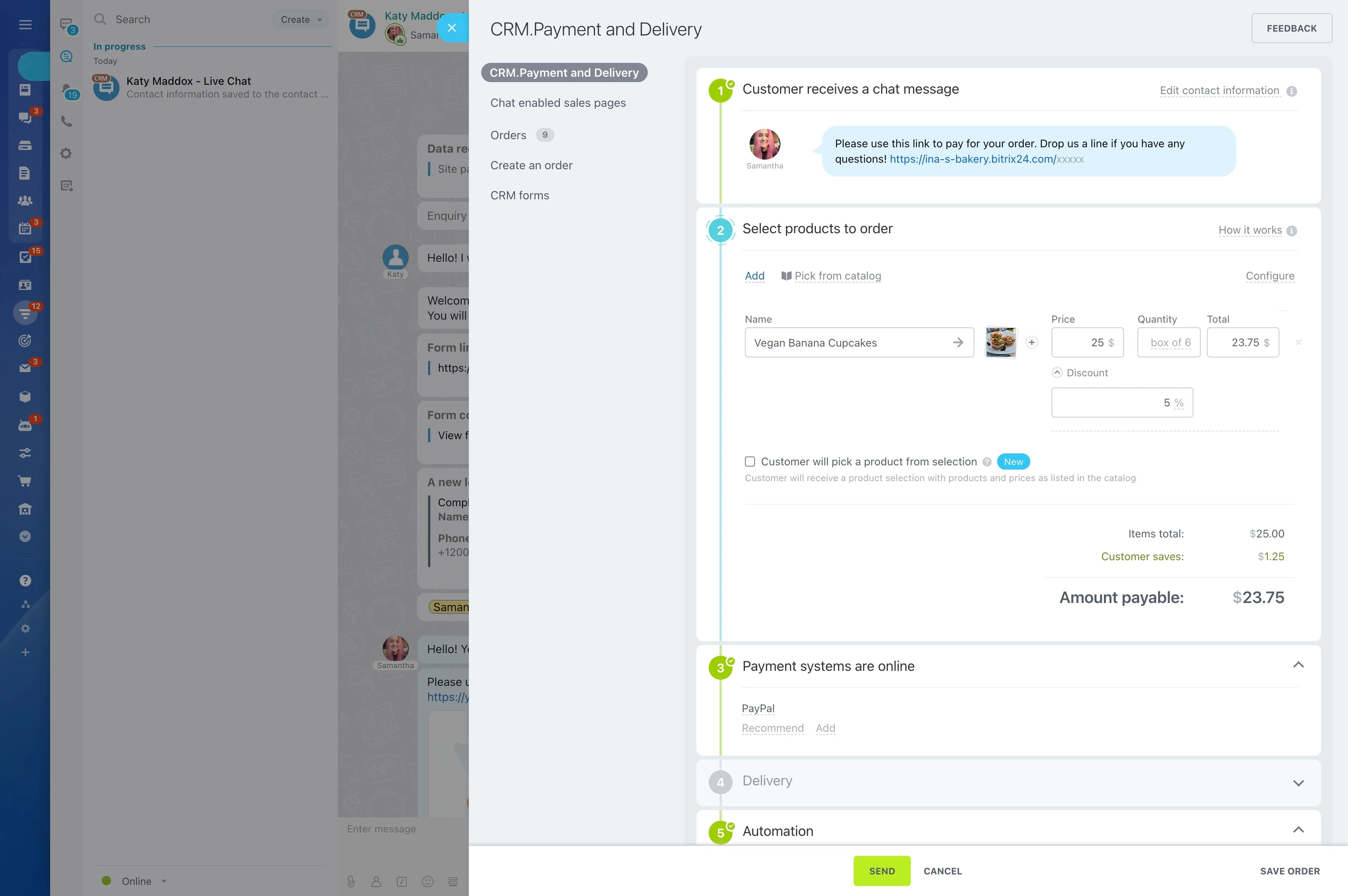
When a deal reaches the point where payment is due, the sales team needs more than a reminder to “collect money.” They need a consistent way to record the payment request inside the deal, keep the status visible, and ensure the right follow-up happens before the deal moves to delivery or onboarding.
Bitrix24 lets you manage this as a deal-stage workflow: define the payment checkpoints in your pipeline, capture the key details (amount, terms, due date) on the deal, and control who can create or edit payment-related fields. With payment status reflected in the pipeline, managers can spot revenue that’s waiting on payment and reps can prioritize follow-ups based on what’s actually at risk.
- Initiate the payment step from the deal record
- Make payment status clear in pipeline stages
- Use permissions to separate creation, edits, and visibility
Link payment milestones to the next CRM steps
Payment is usually a gate before delivery, onboarding, or internal approvals. When payment is tracked as a structured checkpoint in the deal, it’s easier to standardize what happens next—so handoffs are based on confirmed status instead of assumptions.

Setup: stages, fields, and ownership rules
Start by defining payment in the same structure your team works in every day:
- Stages: add clear payment checkpoints such as “Payment requested” and “Paid.”
- Fields: standardize what must be recorded (amount, due date, terms, internal notes).
- Ownership: confirm who initiates the payment step and who owns overdue follow-up.
This makes the process repeatable and easier to manage across reps and teams.
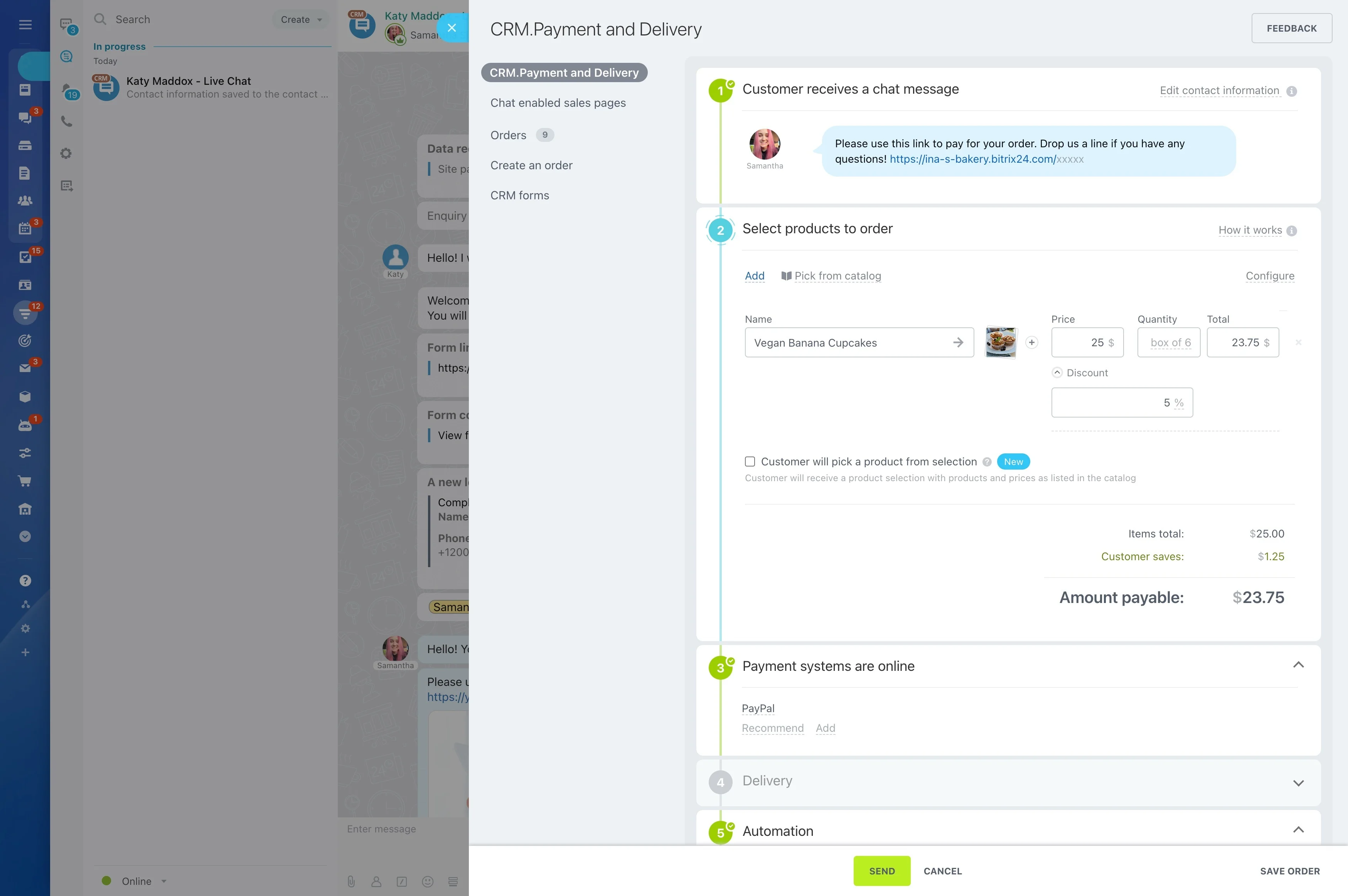
How payment work stays tied to the deal
A usable payment-processing CRM flow starts with one clear moment: the customer has agreed to the terms, and the rep needs to request payment without losing deal context. Keep payment actions and details attached to the same deal record the team already uses, so ownership stays clear and updates are visible where the work happens.
That way, managers can quickly see which deals are still awaiting payment before resources are committed to fulfillment.
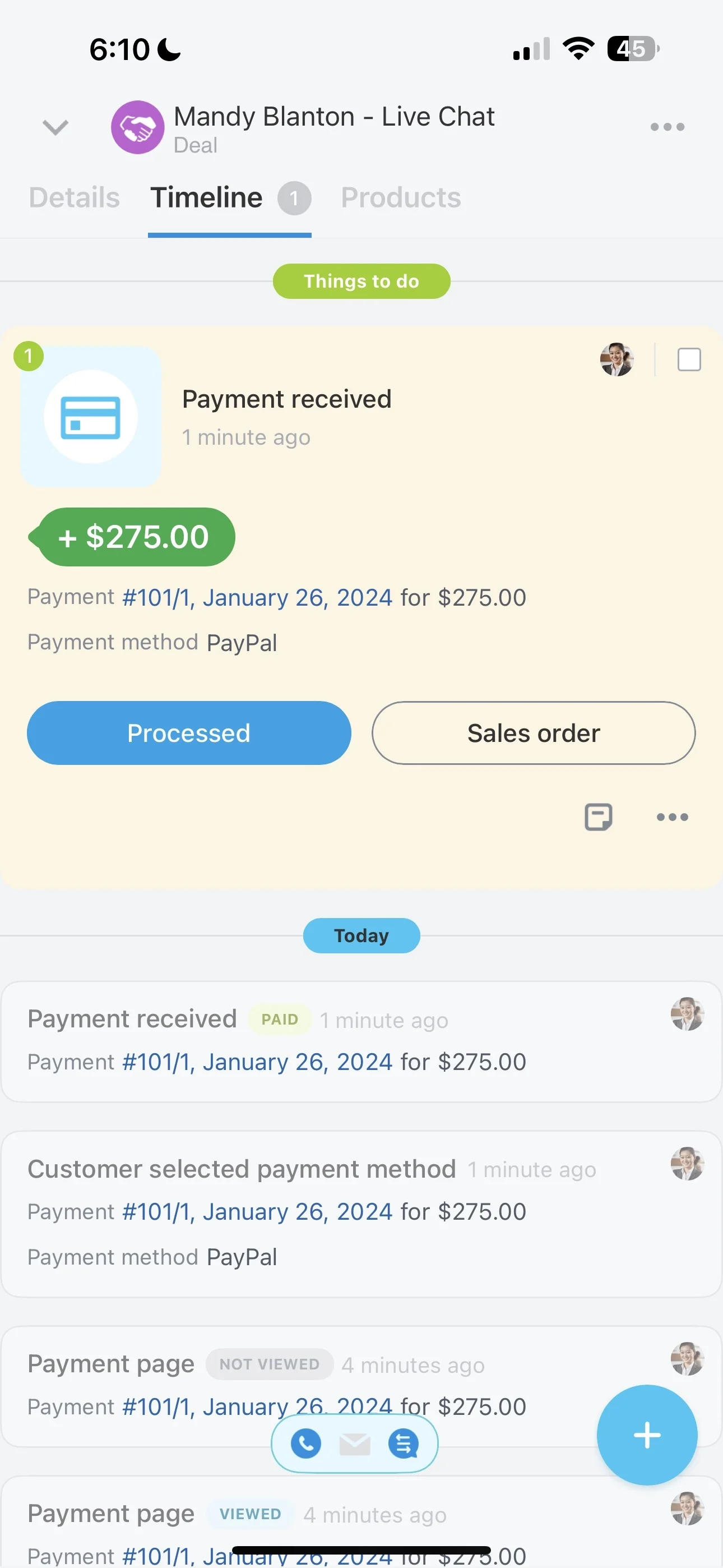
Trigger → CRM action → measurable outcome
Trigger: the deal moves to a “Payment requested” stage.
CRM action: the owner records the amount and due date on the deal and creates a follow-up task if payment isn’t confirmed by the deadline.
Measurable outcome: you can review how many deals are stuck waiting on payment, their total value, and how long they stay there—so follow-ups target revenue at risk instead of relying on memory.
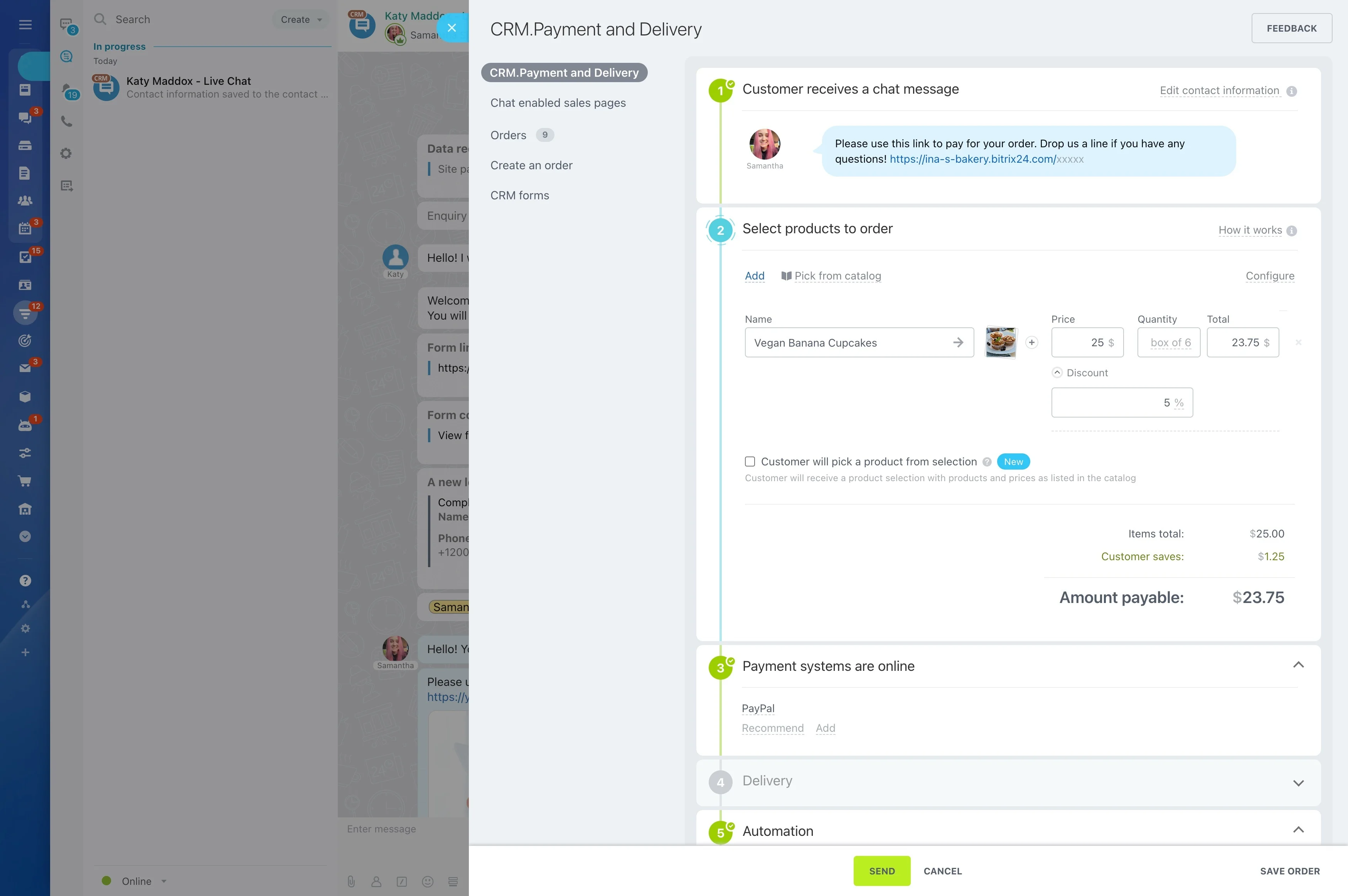
Make payment status obvious in the pipeline
Treat payment as a sales control point, not a side note. Use pipeline stages (for example, requested, pending, paid) so payment state is visible in list views and in the deal itself.
When a deal’s stage reflects the payment checkpoint, teams can avoid premature handoffs and managers can spot payment risk while reviewing pipeline health.
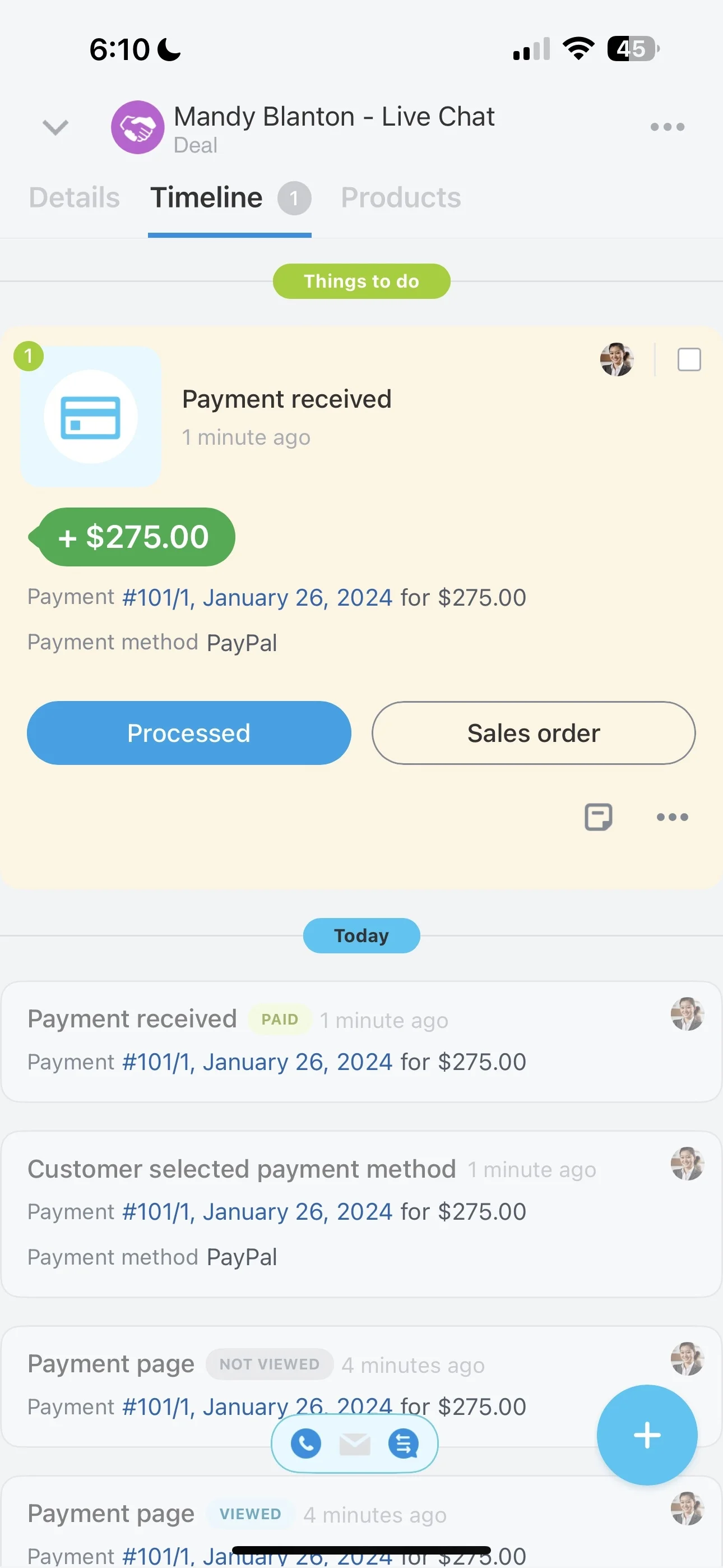
Permissions for payment-related edits and visibility
Payment details often need tighter control than general deal notes. Set CRM permissions so only the right roles can create or change payment-related fields or checkpoints, while stakeholders can still view status for planning and approvals.
This helps prevent accidental edits and keeps accountability clear when a deal is awaiting payment.

Reporting on revenue delayed by payment
Once payment checkpoints are part of the deal workflow, stage-based reporting becomes more actionable. Review deals sitting in payment stages, their total value, and time-in-stage to find bottlenecks.
Use what you learn to refine stage definitions and follow-up timing, and to coach reps on where deals most often stall before closing.